
How to Use Artbreeder
A Fun and Creative Online Tool for Image Generation

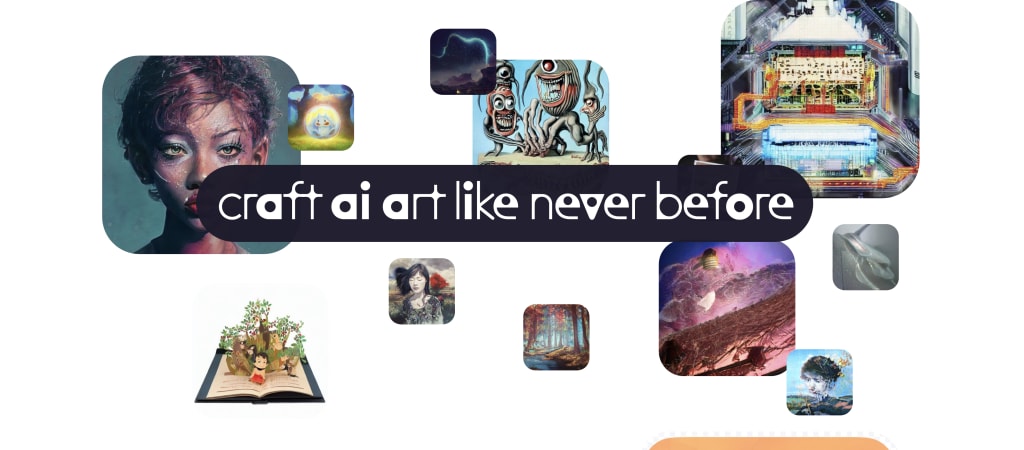
Are you looking for a tool that can help you unleash your creativity and create stunning visuals? Artbreeder might be the perfect solution for you. In this article, we will explore the different features of Artbreeder, how to use it to generate unique images, and tips to make the most of this tool. Whether you are a beginner or an experienced designer, Artbreeder can help you create amazing images.
Introduction
Artbreeder is a web-based platform that allows users to create unique images by combining and manipulating existing images. It uses artificial intelligence algorithms to generate images based on user inputs and preferences. Artbreeder is a free tool that can be used by anyone with an internet connection, and it has gained popularity among artists, designers, and creatives for its ease of use and endless possibilities.
Getting Started with Artbreeder
To use Artbreeder, you first need to create an account. This is a straightforward process that requires your email address and a password. Once you have created an account, you will be directed to the Artbreeder homepage, where you can start generating images.
The Artbreeder interface is intuitive and user-friendly, with several options to choose from. You can create new images from scratch or modify existing ones. Artbreeder offers a vast collection of images that you can use as a base, including portraits, landscapes, animals, and abstract shapes.
Generating Images with Artbreeder
One of the best things about Artbreeder is its ability to generate unique images based on user preferences. To generate an image, you can start by selecting a base image and then using the sliders to adjust the parameters. The sliders control various aspects of the image, such as size, colour, shape, and texture. You can also combine multiple images and adjust their parameters to create a composite image.
As you adjust the sliders, the image changes in real-time, allowing you to see the effects of your changes immediately. This is a great way to experiment with different combinations and find the perfect look for your image. Artbreeder also allows you to save and share your images, so you can showcase your creations to the world.
Tips for Using Artbreeder
To make the most of Artbreeder, there are a few tips that you can follow:
- Start with a base image that you like When using Artbreeder, it's essential to start with a base image that you like. This will make it easier for you to create an image that meets your preferences. Choose an image that inspires you or matches the style you are aiming for. The base image is the starting point, and the adjustments you make will build upon it. By starting with an image that you like, you can ensure that the end result will be something you're happy with.
- Experiment with different combinations of parameters One of the most significant advantages of Artbreeder is its ability to generate unique images based on user preferences. To make the most of this, don't be afraid to try out different combinations of parameters. Adjust the sliders to change the size, color, shape, and texture of the image. As you experiment, you may discover that certain settings work better for certain types of images. By trying different combinations, you'll learn more about what works and what doesn't, and you'll be able to create more effective images.
- Use the "gene" feature to save and reuse specific parameters Artbreeder has a feature called "genes" that allows you to save and reuse specific parameter settings. This feature is useful if you want to create a consistent style across multiple images. When you find a combination of parameters that you like, you can save it as a gene. Then, when you're working on a new image, you can load that gene and apply the same settings. This is a great way to save time and ensure that your images have a consistent look and feel.
- Share your images on social media and get feedback from others Sharing your images on social media can be an excellent way to get feedback from other artists and improve your skills. By sharing your work, you can learn what others like and don't like about your images. You can also see what other artists are creating with Artbreeder and get inspired by their work. Getting feedback and inspiration from other artists can help you improve your skills and create more effective images. Plus, it's always fun to share your work and see what others think!
Exploring the Features of Artbreeder
Additionally, Artbreeder offers a wide range of base images to choose from, including portraits, landscapes, animals, and abstract shapes. This allows users to create a diverse range of images depending on their interests and preferences.
Artbreeder also provides users with advanced settings, which can be accessed by clicking the "advanced" button in the interface. This feature allows users to fine-tune the parameters of the image, such as color balance, brightness, and contrast. This level of control enables users to create highly customized images with a high degree of precision.
Moreover, Artbreeder has a social aspect where users can interact with each other and share their creations. Users can follow each other, comment, and like each other's images. This fosters a sense of community and allows users to get feedback and inspiration from other artists.
Another useful feature of Artbreeder is the ability to generate a large number of images quickly. This feature is especially useful for those who need a large volume of images for their project or design. Artbreeder generates images in real-time, which allows users to experiment with different combinations and make quick adjustments.
Artbreeder is a highly versatile tool that offers several features for creating unique and visually stunning images. Its range of base images, blending options, advanced settings, and social features makes it an engaging and useful tool for both beginners and experienced artists.
Using Artbreeder for Various Applications
Artbreeder's diverse features and functionalities make it a versatile tool that can be used for various applications. Here are some of the ways Artbreeder can be used:
- Art creation: Artbreeder allows artists to experiment with different styles and techniques by blending multiple images together to create unique pieces of art. Users can adjust various parameters to customize their artwork, making it a great tool for exploring creativity.
- Graphic design: Artbreeder can be used to create visuals for logos, websites, and other branding materials. Designers can use Artbreeder to generate unique imagery that aligns with their brand's identity and aesthetic.
- Marketing materials: Businesses can use Artbreeder to create visually appealing marketing materials such as flyers, brochures, and banners. Artbreeder can be used to generate unique images that help to grab the audience's attention and convey a message.
- Education: Artbreeder can be used in educational settings to teach students about art, design, and artificial intelligence. Teachers can use Artbreeder to introduce students to different art styles and techniques while giving them the opportunity to experiment and create their own images.
- Research: Researchers can use Artbreeder to study the application of artificial intelligence in image generation. Artbreeder's AI algorithms can generate images based on user inputs, making it an excellent tool for studying how machine learning can be used in image creation.
Overall, Artbreeder's versatility makes it a valuable tool for anyone interested in art, design, or artificial intelligence. Its features and functionalities can be used in a variety of settings to create unique and visually stunning images.
Creating a Community and Getting Feedback
Artbreeder's community is a platform where users can connect, share their creations, and offer feedback to others. The community is a great way to get inspired, improve your skills, and connect with other creatives who use the tool. By sharing your images on social media and other platforms, you can also get feedback from a wider audience and gain exposure for your work.
The community aspect of Artbreeder is particularly valuable for artists and designers who are looking to improve their skills and learn from others. You can learn from the feedback that others offer on your creations and apply that knowledge to future projects. Additionally, by exploring the work of other artists on Artbreeder, you can get inspired by their creations and discover new techniques and styles.
Sharing your images on social media and other platforms is also an effective way to gain exposure for your work and reach a wider audience. You can use hashtags and other techniques to make your images more discoverable, and you may even attract the attention of potential clients or collaborators.
Overall, the community aspect of Artbreeder is an important feature that sets it apart from other image generation tools. By connecting with other creatives and sharing your work, you can improve your skills, get inspired, and gain exposure for your creations.
Conclusion
Artbreeder is an excellent tool for creating unique and visually stunning images. Whether you are a beginner or an experienced designer, you can use Artbreeder to unleash your creativity and experiment with different styles and combinations. By following the tips outlined in this article, you can make the most of Artbreeder and create images that are sure to impress. So why not give Artbreeder a try and see what amazing creations you can come up with?
About the Creator
Trevor Stidston
Always Moving Forward... Husband to an incredible human and Father to a mystical little being. Business owner and consultant for a few others. With two decades of experience in the creative design, print and digital media worlds.
Keep reading
More stories from Trevor Stidston and writers in 01 and other communities.
Exploring the Creative Possibilities of GPT-4 and Midjourney V4
Introduction Artificial intelligence (AI) has been transforming various industries, and the creative industry is no exception. With the release of GPT-4, the latest language model from OpenAI, and Midjourney V4, a creative AI tool, the possibilities for artists and designers have expanded significantly.
By Trevor Stidston3 years ago in 01
The AI Therapist
The first time I walked into the clinic, I felt like I was stepping into a science fiction movie. The walls were white and smooth, the lighting soft and calming. There were no paper forms to fill out. No nervous receptionist. No waiting room filled with old magazines and awkward silence.
By Ahmed aldeabellaabout 22 hours ago in 01
How to Choose the Right Retail Business Consulting Partner in the UAE
Choosing the right retail business consulting partner in the UAE has become more important than ever as the retail sector continues to grow and evolve. The UAE retail market is valued in the hundreds of billions of dirhams and continues to expand due to population growth, tourism, high consumer spending, and strong infrastructure. Dubai alone attracts millions of tourists every year, many of whom contribute directly to retail sales through shopping malls, outlet stores, and luxury retail destinations. At the same time, online shopping has increased rapidly, with more customers expecting fast delivery, easy returns, and seamless digital experiences. Because of these changes, retailers are under pressure to modernize operations, improve efficiency, and create better customer journeys. Professional retail consulting partners help businesses adapt to these market conditions and stay competitive.
By Preethu Sonu2 days ago in 01




Comments
There are no comments for this story
Be the first to respond and start the conversation.