
How to Split Outlook PST Files Without Losing Data
Effortlessly Split Outlook PST File Using PST Splitter Tool.

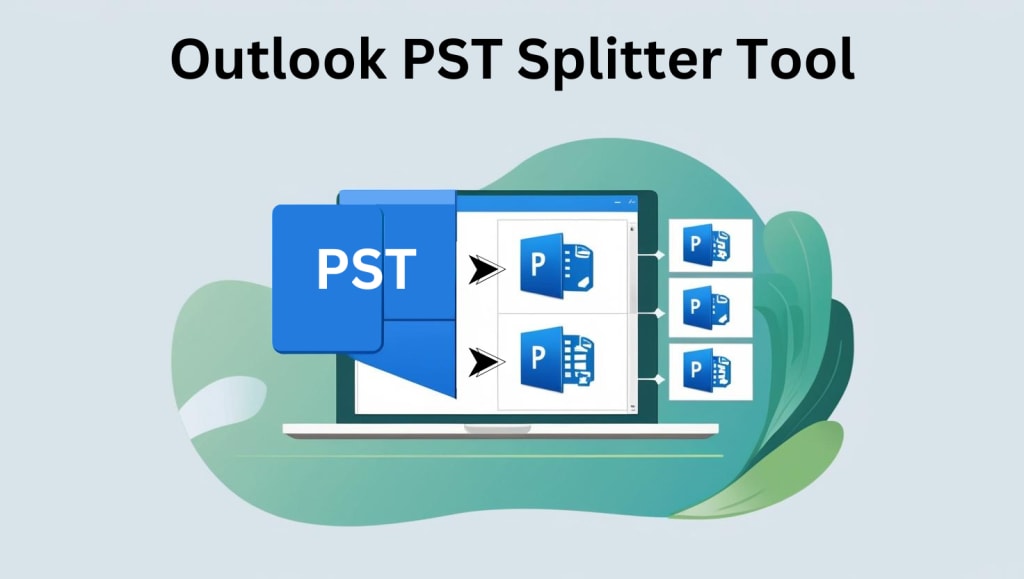
It is not always a simple task to manage large PST files in Microsoft Outlook. As data has been increasing over the years, PST files tend to grow significantly, leading to sluggish performance, corruption, and even difficulty in effective data management. To overcome this, Shoviv PST Splitter offers a powerful, user-friendly solution to split large PST files into effective, smaller files. This tool makes it easy for Outlook users to handle their PST files, ensuring the data's integrity and Outlook's performance.
Main Features of the PST Splitter Tool
- Smooth PST File Splitting
Shoviv PST Splitter is designed to split big PST files into small PST files without compromising data accuracy or integrity. You may work with a PST file that is several gigabytes or smaller, and the software will split it quickly and efficiently.
- Split PST Files by Year
One of the most impressive features of Shoviv PST Splitter is that it can split PST files by year. Users can choose a date range, and the software will split the file by year automatically. This is very useful for those who want to arrange their emails by date chronologically, so it is easy to archive or access particular years of information.
- Split PST Files by Date Range
For those users who need a more tailored solution, the software affords you the option to split PST files based on a certain period. Whether you want to split a file by months, quarters, or specific dates, this provides you with the flexibility to have your PST files exactly the way you would like them. You can even split more than one date range, which provides you with absolute control over how the data is split.
- Split PST Files by Folder
Other times, users may need to split their PST files based on the content of particular folders, such as inbox, sent items, contacts, or calendar. Shoviv PST Splitter offers this functionality, allowing users to select a folder to split. Every selected folder will be split into a different PST file, which will be kept organized and clean. This feature is very beneficial for users who want to focus on certain data sets without the need to work with an entire, big PST file.
- Split PST Files by Size
Shoviv PST Splitter provides splitting PST files by size, which is among the most prominent features of this tool. This aspect allows the users to specify a size limit for every output PST file, thereby, no single file is too cumbersome to utilize optimally. Both MB and GB ranges of size can be utilized by the application, along with Outlook-supported size limits. For example, earlier versions of Outlook used to have a PST file size limit of 20 GB, whereas later versions (Post-2010) accommodate a 50 GB size for PST files. The capacity to split PST files by size ensures that your Outlook always remains operational and efficient.
- Free Demo Version
For individuals who are uncertain as to whether the software is suitable for their use, Shoviv offers a free demo version of the PST Splitter. The demo provides an opportunity for the user to execute the process for up to 50 items per folder so that they can test the speed of the software before purchasing it. The trial version is meant to provide the user with an opportunity to test and determine whether the software is suitable for them to purchase the full version.
Benefits of Using the Outlook Splitter Tool
- Enhanced Organisation: Users can organize their data based on numerous different parameters, such as year, date range, or folder, making it easy to retrieve and access any specific data.
- Easy-to-Use Interface: The software is easy to use even for beginners because of its simple, user-friendly interface.
- Compatibility Across Outlook Versions: The Splitter tool is fully compatible with all versions of Microsoft Outlook, providing flexibility and broad compatibility.
- Cost-Free Trial: The free trial enables users to try out the features of the software before buying the full version, giving them peace of mind before purchase.
Enhanced Performance: Breaking large PST files into smaller, individual ones reduces the risk of Outlook crashing or slowing down.
Conclusion
Shoviv PST Splitter is a must-have for any individual who has to deal with big PST files in Microsoft Outlook. Its options to split by year, date, size, and folder give users complete flexibility in managing Outlook data. The fact that the software ensures the integrity of emails, along with its user-friendly interface, makes it the ideal solution for both beginners and professionals. If you are having issues with large PST files and need a means to simplify your data management.
Read more: How to Split PST File
About the Creator
James Jackson
Hello! I am James Jackson working as a SEO Executive at Shoviv Software.
Keep reading
More stories from James Jackson and writers in 01 and other communities.
Simple way to Convert MBOX file TO PST file format
Email messaging is one of the significant tools for communication nowadays. This form of communication makes exchange of personal or professional communication highly efficient and professional. However, it also presents challenges while converting one's emails from one platform or client to another. Such a conversion process as from MBOX files to PST format becomes highly significant in the aspect of compatibility and management of data. This blog addresses the email conversion process, importance of MBOX and PST file format, and the advantages of MBOX to PST conversion. This article will highlight how Weeom's software played its role in making this whole process quite smooth.
By James Jacksonabout a year ago in 01


Comments
There are no comments for this story
Be the first to respond and start the conversation.