
How To Make An App Like Cash App in 2023
P2P Payment App Like Cash App

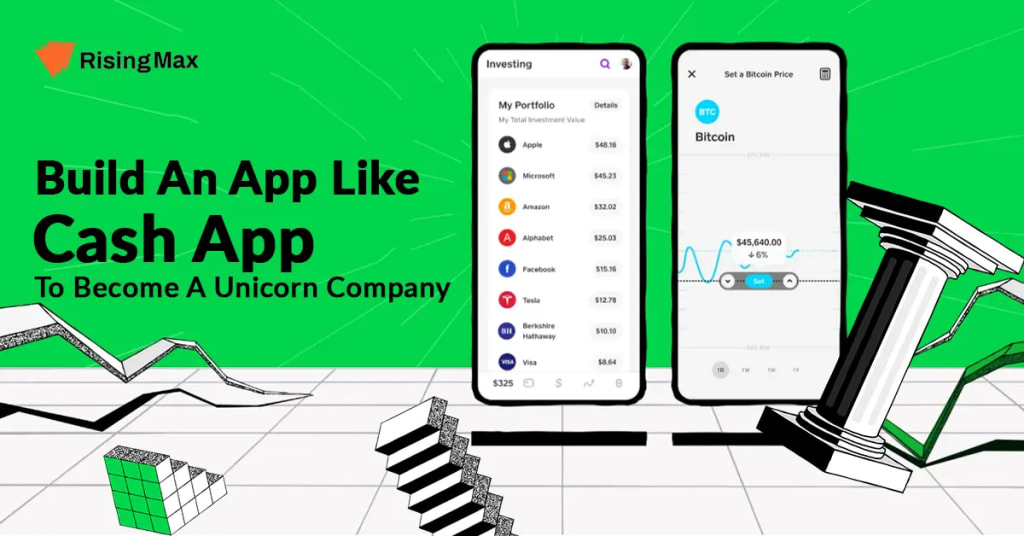
In today's digital era, mobile payment apps have revolutionized the way we handle our finances. With the rise of peer-to-peer payment platforms like Cash App, individuals can easily send and receive money, pay bills, and manage their finances with just a few taps on their smartphones. Inspired by the success of such apps, you may be eager to develop your own payment app. This guide will provide you with an introduction to the key aspects involved in building an app similar to Cash App.
What is Cash App
Cash App is a popular mobile payment app that allows users to send and receive money, make purchases, and manage their finances easily. It was developed by Square Inc., a well-known financial services and digital payments company.
How Does it work?
Here's how Cash App typically works:
Download and Setup: Users can download the Cash App from the App Store or Google Play Store and create an account. The signup process involves providing personal information, linking a bank account or debit card, and verifying your identity.
Sending and Receiving Money: Once the account setup is complete, users can add funds to their Cash App account either by linking their bank account or by receiving direct deposits. Users can then send money to others by entering their username, phone number, or email address. They can also receive money in a similar manner.
Cash Card: Cash App offers users a customizable Visa debit card called the Cash Card. This physical card can be ordered through the app and linked to their Cash App balance. It allows users to make purchases online or in-person using the funds available in their Cash App account.
Bitcoin Trading: Cash App also provides users with the option to buy, sell, and hold Bitcoin. Users can invest in Bitcoin using the funds in their Cash App account.
Additional Features: Cash App offers various additional features, such as the ability to pay bills, invest in stocks, and receive direct deposits. Users can also set up recurring payments and enable notifications for transaction alerts.
Security and Safety: Cash App employs security measures to protect user data and transactions. It uses encryption to secure financial information and provides options like fingerprint authentication and two-factor authentication for added security.
Fees and Limits: Cash App generally offers its basic services for free. However, certain transactions, such as instant transfers or sending money internationally, may incur fees. Cash App also has limits on transaction amounts, withdrawals, and Bitcoin trading.
Must Have Features in Payment App like Cash App
When developing a payment app like Cash App, it's important to consider incorporating features that enhance user experience, security, and convenience. Here are some top features to consider:
User-friendly Interface: Design a clean and intuitive user interface that simplifies navigation and makes it easy for users to perform transactions, view their balance, and access additional features.
Peer-to-Peer Payments: Enable users to send and receive money instantly to other app users using various identifiers like usernames, phone numbers, or email addresses. Implement features like transaction history, notifications, and the ability to add notes or descriptions to transactions.
Mobile Wallet: Create a secure digital wallet within the app where users can store their funds and easily manage their balance. Incorporate options for adding funds from bank accounts, debit cards, or other payment methods.
Cash Card Integration: Offer users the option to request and link a physical debit card to their app account. This allows them to make purchases in stores or online using the funds available in their app balance.
Bill Payments: Enable users to pay their bills directly through the app. Provide a list of supported billers, send payment reminders, and maintain a transaction history for reference.
Money Request: Allow users to request money from others directly within the app. This feature is particularly useful for splitting bills, collecting payments from friends or clients, or requesting reimbursements.
In-app Investing: Integrate investment options within the app, allowing users to buy, sell, and hold stocks, cryptocurrencies, or other investment instruments. Provide real-time market data, alerts, and personalized investment recommendations.
Security Measures: Implement robust security measures, including end-to-end encryption, two-factor authentication, biometric authentication options (such as fingerprint or facial recognition), and transaction verification mechanisms to ensure secure transactions and protect user data.
Notifications and Alerts: Enable users to receive instant notifications and alerts for transactions, account activity, and important updates. This keeps users informed about their financial activities and enhances security by providing real-time transaction monitoring.
Customer Support: Offer comprehensive customer support channels, such as in-app chat, email, or phone support, to assist users with any issues, inquiries, or disputes they may encounter.
How To Make An App Like Cash App
Understanding the Market and Target Audience
Before diving into the development process, it's crucial to conduct market research to understand the existing competition and identify your target audience. Analyze the features and gaps in apps like Cash App to differentiate your product and cater to specific user needs.
Defining Features and Functionality
Based on your target audience and market research, define the core features and functionality of your payment app.
Ensuring Security and Compliance
Security and compliance are of utmost importance when building a payment app. Implement encryption, two-factor authentication, and data protection measures to safeguard user information. Additionally, comply with local financial regulations, such as anti-money laundering (AML) and know-your-customer (KYC) requirements.
Designing the User Interface
Create an intuitive and user-friendly interface that simplifies the payment process. Consider factors like ease of navigation, responsive design, and a visually appealing layout. Conduct user testing and gather feedback to refine the user interface.
Developing the App
Choose a suitable tech stack and development framework for your payment app. Consider using languages like Swift or Kotlin for native app development or frameworks like React Native or Flutter for cross-platform development. Follow best practices for code quality, scalability, and maintainability.
Integrating Payment Gateways
Collaborate with payment gateway providers to enable secure transactions. Integrate popular payment options like credit/debit cards, bank transfers, and digital wallets. Ensure seamless integration, allowing users to link their accounts and initiate transactions without complications.
Testing and Quality Assurance
Thoroughly test your payment app to identify and fix any bugs or glitches. Perform functional testing, usability testing, and security testing. Implement rigorous quality assurance processes to deliver a stable and reliable app to your users.
Launching the App
Prepare a robust marketing strategy to generate awareness and attract users. Publish your app on relevant app stores like the Apple App Store and Google Play Store. Monitor user feedback and make necessary improvements based on user suggestions.
Post-Launch Maintenance and Updates
Regularly update your app to introduce new features, improve security, and address any performance issues. Monitor user analytics to gain insights into user behavior and make data-driven decisions for future updates.
Conclusion:
Building a payment app like Cash App requires careful planning, attention to detail, and a deep understanding of user needs. By following this comprehensive guide, you'll be well-equipped to develop a successful cash app clone that stands out in the market. Remember to adapt and evolve your app based on user feedback and market trends to ensure its long-term success.
About the Creator
Hyperlocal Cloud
On-Demand App Development Company
Keep reading
More stories from Hyperlocal Cloud and writers in 01 and other communities.
How to Build a Car Rental Reservation System
Building a car rental reservation system requires careful planning and development to ensure efficient management of reservations, availability tracking, and customer interactions. In this guide, we will outline the essential steps involved in creating a car rental reservation system. Please note that this guide provides a high-level overview, and specific implementation details may vary based on your requirements and the technology stack you choose to work with.
By Hyperlocal Cloud3 years ago in 01
Cloud Migration: Powering the Future of Digital Transformation
Cloud migration is no longer just an IT upgrade—it’s a practical way to move faster, scale safely, and modernize systems that hold digital transformation back. When done with a clear plan, cloud migration and modernization turn legacy constraints into a foundation for new digital products and better customer experiences.
By ViitorCloud Technologies7 days ago in 01




Comments
There are no comments for this story
Be the first to respond and start the conversation.