
How to Install Latest Powerful Adblock Killer Script for Blogger
Use adblock killer script in your website.
How to Install Latest Powerful Adblock Killer Script for Blogger
Hello everyone, Today in this post I have Shared a Powerful anti-ad block script for your blog, It's not the old Arlina Code, It’s a new Anti-Ad block Script , Which will work on each and every browser available in the world.
Table of Contents:
· What is Adblocker?
· What is Anti-Adblock?
· Why to use Anti-Adblock Script?
· How to Use Anti-Adblock Script in our Blogger?
Adblock is an extension on a browser or application to remove advertisements on a site, as we know that advertisements on the blog sometimes annoy visitors, therefore internet users start using the Adblock extension . As a blogger we want to earn some income through advertisement so this will help you if your blog is google Adsense approved.
What is Anti - Adblock Script?
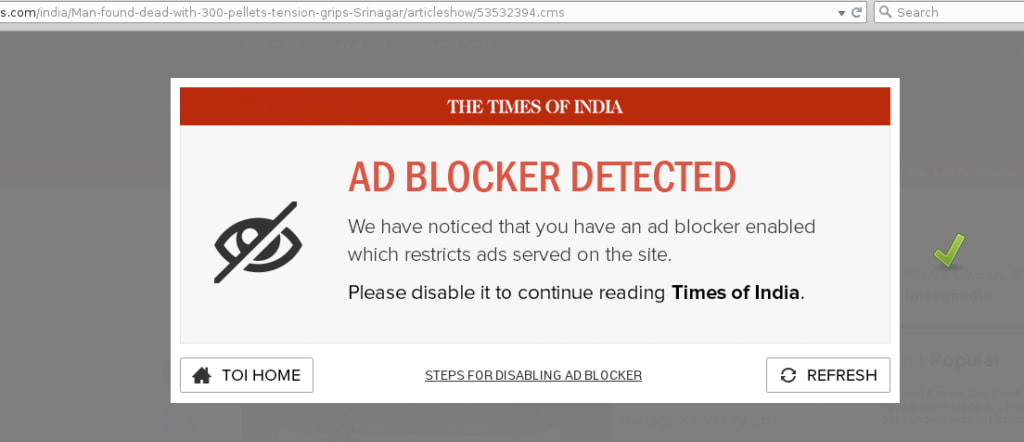
As Adblocker Blocks ads , Anti- Adblocker makes users forcely to remove adblock to access site, By Using this users can't acess your site by enabling Adblock.
Why to use Anti- Adblock Script?
If users visit your site with adblock, they won't see any ads in site , if ads not showed , your adsense revnue will be down, so to get rid from this you have to use this script, It will work on every adblock browsers.
Adblockers directly affect your bottom line.
Because many publishers monetize their websites and apps through ads (hoping to keep the rest of the experience “free”), this equates to huge losses in revenue each year.
To say that adblocking technology has become a total nightmare for publishers would be an understatement.
So, what do you do?
You can’t just accept that some of those revenue opportunities will be lost to adblock technology.
You have a number of choices:
Develop more user-friendly ads so your users won’t need an adblock in the first place.
Sell paid memberships to your content.
Use an anti adblock script or plugin on your website.
If you want to continue serving up high-quality content to your readers, you must have a way to generate a profit from it.
Let’s explore each of these options.
How to use Anti-Adblocker Script in our blog?
Given following the steps and it will suits all theme so you can use it easily. It is really easy to implement. Following are the steps given below:
Follow the link to get code: https://www.ankitchamlagain.com.np/2021/12/adblock-killer-scripts-for-blogging.html
Others:
1. Ad blockers don’t work in mobile apps
No adblocker can prevent users from seeing ads in a mobile app, which means more views of all your ads in your app. This means that you can capture much more revenue from ad impressions and clicks.
2. You control ads in your app
Any ads placed within a native mobile app are yours to control. Ad type. Ad placement. Ad source. You get to decide how best to monetize the mobile app experience.
3. You can use mobile app specific ad SDKs
You can show mobile-specific ads from networks like Facebook Audience Network and Admob. This way, you don’t have to worry about the responsiveness of your advertisements.
4. Mobile ads convert better
Mobile-specific ads are created for this particular audience and will, consequently, convert better because the offers are relevant. For example, gaming apps often run ads for other games of interest as opposed to websites that might run ads unrelated to the content of the site.
5. You have many options for monetization in a mobile app
It’s easy to monetize your app and digital content in other ways, too, which means there’s a greater opportunity for revenue generation through this platform. Publications like the New York Times currently use multiple monetization methods in order to grow revenue through mobile apps.
For your own app, consider a combination of the following along with a wide variety of mobile ad types:
Paid app downloads
Subscription paywall to access gated content and features
Ad-free (ad-lite) paywall
About the Creator
Keep reading
More stories from writers in 01 and other communities.
Cost to Develop an App Like TikTok: Full Guide (2026)
So, you reckon you have the next billion-dollar idea? You want to build a TikTok killer. Join the club, mate. In 2026, everyone and their grandmother is trying to pivot to video, thinking a simple app wrapper and a few API calls will print money.
By Sherry Walker2 days ago in 01
The Blue Ridge Stalker
Tom had left the Ford down the way, its spark plugs finally exhausted and no mechanics for a dozen miles back through the foothills to Strossburg. No matter, he had worn his boots—almost as if he planned for this to happen. The puzzle he sought to solve emanated from the woods clinging to the slopes above; the valley behind held no mysteries.
By Stephen A. Roddewig3 days ago in Fiction




Comments
There are no comments for this story
Be the first to respond and start the conversation.