
How to Install DataMask – The Ultimate Web3 Data Wallet
Reclaim Your Data, Protect Your Privacy, and Take Control in the Web3 Era with DataMask

In today's era, Web3 technology is being adopted at a rapid pace across the world. Countries that were once against Web3 or blockchain technology are now making announcements to fully adopt it. This is a significant development as it shows the increasing acceptance and integration of these technologies globally.
The importance of this trend cannot be overstated. As of 2024, the global adult literacy rate is around 86%. This high literacy rate means that a large portion of the population has the basic skills needed to engage with and benefit from Web3 and blockchain technologies. In fact, many countries and companies have not only accepted but also rapidly adopted artificial intelligence and Web3/blockchain, recognizing their potential to transform various sectors.
Therefore, considering the rise of Web3 technology, we will learn about a Web3 DataMask that allows you to control your assets digitally. Are you excited? For sure? So, read the full article.
What Is DataMask?
“Protect Your Data Like You Protect Your Crypto”
DataMask is a browser extension that acts as a Web3 data wallet, giving users the ability to store personal and crypto-related data directly in their browser. Unlike traditional cloud-based solutions, DataMask ensures your data remains private, local, and secure, making it ideal for Web3 applications, dApps, and smart contract interactions.
Key Features:
- Fully local data storage (no cloud)
- Web3-ready for dApps and smart contracts
- Easy-to-use interface
- Privacy-focused architecture
- Lightweight and secure browser extension
Why Choose DataMask Over Traditional Cloud Wallets?
Most digital wallets store sensitive information in the cloud, leaving you vulnerable to hacks and third-party access. DataMask flips the script by offering a local-first approach:
- No centralized servers
- 100% user-owned data
- Enhanced privacy for Web3 users
- Zero reliance on cloud storage
How to Install DataMask?
Installing DataMask is easy and takes just a few steps. Here’s how to get started:
Step 1: Visit the Official Website
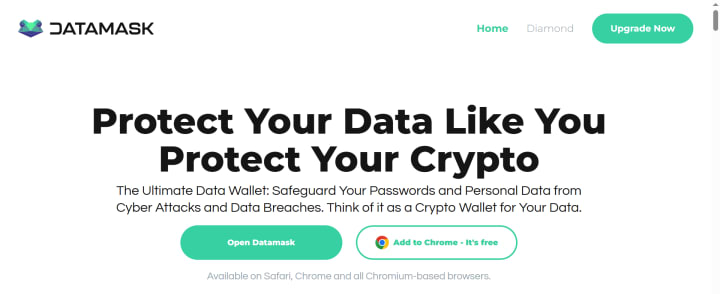
Head over to the official website: https://datamask.app/
Step 2: Click "Add to Chrome"
Once on the homepage, click the “Add to chrome (It’s free)” button. This will redirect you to the browser’s extension store (Chrome Web Store, Brave, or compatible).
Note: Available on Safari, Chrome, and all Chromium-based browsers.
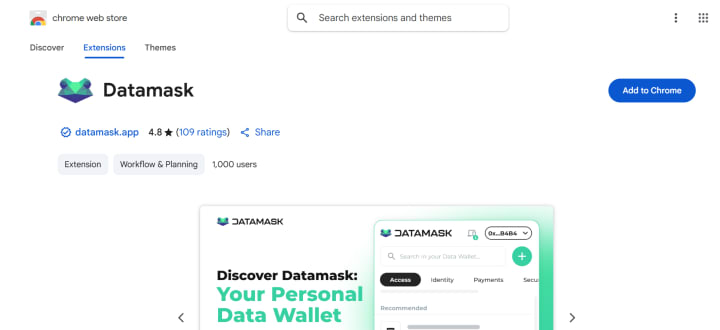
Step 3: Add to Your Browser
Click "Add to Chrome" or your preferred browser. The extension will automatically install and appear in your toolbar.
Step 4: Set Up Your DataMask Wallet
Open the extension and follow the setup wizard. If you're a new user, please click on “Create Wallet”
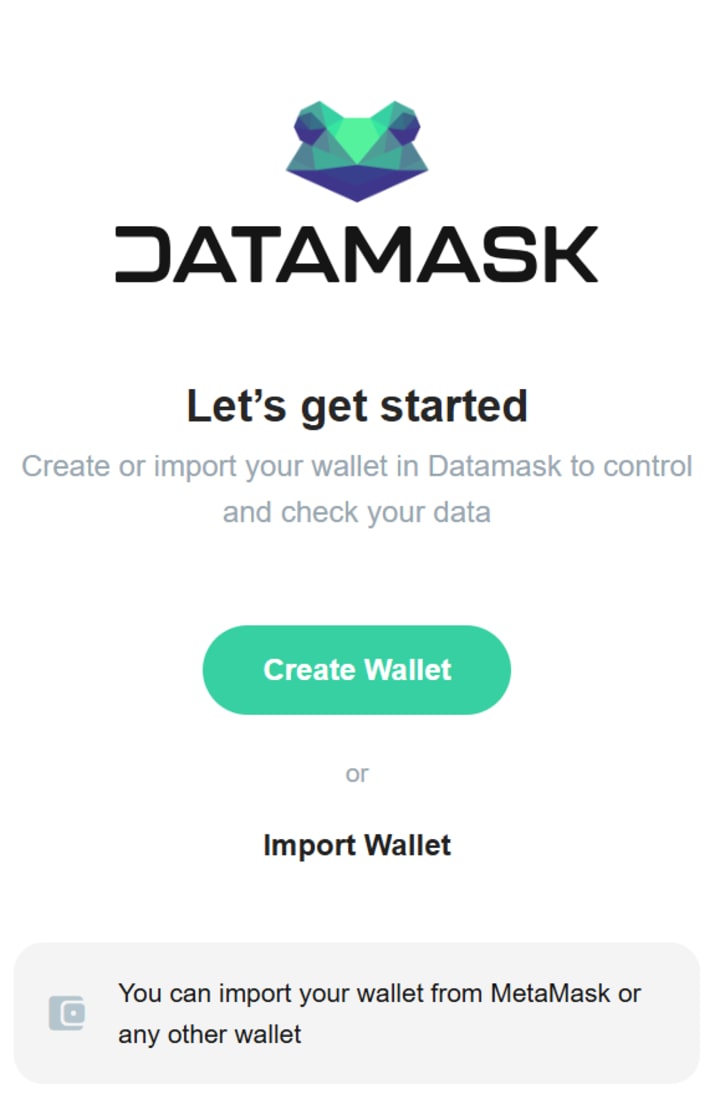
In the next phase, you save the 12 words to “import & access” your Web3 data wallet in the future. Now you can securely store crypto wallet addresses, notes, keys, smart contract data, and more.
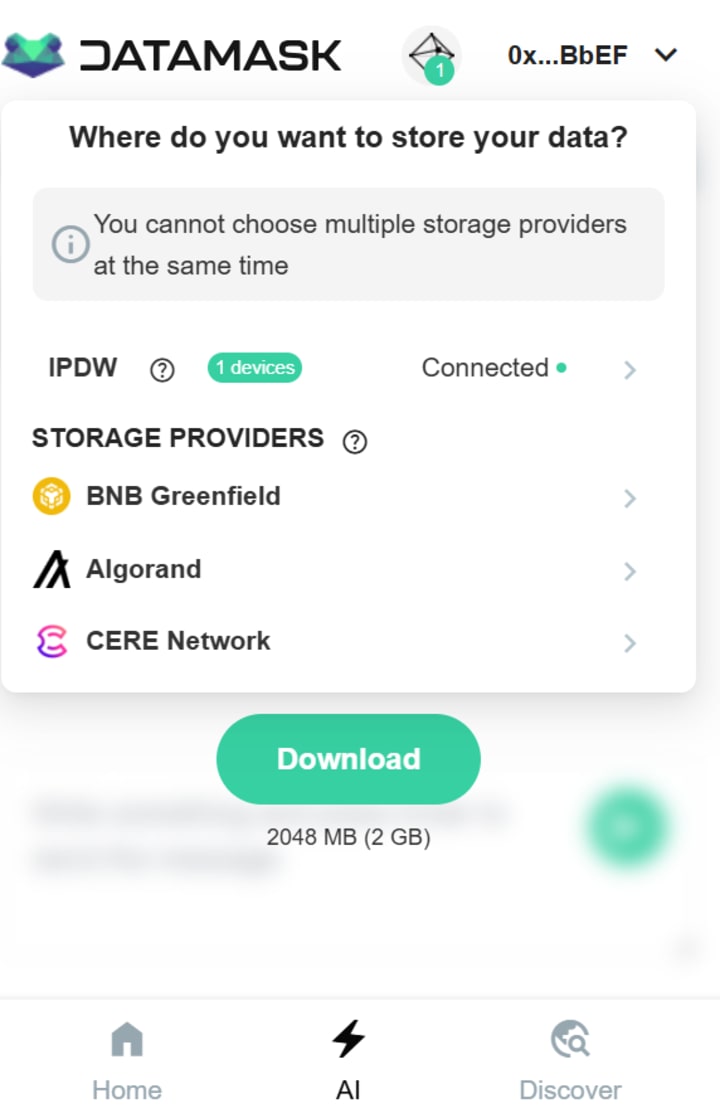
Step 5: Storage Providers
What Are Storage Providers?
STORAGE PROVIDER: Storage providers are secure spaces to store your data. Unlike traditional backups, they use blockchain technology for enhanced safety and transparency.
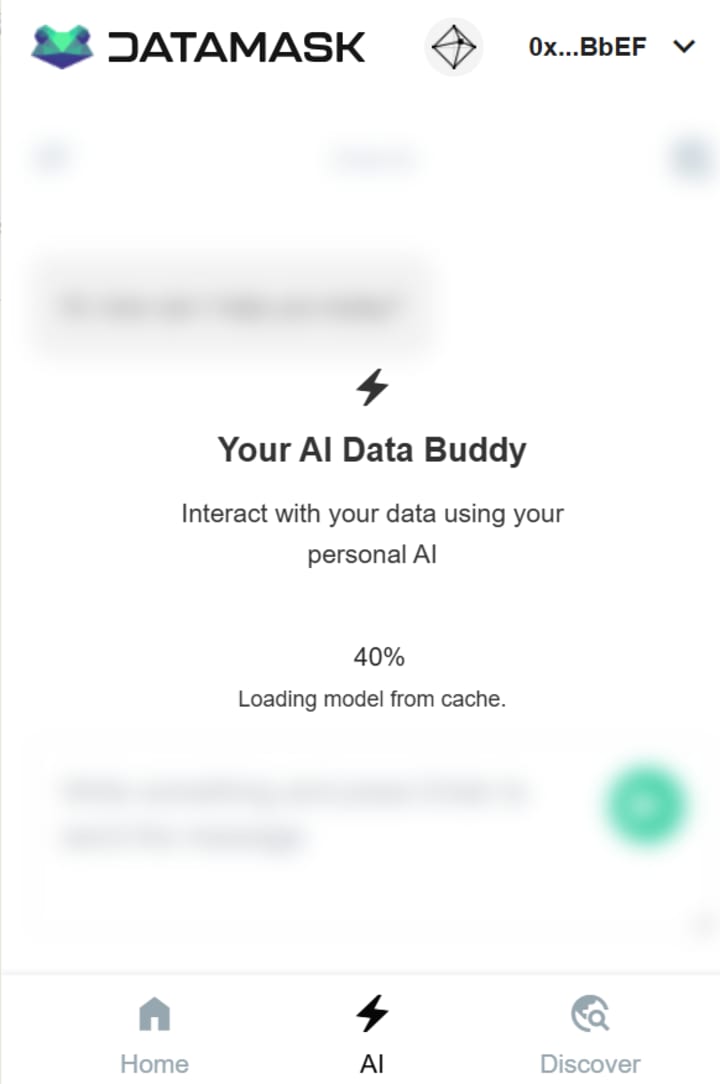
Step 6: Your AI Data Buddy
Download & Interact with your data using your personal AI
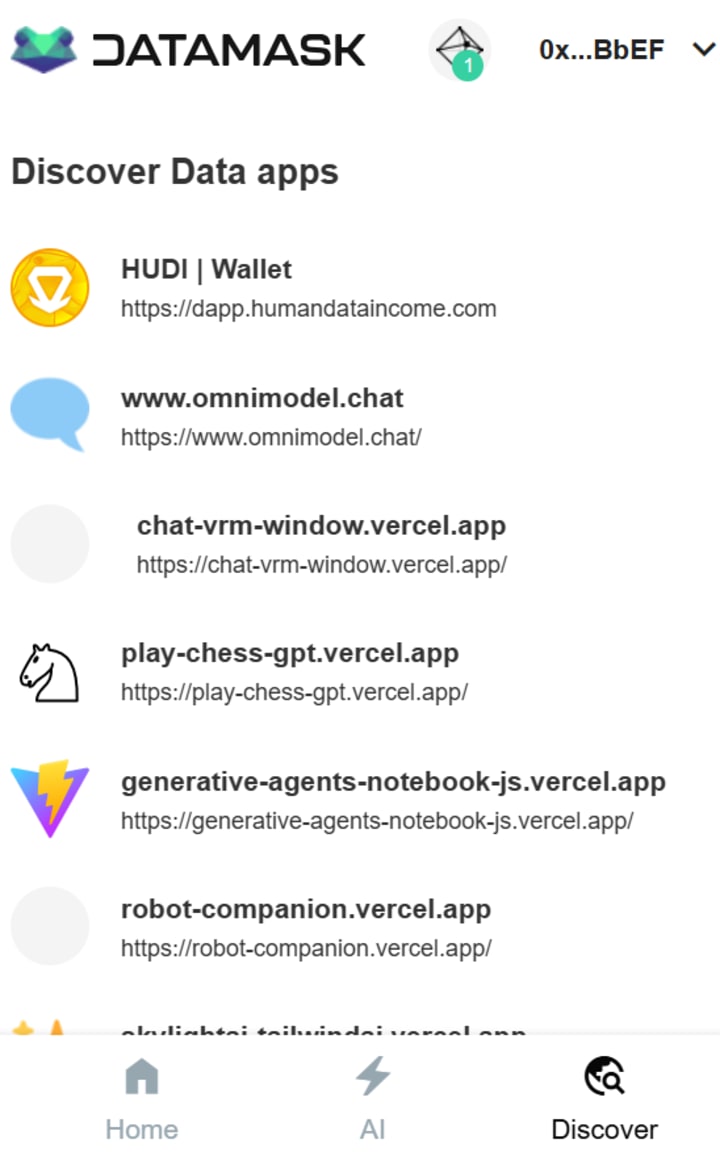
Step 7: Discover Data apps
Explore the various applications by clicking on the “Discover” option.
Who Is It For?
- Crypto Traders & Investors: Manage wallet data securely without cloud risk.
- Web3 Developers: Store contract data, test addresses, and code snippets.
- Privacy Advocates: Keep your digital identity truly yours.
- Everyday Users: Save passwords, contact info, or notes in a local-first environment.
Where are those data stored?
In a p2p network powered by IPDW (InterPlanetary Data Wallet). A JavaScript library for storing personal or user data within a safe and distributed storage. Discover IPDW
Goodbye Cloud, Hello Control
In an age where decentralization is key, DataMask provides the right blend of usability, privacy, and performance. This isn’t just another crypto wallet; it’s your Web3 data wallet for the decentralized world. With DataMask, you say goodbye to cloud dependency and hello to total ownership.
The Vision Behind DataMask (Web3 Digital Wallet)
"If you don't believe it or don't get it, I don't have the time to try to convince you, sorry." — Satoshi Nakamoto, Creator of Bitcoin
DataMask is more than just a browser extension, it’s a tool for reclaiming your digital freedom. It’s built on the vision of HUDI (Human Data Income), a movement that puts you back in control of your personal data.
For far too long, corporations have harvested user data and turned it into profit, without permission, without transparency, and without giving anything back to the people who generate that data.
HUDI flips the script.
With DataMask, you're no longer just a data point. You’re in the driver’s seat. You can manage your information, keep it private, or choose to monetize it on your terms. This is the next evolution of the digital wallet, not just for crypto, but for your identity, privacy, and power in the Web3 world.
Want to dig deeper? Read the full documentation.
Frequently Asked Questions (FAQs)
What is Datamask?
Datamask is a data wallet app designed to safeguard your passwords and personal data from cyber threats and data breaches. It securely encrypts and stores your information directly on your device, ensuring complete control and reducing the risk of theft.
How does Datamask protect my passwords from hackers?
Datamask protects your data using advanced encryption technologies and secure local storage on your device. It leverages the power of IPDW (InterPlanetary Data Wallet) for storing personal user data within a safe and distributed storage network, enhancing security and privacy.
Is Datamask available on all devices?
Datamask is available as a Mobile Application for iOS and as a Browser Extension for Safari, Firefox, and all Chromium-based browsers
Can I access my passwords offline with Datamask?
Yes, Datamask stores your data directly on your device, which allows you to access your passwords and other personal information offline, ensuring your data is always available when you need it.
How do I import existing passwords into Datamask?
To import your existing passwords into Datamask, simply click on the "Add Data" icons within the app. From there, you can select which password managers you`d like to import your passwords from.
What is Datamask Diamond?
Datamask Diamond is the premium tier of the Datamask app, offering advanced features beyond the basic version. It includes exclusive access to a private AI assistant, enhanced data types like health records and private notes, and the ability to connect to specialized apps.
Final Thoughts
Installing DataMask is more than just adding another extension; it's a significant step toward achieving full data sovereignty. In a digital landscape where privacy concerns are paramount, this tool empowers users to reclaim control over their personal information. By leveraging its features, you can navigate the online world with confidence, ensuring that your data remains secure and private. With DataMask, embrace a privacy-first approach and enhance your digital life with a cutting-edge Web3 solution.
About the Creator
Mujeeb UR Rehman
Hello, audiences; Here's Mujeeb UR Rehman — Blockchain/Web3 Digital Marketer, Certified in Marketing & Communications (IBMI Berlin). I drive growth using Web3, Blockchain, SEO, Metaverse, AI & NFTs to empower the world through innovation.
Keep reading
More stories from Mujeeb UR Rehman and writers in 01 and other communities.
Discover LessInvest.com Crypto: Your Gateway to Smart Investments
Introduction Crypto investing can be overwhelming, especially for beginners trying to avoid risks and scams. That’s where LessInvest.com Crypto enters. It’s gaining popularity for simplifying the crypto journey, combining smart insights and user-friendly strategies for long-term success.
By Mujeeb UR Rehman6 months ago in 01
Can Arbitrage Bots Really Take Advantage of Price Gaps in Crypto?
Crypto markets often show small price differences for the same asset across different exchanges. These gaps can appear due to liquidity levels, regional demand, trading volume, or temporary delays in price updates. The idea behind a crypto arbitrage bot is simple: buy an asset where it is cheaper and sell it where it is more expensive. On paper, this looks like a low-risk opportunity. Understanding how arbitrage bots work in live markets helps separate realistic expectations from assumptions.
By smithtaylor3 days ago in 01
How to Succeed at the Benson Directory®
Congratulations and welcome to the Benson Directory® employee #22391! As our newest call handler, you will have the privilege of speaking with dozens of unique and interesting people on a daily basis as well as the opportunity to earn bonuses for high performance. Contained within this handbook you will find a set of ease to follow instructions designed to help you settle in to your new role and begin paving the way to success.
By S. A. Crawford6 days ago in Fiction



Comments
There are no comments for this story
Be the first to respond and start the conversation.