
How to Download Hulu Video with Ad-supported Plan
—SameMovie


Hulu offers a variety of subscription options, including base plans and bundles. You can choose to subscribe to Hulu alone or its bundle with Disney+ and ESPN. The most popular plan is the Hulu (With Ads) plan, which allows subscribers to access exclusive series, hit movies, Originals, kids shows, and more. It only costs $7.99/month ( $1.99/month for eligible college student). Plus, it offers a one-month free trial. After that, you can cancel your membership at any time. This affordable plan is worthwhile for you if you want to try this streaming service.
But there's something you need to know before subscribing to Hulu (With Ads) plan. For example, only subscribers of Hulu (No Ads) or Hulu (No Ads) + Live TV can download Hulu videos. Be at ease, this guide will give you a solution if you want to download Hulu videos with the ad-supported plan.
What Do You Need to Download Videos on the Hulu App?
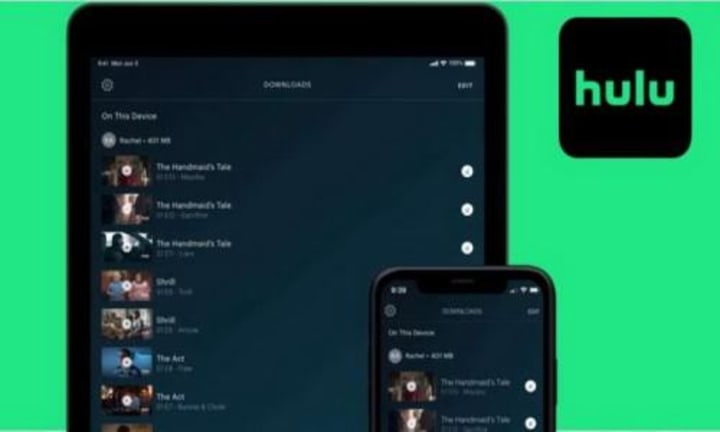
Subscribers of Hulu (With Ads) plan are not available to download videos on the Hulu app directly. To download Hulu on the Hulu app, you need to subscribe to Hulu (No Ads) plan or Hulu (No Ads) + Live TV bundle first, and use a supported device to download the content.
These are compatible devices:
- Supported iPhones and iPads (running iOS 13.4 and above)
- Supported Android mobile devices (running Android 5.0 and above + screen size of at least 800x480 pixels)
- Supported Amazon Fire tablets (running Fire OS 5 or above)
>> Download Limits of This Method
First, you can only download 25 titles on 5 supported devices at a time. Second, you have 48 hours from the time you begin playback to finish watching before the download expires. If you haven't seen the downloaded videos for 30 days, you need to renew your downloads. In addition, you can't access your downloads if your subscription expires.
To remove the download limits, you need a tool to help you. No matter you are Hulu (No Ads) plan subscriber or Hulu (With Ads) plan subscriber, this tool can help you download Hulu videos without restrictions. To know how it works, read on.
Tool Required: SameMovie Hulu Video Downloader
SameMovie Hulu Video Downloader is created for Hulu users to download HD-quality Hulu movies or TV shows as MP4 or MKV files with multiple audio tracks, and subtitles preserved. You can easily search, download, and play Hulu videos on your device. Don’t worry if you don’t have the compatible devices mentioned earlier, you only need a Windows or Mac computer to save Hulu videos locally. Besides, downloads will be kept forever on your device, and you can share them with your family, friends, or anyone you want to share with. Additionally, downloads are still accessible after you cancel your subscription.
STEP 1 Run SameMovie and Sign into Hulu Account
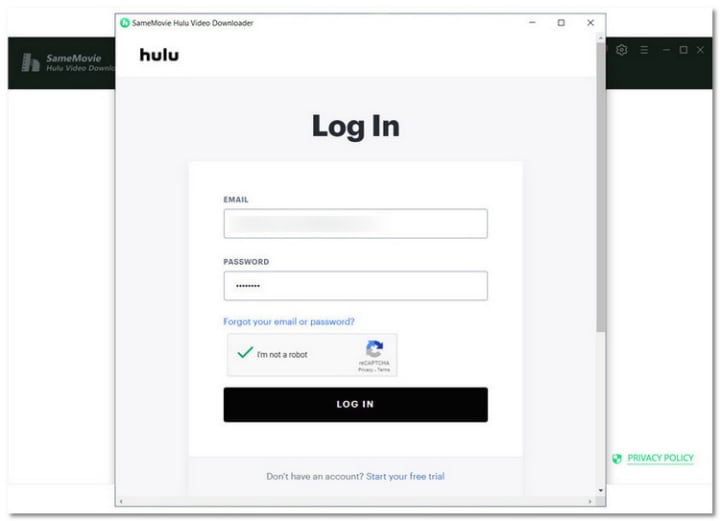
Run SameMovie on your computer, type any word in the search box, and a pop-up login window will prompt you to sign in to your Hulu account. Please register an account if you don't have an existing one. And you can enjoy a 30-day free trial.
STEP 2 Find Hulu Video on SameMovie
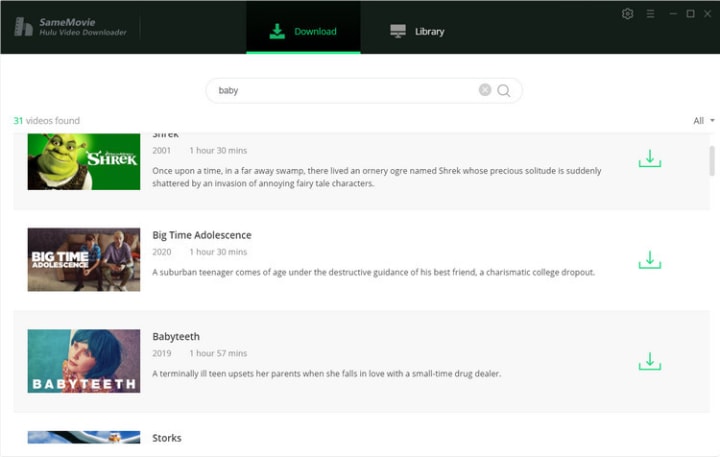
Enter the title of the video or paste the URL from the Hulu web player into the search bar of SameMovie Hulu Video Downloader to search for a Hulu movie or series. You will see all of the related videos soon.
STEP 3 Start Downloading Hulu Videos
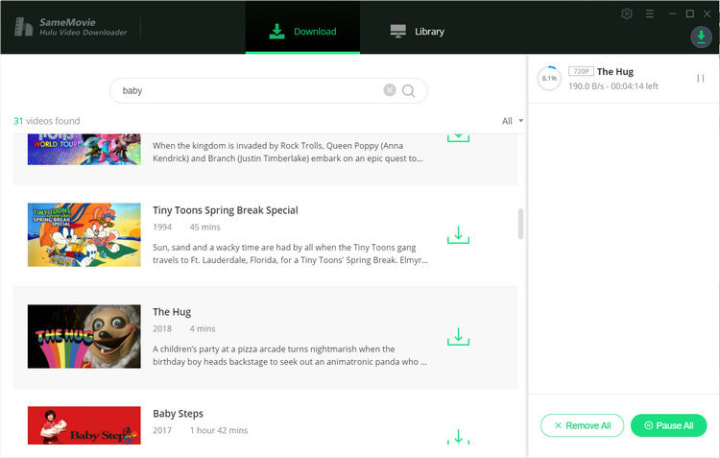
Simply click "Download" button to begin downloading Hulu content on your computer. After the download process finishes, you can transfer the downloaded files to any device that supports MP4/MKV playback for offline watching.
To get more detailed info, please click https://bit.ly/3C5ROqk.
About the Creator
Louise Walker
Trying to find useful video downloaders.
Keep reading
More stories from Louise Walker and writers in 01 and other communities.
Netflix Password-Sharing Crackdown Begins in the US. What Can Users Do?
What changes will happen? Changes will happen to Netflix in these countries: Chile, Costa Rica, Peru, Canada, New Zealand, Portugal, Spain, the US, the UK, France, Germany, Mexico, Brazil, Singapore, Australia and more. If you are a user in these countries, you can't share your account with others for free anymore. You have to pay more to add extra users (up to 2 users) to your account.
By Louise Walker3 years ago in 01
How Much Does an App Cost in St. Louis in 2026?
Determining how much an app costs in St. Louis in 2026 requires careful study. You must look beyond simple hourly rates. You must examine the intersection of Midwest economic stability. You must also look at aggressive technological shifts. For Missouri entrepreneurs, the price tag is a moving target. Established enterprises face this same reality. The cost depends on the complexity of the feature set. It depends on the chosen platform. Specific expertise of the development team also matters.
By Del Rosarioa day ago in 01
The Enduring Appeal of Sports Pennants and Custom Team Flags
Sports fans around the world have always searched for meaningful ways to show their loyalty. From jerseys and scarves to stadium banners, fan culture thrives on visible symbols of support. Among the most iconic of these symbols are soccer club flags, soccer pennants, and custom-designed team banners that celebrate the passion of the game. These classic decorations have been part of sports traditions for generations, offering a unique way for fans, teams, and organizations to display their identity and pride.
By charliesamuel2 days ago in 01



Comments
There are no comments for this story
Be the first to respond and start the conversation.