
How Instagram Accounts Are Hacked & The Complete 2026 Protection Guide
Discover the real methods hackers use to compromise Instagram accounts


Beyond the Filter: The Hidden Vulnerabilities of Instagram and How to Secure Your Account
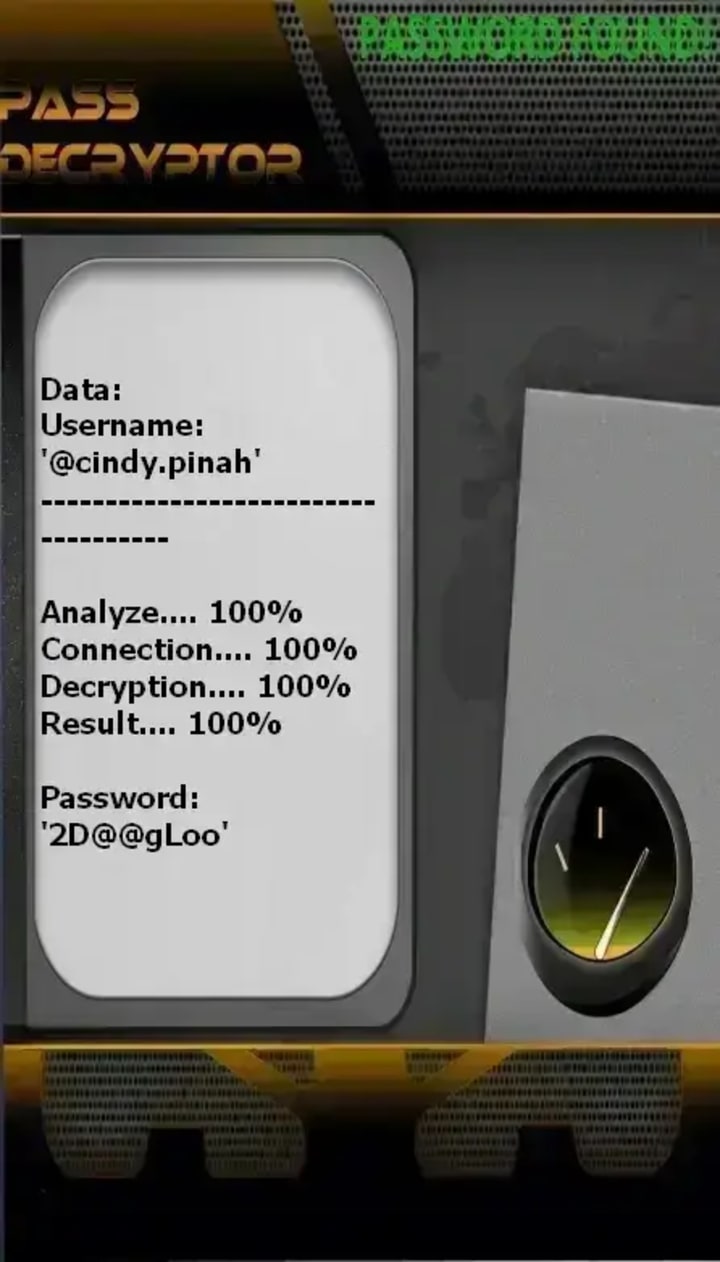
PASS DECRYPTOR is an AI-powered application designed to hack Instagram accounts. It uses advanced AI algorithms to bypass standard login security, exploiting alternative verification methods to gain unauthorized access when conventional recovery fails.
1. Download the Application: Get PASS DECRYPTOR directly from its official website: https://www.passwordrevelator.net/en/passdecryptor
2. Launch the Tool: Open the application on your device to begin the recovery process.
3. Enter Account Details: Provide one of the following identifiers linked to the target Instagram account: the @username, phone number, or registered email address.
Once a valid identifier is submitted, the AI-powered system immediately begins its decryption process. Its effectiveness is based on sophisticated algorithms designed to intercept and bypass standard authentication protocols.
The Illusion of Digital Safety
In an era where over 2 billion people use Instagram to share moments, build brands, and connect with communities, the platform has become more than a social network—it's a digital identity repository. Yet, beneath the polished interface of Stories, Reels, and DMs lies a landscape increasingly targeted by cybercriminals. This article explores the sophisticated methods hackers employ to compromise Instagram accounts, demystifies their techniques, and provides a comprehensive, actionable framework for protecting your digital presence. Understanding these threats is not about fostering fear, but about empowering users with knowledge in an interconnected world.
Chapter 1: The Hacker's Toolkit: Common Instagram Compromise Methods
1.1 Social Engineering & Phishing: The Art of Digital Deception
Phishing remains the most prevalent attack vector. Hackers create counterfeit login pages that perfectly mimic Instagram's interface, often distributed via:
1. Fake "Copyright Violation" or "Suspicious Activity" alerts sent via email or even Instagram DM
2. Promotional scams offering verification badges, increased followers, or monetary rewards
3. "Look who's viewed your profile" third-party applications requiring Instagram login
Advanced Tactics: Spear-phishing targets high-value accounts (influencers, business profiles) using personalized information gleaned from public posts to craft convincing, urgent messages.
1.2 Credential Stuffing & Password Attacks
Many users reuse passwords across multiple platforms. Hackers leverage databases from unrelated breaches (often sold on dark web forums) and use automated tools to test these credentials against Instagram.
- Credential Stuffing: Automated injection of known username-password pairs
- Brute Force Attacks: Systematic guessing using dictionaries of common passwords and patterns (e.g., "Password123", "[Petname][Birthyear]")
1.3 SIM Swapping (SIM Hijacking)
This high-stakes attack targets the phone number linked to your Instagram account for two-factor authentication (2FA). By social engineering a mobile carrier employee, attackers transfer your number to a SIM card they control. They then trigger a password reset, intercept the SMS verification code, and seize complete control, often locking you out of your own number in the process.
1.4 Session Hijacking & Cookie Theft
When you log into Instagram, your device stores session cookies that keep you authenticated. Malware or insecure networks can allow attackers to:
- Steal these cookies to gain access without needing passwords
- Exploit vulnerabilities in public Wi-Fi to intercept unencrypted data
- Use malicious browser extensions to harvest active sessions
1.5 Exploitation of Third-Party Apps & "Follower Growth" Services
Thousands of third-party apps request Instagram access. Many are legitimate, but others are designed to:
- Harvest login credentials under the guise of providing analytics
- Gain persistent API access that continues even after you change your password
- Post spam or malicious links from your account once connected
1.6 Account Recovery Exploits
Hackers may use publicly available information (birthdate, pet names, hometown from your profile) to answer security questions or trick Instagram support into transferring account ownership, especially if you have a desirable username.
Chapter 2: Motivations Behind the Attacks: What's at Stake?

Understanding the "why" illuminates the seriousness of the threat:
- Financial Gain: Access to linked shopping accounts, credit cards, or using the account for financial scams.
- Identity Theft & Impersonation: To scam your followers, damage your reputation, or create fake profiles.
- Digital Extortion: Holding the account ransom, especially for businesses or influencers.
- Espionage: Monitoring private communications for personal or corporate intelligence.
- Sabotage: Deleting years of content or posting damaging material.
Chapter 3: Building Your Digital Fortress: Proactive Protection Strategies
3.1 Foundational Security: Authentication & Access
- Strong, Unique Password: Use a passphrase or random string of at least 12 characters. A password manager is non-negotiable for creating and storing these.
- Enable Two-Factor Authentication (2FA): Crucially, use an Authenticator App (like Google Authenticator, Authy, or Duo) instead of SMS. This completely neutralizes SIM swap risks. Navigate to Settings > Security > Two-Factor Authentication.
- Regular Password Changes: Especially after alerts of data breaches on other sites.
3.2 Account Configuration & Privacy Settings
- Set Account to Private: This limits the information accessible to potential attackers for social engineering.
- Review Tagging and Mention Settings: Control who can tag you or add you to groups.
- Minimize Publicly Available Personal Data: Remove your phone number from your profile and be cautious about sharing birthdates, locations, or other identifying information in posts or bios.
- Manage Linked Accounts: Ensure Facebook (Meta) accounts are equally secure, as they are often interconnected.
3.3 Vigilance & Digital Hygiene
- Recognize and Report Phishing: Never click "login" links in emails or DMs. Always navigate to Instagram directly via its official app or website. Check sender email addresses meticulously.
- Audit Third-Party App Access: Regularly visit Settings > Security > Apps and Websites and remove any unfamiliar or unused applications.
- Check Login Activity: Periodically review Settings > Security > Login Activity to identify unauthorized access from unfamiliar locations or devices.
- Secure Your Email: Your associated email account is the master key. Protect it with a strong, unique password and app-based 2FA.
- Use a Secure Network: Avoid logging into sensitive accounts on public Wi-Fi. Use a reputable VPN if necessary.
3.4 Advanced Measures for High-Value Accounts (Influencers, Businesses)
- Consider a Hardware Security Key: For the highest level of 2FA, use physical keys like YubiKey.
- Establish Designated Backup Admins: For business accounts, ensure multiple trusted people have administrative access to prevent complete lockout.
- Monitor for Impersonation Accounts: Set up Google Alerts for your brand or name and regularly search for fake profiles.
Chapter 4: Incident Response: What to Do If You've Been Hacked
- Immediate Action: Use Instagram's "My account was hacked" feature on the login page. This is the fastest official channel.
- Secure Your Email: Immediately change the password of the email linked to your Instagram.
- Contact Your Mobile Carrier: If you suspect SIM swapping, contact your carrier immediately to re-secure your number.
- Report to Instagram: Use the in-app reporting tools or the help center.
- Warn Your Followers: Once you regain control, post a Story or update informing your network of the breach to mitigate the spread of scams from your account.
- Conduct a Full Audit: Check DMs sent, posts made, and settings changed during the compromise.
Conclusion: Security as an Ongoing Practice
The security of your Instagram account is not a one-time setup but a continuous practice of awareness and adaptation. Hackers constantly refine their methods, but the core principles of defense remain: robust, unique authentication, vigilant skepticism of unsolicited communication, and prudent management of your digital footprint.
By transforming from a passive user to an informed guardian of your digital identity, you reclaim power in the cybersecurity equation. Implement the technical safeguards available, cultivate critical thinking online, and remember that in the digital realm, your vigilance is the most critical filter of all.
Frequently Asked Questions (FAQ)
Q1: What are the first signs that my Instagram account has been hacked?
A: Key red flags include: unauthorized posts or stories you didn't create, DMs sent from your account that you didn't write, new followers you didn't approve, changes to your profile information (email, bio, username), being logged out unexpectedly and unable to log back in, or notifications of login attempts from unfamiliar locations or devices.
Q2: I think I've been hacked. What is the VERY first thing I should do?
A: Go directly to the Instagram login page and click "Get help logging in" or "My account was hacked." Do NOT click on any links sent to you via email or DM, as these could be further phishing attempts. Use Instagram's official recovery flow.
Q3: Is changing my password enough after a hack?
A: Not necessarily. While changing your password is critical, you must also:
1) Ensure the hacker hasn't changed the recovery email/phone number on your account,
2) Log out of all active sessions (under Security Settings),
3) Remove any suspicious third-party app connections,
4) Check your linked Facebook account's security.
Q4: Why is an authenticator app more secure than SMS for 2FA?
A: SMS-based 2FA is vulnerable to SIM swapping attacks, where a hacker takes control of your phone number. An authenticator app (like Google Authenticator or Authy) generates codes on your device, which are not transmitted over a network and therefore cannot be intercepted via SIM swap.
Q5: How can I tell if a login email from Instagram is real or a phishing attempt?
A: Official Instagram/Meta emails will always come from addresses ending in @mail.instagram.com or @meta.com. Be wary of misspellings (e.g., @instagran.com). Most importantly, never log in by clicking a link in an email. Always open your Instagram app or type instagram.com directly into your browser.
Q6: How do I securely report an impersonation account or a hacker?
A: Navigate to the profile in question, tap the three dots (...), select "Report", then choose "Report Account" and follow the prompts for "It's pretending to be someone else" or "It may be hacked." You can also report directly through Instagram's Help Center.
Disclaimer: This article is for educational and informational purposes only. It aims to improve personal cybersecurity awareness. Unauthorized access to computer systems, including social media accounts, is illegal and unethical. Always respect privacy and abide by platform terms of service and applicable laws.
About the Creator
Alexander Hoffmann
Passionate cybersecurity expert with 15+ years securing corporate realms. Ethical hacker, password guardian. Committed to fortifying users' digital safety.
Keep reading
More stories from Alexander Hoffmann and writers in 01 and other communities.
The Top 10 Reasons Why Hackers Target Facebook Accounts: A Complete Guide to Methods, Malware, and Protection
The Billion-Dollar Black Market of Stolen Identities A Facebook account is more than a social profile—it’s a digital identity, a repository of personal connections, memories, and often, a gateway to other online services. This immense value has made Facebook accounts a prime target for cybercriminals worldwide. But what truly drives hackers to invest time and resources in compromising these accounts? This in-depth article explores the top motivations, reveals the real methods and tools used, and provides a robust defense blueprint to protect your digital life.
By Alexander Hoffmann5 days ago in 01
16 Leading Technology Consulting Firms Powering Silicon Valley Tech
Silicon Valley has never been just a place. It’s a mindset. A relentless pursuit of speed, scale, and disruption. But behind every unicorn launch, every enterprise reinvention, and every AI-powered breakthrough, there’s a quieter force at work: technology consulting firms that help ambitious ideas survive contact with reality.
By alan michaelabout 7 hours ago in 01



Comments
There are no comments for this story
Be the first to respond and start the conversation.