
How Can You Easily Begin Your Azure Cloud Migration Journey?
The transition to Azure can be time-consuming and error-prone, making modernization a difficult process.
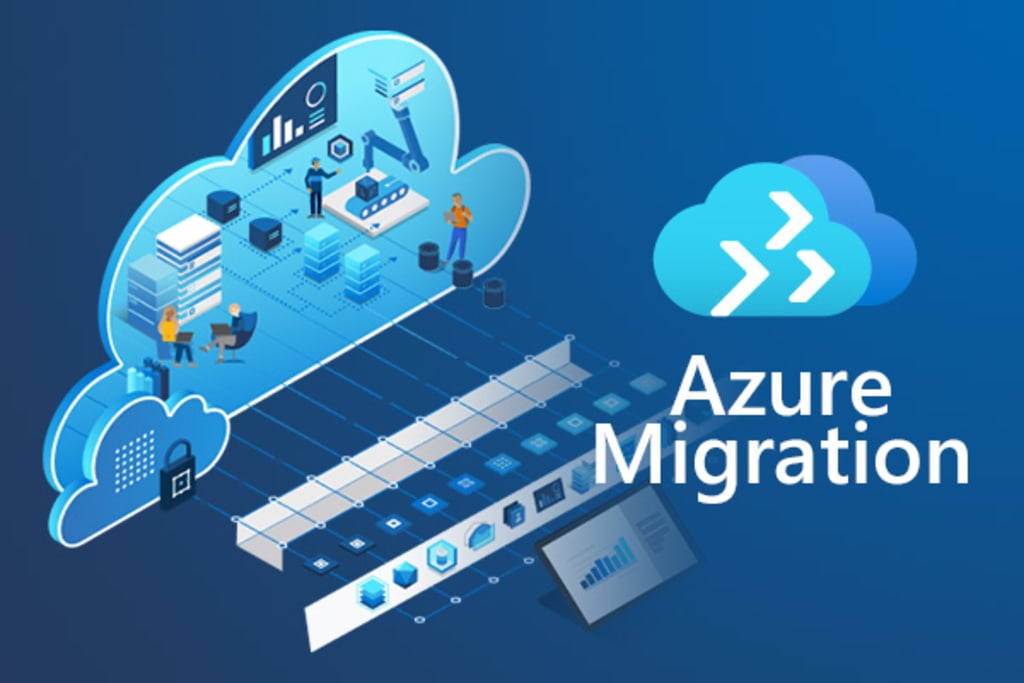
More than ever, organizations are moving their important workloads to the cloud. Although choosing the appropriate data migration technologies is one of the process's most important aspects. Data migration can take place in a variety of situations and use cases, including workload redeployment and data transfer, database migration, and backup migration, to mention a few.
And among the options available, MS Azure stands out as the most popular platform for cloud migration since it considerably enhances agility, performance, and resilience.
The transition to Azure can be time-consuming and error-prone, making modernization a difficult process. Thus, if you're preparing for a relocation, this article will help you identify necessary items with a thorough checklist of how to make this difficult, time-consuming process go smoothly.
Why Moving to the Azure Cloud is the Best Option for Businesses?
Powerful cloud platforms like Microsoft Azure are ideal for enterprise IT environments with strict compliance and data protection regulations. It has developed into a complex cloud ecosystem over time. Here are five additional reasons why Azure is becoming a popular cloud platform, whether you want to create a hybrid cloud infrastructure or move your entire business online.
- Infrastructure Management that is simplified and has a flexible pay-as-you-go subscription approach.
- Rapid software and app deployment, testing, and maintenance
- Fully Integrated Development makes a strong business case by ensuring timely upgrades and continuous business continuity.
- When confronted by significant problems, business continuity is ensured by disaster recovery with Azure Site Recovery.
- Reduced infrastructure costs, including installation and upgrade costs, to end reliance on maintaining local servers.
Do you want to relocate your infrastructure, data, and apps with confidence? But there are a few important things you need to take into account before you start your move to the Azure cloud platform.
Key Factors to Consider When Evaluating Azure Cloud Migration Readiness
The move from on-premises to the Azure cloud could be the turning point for your company with careful preparation and rigorous implementation. Here are a few crucial things to think about and evaluate along the way:
Determine the goals for the business of cloud migration.
It might consist of things like.
- To reduce the cost of maintaining data centres
- To boost scalability
- Increasing distant collaboration while enhancing resiliency with greater failover capabilities
Establish the budget.
This would comprise important variables to take into account while determining TCO.
- Size of the typical resource unit (could be a virtual server, storage unit and more)
- Projected rate of workload growth
- Infrastructure management and administrative costs (comprise of maintenance, automation, training and more)
- Average monthly usage and security requirements
Assessment of team potential and skill gaps
Answers to the following would be necessary for this.
- What level of team skill set is needed to ensure a smooth cloud transition compared to what is currently in place?
- Does the team have any prior cloud migration experience?
- Do they have the necessary technology and tools for migration?
Current examination of IT infrastructure
Internal brainstorming would be necessary, but not limited to the ideas already mentioned.
- The applications' goals (business need and future assessment)
- Usage volume in relation to user count
- Resource consumption level (hardware, network, storage and more) resources' price
- Framework for technology (database servers, frameworks, software libraries, IT management tools, etc.)
- The applications' current state of integration capabilities and constraints
- Convenience of changing the application
- Dependencies on networks, data, and applications
Determine your security needs.
A thorough security analysis would show.
- Disaster recovery procedures, compliance standards, and identity and access management
- Endpoint security and firewalls
- Be sure you're operationally prepared.
A crucial factor that any firm must address following a move.
- Operational ownership for systems that depend on cloud-based apps.
- Deployment and updating operational model.
- Agreement among all parties concerned about the operational model, roles, and responsibilities.
- Visualizing and documenting how cloud operations will operate.
- Benchmarking of operational best practices
- A cloud-based business continuity or disaster recovery strategy
Process for Migrating to Azure Cloud
Assess To begin, identify the app portfolio components that will benefit from migration. Apps should be assessed to determine whether a cloud environment is appropriate for them and what modifications are necessary for them to operate well.
Key things to think about
Storage: Consider your options and base your decision on the maximum number of operations per second allowed by Azure storage services. Consider the data's nature (hot/cold) as well so you can determine what can be stored and where.
Networking - Investigate building a virtual network to give the same degree of stability and performance as an on-site data center. Establish the required number of subnets and decide whether Active Directory or the Azure DNS service will be used to handle DNS.
Scalability - Learn how to use Azure Autoscale to dynamically scale business apps. Beware; careful cost modelling would be needed.
Virtual Machine Readiness Tool - An automated audit of virtualized assets using a checklist aid in keeping track of and managing migration priorities. The summary report summarizes the key information regarding which workloads, both priority and non-priority, can be shifted and which ones require further evaluation.
Microsoft assessment and planning (MAP) toolkit - Planning migrations for the core MS stack (including Windows Server, SQL Server, Hyper-V, Microsoft Private Cloud Fast Track) and other environments is made easier with the use of inventory, assessment, and reporting tools. The MAP toolbox aids in determining environment readiness for workloads that are being transferred to Azure, both virtual and physical.
Migrate
You must select one of the four Azure cloud migration strategies indicated in the following sections during this phase. You would then be able to adequately specify the appropriate tech stack.
Key things to think about
- Do you wish to employ regular VMs, containers, or server less functionalities to execute your apps?
- Are hybrid cloud solutions required?
- Are some workloads appropriate for the Office 365 environment but not Azure?
- Do you need to transport larger machines?
- Do you have unique hardware needs that VM sizes cannot accommodate?
- Starting with a smaller PoC of applications that are both highly valuable to the business and simpler to move is what we advise. and then carry on moving.
Optimize
After a successful deployment, you evaluate application performance in this stage and seek for opportunities to improve it.
Key things to think about
- With a clever combination of Azure services, keep tabs on your spending and seek for methods to reduce it.
- With an on-premises approach, keep an eye on performance to make sure you're fulfilling migration targets of at least the same performance and hitting new performance milestones.
Microsoft Cloud Migration Plan
The correct cloud migration plan is essential for CTOs and CIOs to succeed. Your choice of cloud services and the procedures required to migrate apps to them are determined by the migration strategy you choose. The four alternate methods Microsoft recommends for moving an application to the Azure cloud are listed below.
Rehost
Applications should be migrated unchanged.
Ideal for: Legacy migrations and teams with little experience with Azure or the cloud.
- Plan how you can use Azure cloud more effectively and spend again to expand your capabilities.
To Sum Up
Although the article gives a thorough overview of migrating to the Azure cloud and includes an outline, your cloud journey will probably require more customization along the way. And with a precise migration plan, the Azure consulting services team led by Rishabh can assist in moving your company from on-premises to the cloud.
Work 365 offers Microsoft Azure migration services and Microsoft Azure managed services in India
About the Creator
Why Software Testing Services Need Manual and Load Testing?
In today’s digital-first world, software is expected to work flawlessly from the first click to the millionth user. Whether it’s a customer-facing application, an internal enterprise system, or a cloud-based platform, users have little tolerance for bugs, slow performance, or unexpected crashes. This is why Software Testing Services are no longer a final checklist item—they are a core part of building reliable, scalable products.
By Jane Smith7 days ago in 01
iPhone 18 Pro Leaks Drama: The Dynamic Island Confusion Explained
The iPhone 18 Pro is already stirring up controversy, and it all started with a viral video from FPT. The renders showed off what looked like a major display redesign—one where the Dynamic Island had been shifted over to the left side of the screen. Unsurprisingly, the internet went into meltdown mode.
By Info Post Gate2 days ago in 01



Comments
There are no comments for this story
Be the first to respond and start the conversation.