
Guide - Scrape Google Reviews and Ratings using BeautifulSoup And Selenium
Google Reviews and Ratings Scraping
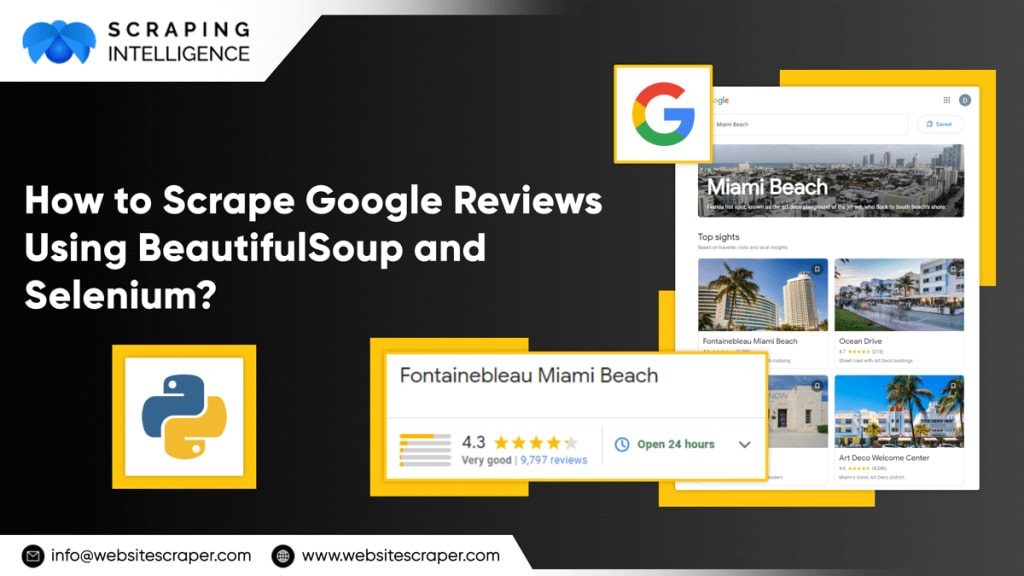
In the age of big data, web scraping has become an increasingly significant method for data extraction. Web scraping has become a vital practice for data analysts and researchers due to the large amount of information available on the internet. Python, as a versatile and strong programming language, has a wealth of web scraping packages.
This book will provide you with a thorough introduction to web scraping with Python, with an emphasis on the two most popular libraries: BeautifulSoup and Selenium.
1. Web Scraping Fundamentals
Web scraping is the process of obtaining information from websites and web pages. To do so, we must first comprehend the structure of HTML (Hypertext Markup Language) and how web pages are constructed. HTML is made up of a set of tags and elements that represent the many components of a web page, such as text, images, links, and tables. To extract data from a web page, we must first find and extract the appropriate tags and elements.
Web scraping using BeautifulSoup and Selenium makes it easy to extract data from HTML. BeautifulSoup is a well-known Python web scraping package that allows us to read HTML and extract important data. Selenium is another Python library for automating web browsers, which might be beneficial for web scraping jobs that entail interacting with dynamic websites.
2. Creating the Environment
Before we can begin web scraping, we must first prepare the environment by installing and configuring the required libraries. BeautifulSoup can be installed using pip, the Python package manager, with the command:
To install Selenium, we can use pip with the command:
We must also download and install the proper Selenium web driver for the web browser we intend to use for web scraping.
Aside from BeautifulSoup and Selenium, other useful Python modules for online scraping include Requests, Pandas, and Scrapy. Requests is an HTTP request library that can be handy for downloading web pages. Pandas is a data analysis library that may be used to process and evaluate extracted data. Scrapy is a robust online scraping framework that includes extensive web scraping features such as crawling and spidering.
3. Web Scraping using BeautifulSoup
BeautifulSoup is a robust Python web scraping package that allows us to read HTML and extract important data. To begin using BeautifulSoup, we must first load the library and generate a BeautifulSoup object from the HTML text.
In this example, we first import the required libraries: requests for HTTP requests and BeautifulSoup for HTML parsing. The URL of the web page to be scraped is then specified, and the requests are used. To download the web page content, use the get() method. Using the 'html.parser' parser, we then generate a BeautifulSoup object from the HTML text. Finally, we format the HTML information for readability using the prettify() technique.
BeautifulSoup's advanced web scraping techniques incorporate the use of CSS selectors and regular expressions to discover and extract certain tags and elements from HTML material. To extract all occurrences of a specific tag, for example, we can use the find_all() function, or we can use the select() method to extract tags that match a specific CSS selector.
Selenium Web Scraping
Selenium is a Python library that allows us to automate web browsers, which is important for web scraping jobs that need interaction with dynamic web pages.
Using Selenium for Web Scraping
Selenium is a web testing tool that automates browsers. It can also be used for web scraping because it simulates user interaction with a website. Selenium is particularly handy for scraping dynamic web pages with JavaScript content.
To use Selenium for web scraping, install the Selenium library as well as a web driver for your preferred browser. The web driver serves as a connection point between the browser and the Selenium library. Once these requirements are installed, you may use Selenium to automate browser activities and scrape data from websites.
Example of using Selenium to scrape the title of a web page:
Elenium can also be utilized for more advanced web scraping activities. You can use it to fill out forms, click buttons, and move through multiple sites, for example. With the proper configuration, Selenium can scrape practically any data from a web page.
Best Practices for Web Scraping
While web scraping is a powerful tool, it must be used carefully and ethically.
The following are some excellent practices to follow:
Before scraping, review the website's terms of service. Some websites expressly forbid web scraping, while others may have particular criteria you must adhere to.
Keep your requests to a minimum. Sending too many queries to a website in a short period might cause the server to become overloaded, causing problems for other users.
Respect the robots.txt file on the webpage. This file instructs web scrapers on which pages they can and cannot scrape. If a website contains a robots.txt file, be careful to follow the instructions in it.
Make use of proper user agents. A user agent is a string of text that the server uses to identify your web scraper. Use a user agent that appropriately identifies your web scraper and will not be blocked by the server.
Handle errors and exceptions with kindness. Web scraping can be unpredictable, and errors or exceptions may occur. Make sure to handle these with grace and avoid crashing your scraper.
You can ensure that your web scraping is ethical, efficient, and effective by following these best practices.
Conclusion
Google reviews scraper is an effective method for obtaining information from web pages. You may save time and effort by automating the process of scraping data from web pages with libraries such as BeautifulSoup and Selenium. However, to avoid difficulties and ensure ethical use, web scraping must be used properly and by best practices. With this beginner's guide, you should have a solid foundation for launching your own Python web scraping applications.
About the Creator
Scraping Intelligence
We're a professional Web Scraping Service company that focuses on fulfilling real-time data needs.
Keep reading
More stories from Scraping Intelligence and writers in 01 and other communities.
The Role of Web Scraping in Business Intelligence and Data Scraping
Companies in today's data-driven business landscape are constantly looking for new ways to harness the power of data to drive informed decision-making and gain a competitive advantage. Web scraping has emerged as a potent technique for businesses to extract valuable information from websites and use it for business intelligence and data analytics. In this article, we will look at the critical role of web scraping in business intelligence and data scraping, as well as how Scraping Intelligence, a leading web scraping service provider, can assist businesses in realizing the full value of web data.
By Scraping Intelligence2 years ago in 01
2026 Career Reality How You Become a Mobile App Developer
In 2026, the question how do you become a mobile app developer is no longer answered by learning a stack and shipping an app. A tectonic shift inside the Google ecosystem has tied developer relevance to AI Retrieval, Zero Click behavior, and entity-level trust, creating direct career risk for those who build without authority awareness.
By Mike Pichai7 days ago in 01
Ludacris and Nelly draw backlash over bookings at MAGA-coded music festival
Ludacris and Nelly headlining a mostly right-wing event is good for them. It’s also great for the genre of hip hop. The two rap veterans have showcased their talents on other stages. Why can’t they perform for mostly MAGA folks and grab that bag?
By Skyler Saunders6 days ago in Beat



Comments
There are no comments for this story
Be the first to respond and start the conversation.