
From Pocket Storage to Panic Mode: A Guide to Memory Card & Flash Drive Data Recovery
From quick checks to professional solutions—understand what to do when your storage device fails.
Small Devices, Big Problems

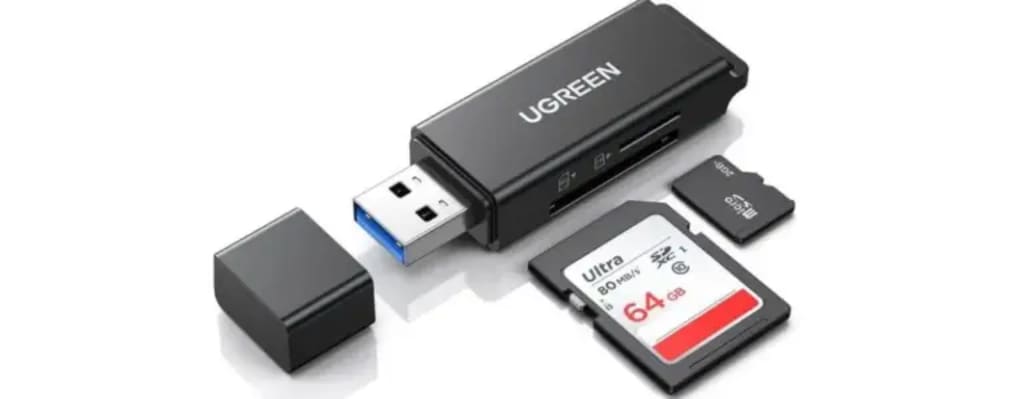
For many, flash drives and memory cards are the quiet heroes of daily tech use. These little devices store cherished travel photos, college assignments, financial records, design portfolios, and sometimes even entire business operations. But when one of them suddenly goes silent—refusing to open, read, or respond—the panic is real.
In a world where storage fits in your palm but problems grow to the size of a crisis, users quickly find themselves asking: “Can I recover the data myself?” “Should I trust someone with my files?” or worst of all, “Is it all gone forever?”

This guide explores the reality of memory card and flash drive failures—and what people usually try before turning to expert help. At the end, it shows how specialists like F2 Technology provide answers when all else fails.
Step 1: The Search for Internet Miracles
The first reaction to data loss is often a desperate Google search: “How to recover files from corrupted pen drive” or “Free tools to fix flash drive” flood the user’s history.

There’s hope in software ads promising deep scans and one-click recoveries. While some tools are decent for minor issues, most fail when the damage is serious. Worse, downloading the wrong recovery app might overwrite the data you’re trying to save.
And no, blowing into the USB port like it’s an old Nintendo cartridge isn’t a viable fix.
Step 2: Asking Around—Because Maybe Someone's "Cousin" Knows
Many people turn to friends or family:
“Bro, you had this issue with your SD card, right? How’d you fix it?”

This word-of-mouth often leads to attempts like plugging the device into a different system, formatting and trying to undo it, or giving it to someone who “knows a bit about tech.”
Sometimes it works. Often, it makes things worse.
Step 3: Panic + Denial = Delayed Decisions
People wait. And wait. They plug the device in once more just in case. Maybe the files will magically appear.

The fear of handing it over to a professional grows—What if someone sees private stuff? What if they lose everything? What if it costs too much?
But while users wait, time (and repeated attempts) can cause further file corruption, especially if the device is physically failing or has logical errors.
Step 4: Realization—It’s Time for Expert Help
This is where F2 Technology enters the picture.

As one of the most reliable data recovery providers in Dubai and Sharjah, F2 Technology has built a reputation on turning panic into relief. Whether it's a fried flash drive, a corrupt SD card, or a microSD that was inside a device dropped in water—F2 Technology’s recovery lab and skilled engineers are ready for the challenge.
Step 5: What F2 Technology Can Do That Others Can’t
Unlike free software or guesswork, F2 Technology performs professional diagnostics and uses proprietary techniques to recover data in a secure, clean-room environment. They treat each case individually and protect the client’s privacy with absolute confidentiality.
Here are just a few issues they handle daily:
- Flash Drive File Corruption – Power surges, improper ejection, or software bugs can corrupt files. F2 runs in-depth diagnostics to extract recoverable data safely.
- Accidental Deletion Recovery – Deleted files aren’t always gone for good. The team uses advanced tools to recover lost files from flash and memory drives.
- Formatted Drive Recovery – Even formatted cards or drives have retrievable data. F2 Technology has expertise in reconstructing file systems and accessing overwritten data.
- Memory Card Logical Failure Recovery – From corrupted sectors to failed read commands, they’re equipped to solve complex logical issues.
- Virus or Malware Data Recovery – Damaged by a virus? Their protocols ensure the data is cleaned, retrieved, and the threat neutralized.
F2 Technology doesn’t just handle standard USB drives—they support nearly all major consumer storage types, including:
- Flash Drives:
SanDisk, Kingston, Transcend, PNY, Lexar, Toshiba, HP, Corsair, Sony, Samsung
- SD & MicroSD Cards:
SanDisk, Kingston, Lexar, Sony, Samsung, Toshiba, Transcend
Whether it’s a USB 2.0 from 2010 or a blazing-fast 1TB SDXC card, they’ve seen it and fixed it.
Conclusion: Trust Isn’t Optional. It’s Essential.
In the end, data recovery from flash drives and memory cards isn’t just about the files—it’s about trust. Can the service provider recover the data without damaging it further? Will the files remain private? Is the process safe?
For hundreds of individuals and businesses across the UAE, the answer has consistently been yes—with F2 Technology.
So the next time that tiny piece of tech lets you down, don’t lose hope. Don’t gamble with risky downloads or amateur fixes. Turn to the professionals.
Visit F2 Technology’s Flash Drive & Memory Card Data Recovery page to learn more and get started with your recovery today.
About the Creator
OWASP Top 10 2025: Key Changes You Should Know
Introduction The OWASP Top 10 list is one of the most widely used security frameworks in the world. Every update represents a shift in the real threats organizations face based on global incident data, community research, and evolving attack patterns. The 2025 edition brings meaningful changes that reflect how modern applications are built, integrated, and deployed.
By Sam Bishop6 days ago in 01
Tumblr Communities: A Deep Dive into the Best Communities and Their Impact
In the world of social media, Tumblr stands out for its distinct culture, creativity, and ability to foster niche communities. Unlike mainstream social media platforms, Tumblr allows users to explore their passions, connect with like-minded individuals, and create communities centered around various interests. In this article, we will explore Tumblr communities, how they function, and why they have become a vital part of online culture. We will also look into Cwote, an emerging community on Tumblr, and its growing influence.
By Backlinks Cart7 days ago in 01


Comments
There are no comments for this story
Be the first to respond and start the conversation.