
Essential Mac Tools You can't Miss 2025
The essential web development tools you can't afford to miss


Adhering to the philosophy that a good workman must first sharpen his tools, I've explored various types of tools over time. Based on personal experience, I recommend some software that I find quite excellent.
As I cannot provide any pirated or infringing software, I'll stick to suggesting legitimate and useful tools for the average user.
Efficiency Powerhouse
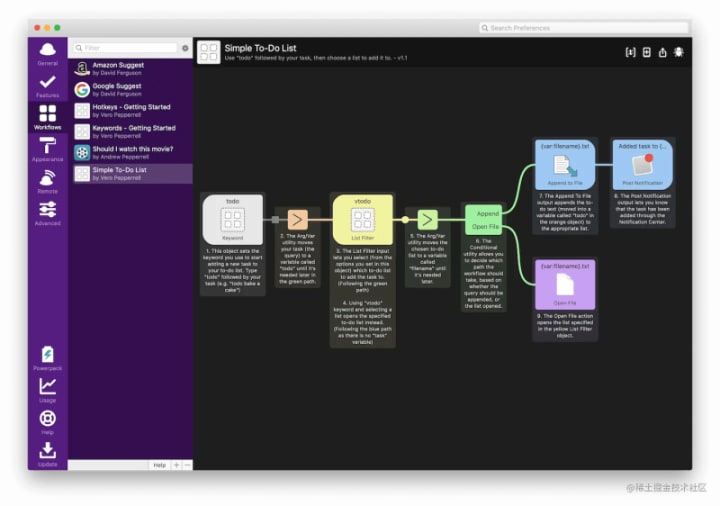
Alfred
Alfred is a tool that allows you to ditch your mouse.
As the most powerful efficiency tool on Mac, Alfred enhances the quick launch and search functions built into Spotlight (MacOS X's built-in search and quick launch engine). It introduces powerful extension features like Workflows, making it a "tool platform" software with limitless automation potential. You can use it to implement almost any idea related toautomation.
Alfred also supports quick commands like lock screen, shutdown, empty trash, and sleep. Some of my frequently used recommendations include:
- lock 1s: Locks the screen – time to grab a meal!
- empty: Instantly satisfies the compulsive need to have a clutter-free trash bin.
- eject: Ejects disks, storage cards, or virtual disk images like .dmg-mounted disks.
For temporary shell commands, Alfred allows you to input > in the wake-up box to launch Terminal and execute the command string following >.
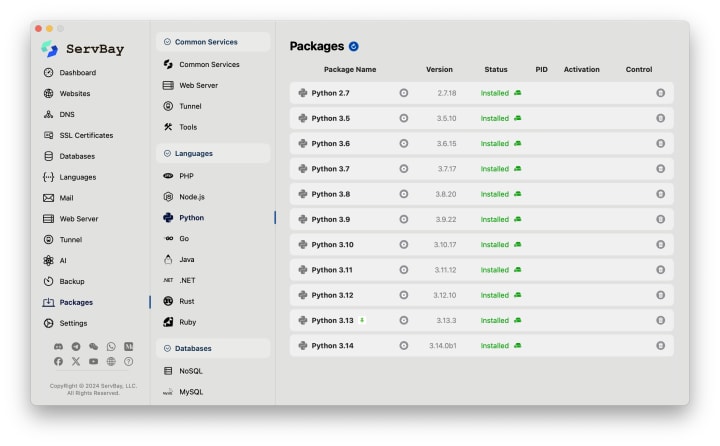
ServBay is hailed as the lazy developer's essential tool. With ServBay, you don't need to spend 2 or 3 days setting up a dev environment; you can download and use it immediately. It includes a range of commonly used web development service software and tools, covering web servers, databases, programming languages, mail servers, queue services, etc., aiming to provide developers with a convenient, efficient, and unified development environment.
Features:
- Multi-Version Coexistence: Supports multiple versions of languages like PHP, Python, Node.js, Go, and Java running simultaneously without interfering with each other.
- Custom Domains & SSL: Set up custom domains and SSL certificates for local projects with a single click, perfectly mimicking a live production environment.
- Startup on Boot & Quick Operations: Supports starting on boot and allows for quick service management via a menu bar icon.
- Powerful Command-Line Support: Provides a complete CLI tool for developers who prefer the command line.
- Unified Service Management: Manage all your services from a single dashboard where their status is clear at a glance.
- Reverse Proxy Support: Easily configure reverse proxies to meet complex development needs.
Notes
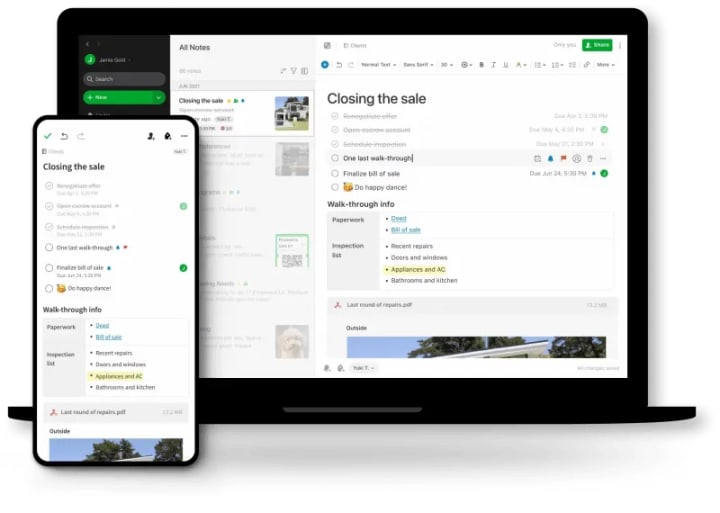
Evernote
Access, organize, and share notes anytime, anywhere, keeping inspiration with you.
Brings order to life, enhances efficiency at work, and facilitates convenient collaboration.
Compression/Decompression
Keka
Keka meets the daily decompression needs on the macOS platform. It is compact, user-friendly, and offers fast speeds

Calendar
Itycal
Itycal is a small menu bar calendar. To achieve the displayed effect, enter "E h:mm" in the input box, and then disable the system default time. It gives a neat appearance.

Terminal Tool
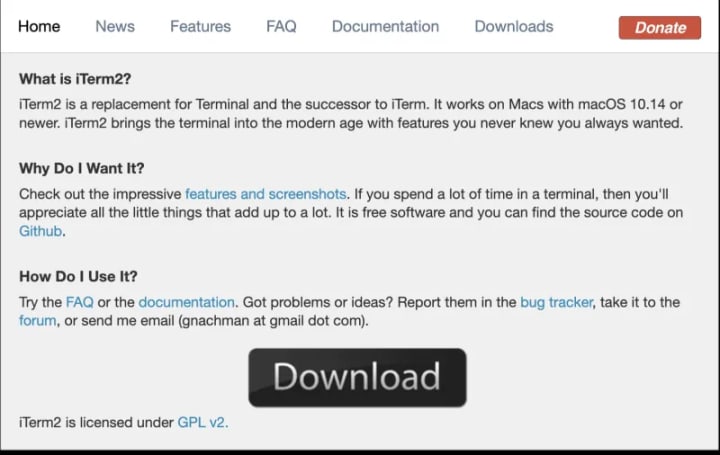
iTerm2
While the default terminal on macOS may not be the most convenient, iTerm2 is a relatively user-friendly terminal tool. Common operations include theme selection, syntax highlighting, auto-fill suggestions, hiding usernames and hostnames, and split-screen effects.
System Monitoring
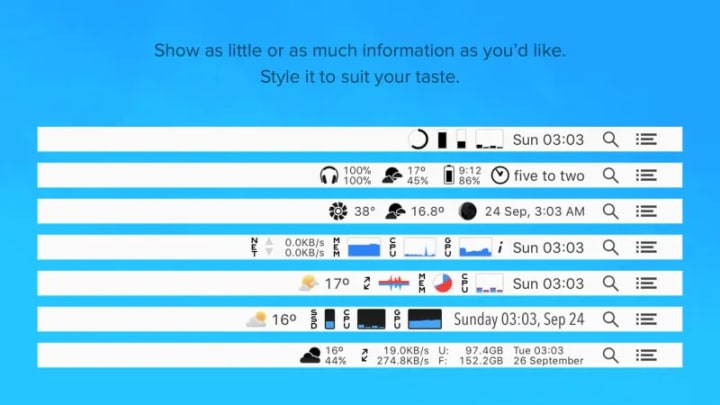
iStat Menus
iStat Menus is the premier system monitoring tool for Mac. It provides real-time monitoring of CPU, GPU, memory, hard disk, network, temperature, battery, and system time in the menu bar. It is stable, resource-efficient, and considered essential software
Screensaver
Fliqlo
Fliqlo is a minimalist clock screensaver application for Mac OS devices.

Conclusion
Each of these carefully selected tools is like a skilled craftsman, dedicated to solving a specific problem and doing it to perfection. Together, they form an efficient, seamless, and aesthetically pleasing workflow. Investing in good tools is, in essence, an investment in our own precious time and energy. Once you find the right "power tools," you'll discover that both work and life become much more manageable and enjoyable. This list is just a starting point; the real joy lies in continuous exploration to find the combination of tools that best suits your personal needs, ultimately allowing you to build a personalized and irreplaceable digital workbench.
About the Creator
Salty Fish
I love coding
Keep reading
More stories from Salty Fish and writers in 01 and other communities.
Crowdfunding Platforms vs Business Credit
Securing funding is one of the most critical challenges facing entrepreneurs today. Whether you're launching a new product, expanding operations, or bringing an innovative idea to life, the capital you choose and how you obtain it can significantly impact your business's trajectory. Two increasingly popular funding approaches have emerged in recent years: crowdfunding platforms and business credit building. Each offers distinct advantages, challenges, and strategic implications that every entrepreneur should understand.
By Start My Businessa day ago in 01


Comments
There are no comments for this story
Be the first to respond and start the conversation.