
Effective Guide To Embed Facebook Widget To WordPress Website
Embed Facebook Widget To WordPress

Today most business owners have WordPress websites which let them create attractive web pages with effective features. On the other hand, Facebook is one of the widely used social media platforms with over 90 million small businesses using it for reaching the maximum number of customers. By now the majority of individuals know about the magic of embedding Facebook widget on WordPress website.
If you want to witness the impressive growth of your business by engaging more people and enhancing your conversion rate, then one of the effective ways is to embed all your Facebook business page feed onto your WordPress website using the free aggregator tool- Tagembed WordPress Facebook widget. This method will help you to promote both your Facebook business page and WordPress website at the same time.
Wondering how you can embed the Facebook feed into the WordPress website? Don't worry this blog will guide you with a step-by-step procedure on how you can embed the Facebook widget to WordPress website easily.
Keep reading this article.
Fair and Easy Steps To Add Facebook Widget On WordPress Website
Don't get confused, the following steps will guide you to embed your Facebook feed on the WordPress website effortlessly. So let's start with the steps.
Step 1: First setup your Tagembed account
First, you need to log in to your Tagembed account, and new users have to create an account by signing up.
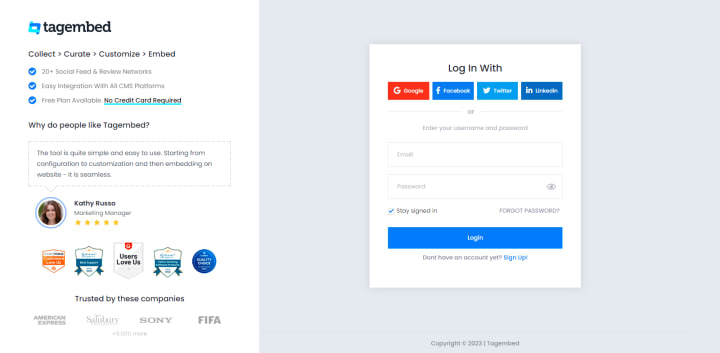
After that, you have to click on the “create widget” button on the Tagembed dashboard to create a WordPress Facebook widget.
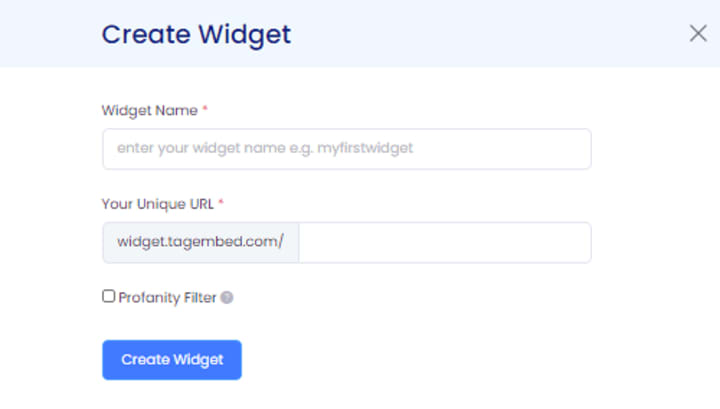
Your next step will be to give a name to your widget either with the name of your brand or hashtag. Automatically a unique widget URL will be created as per the name.

Then you have to click on the “create widget” button and your widget will be created easily.
Step 2: In the next step you have to create the Facebook feed
Click on the add feed button, and a screen will appear with the “pick a source” option.
From among the options you have to select Facebook.
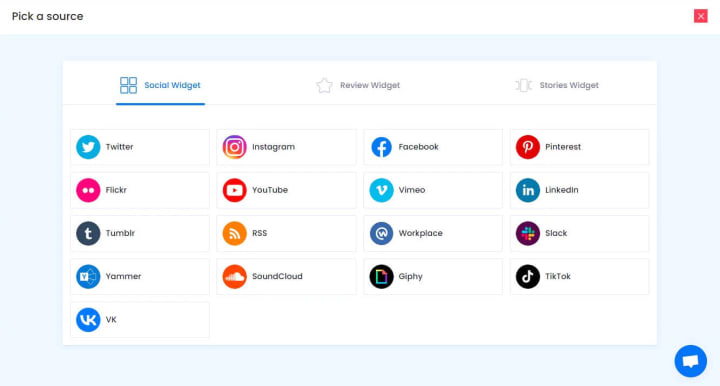
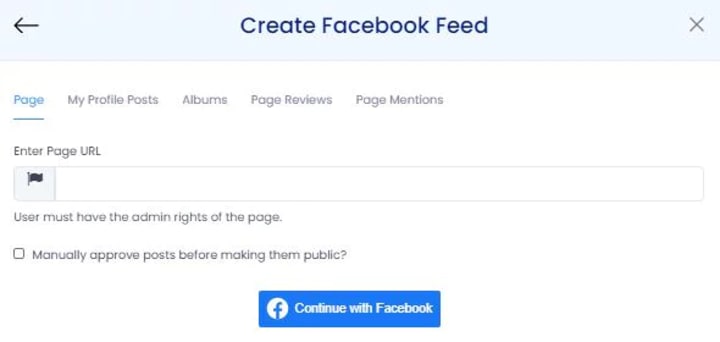
Then a dialog box written “create Facebook feed” will appear where you have to either select Page or My Profile Post and enter the URL of your Facebook business page by logging in to it.
Step 3: Now generate the code
After creating the feed you have to click on the option of the “embed widget” appearing in the bottom left corner.

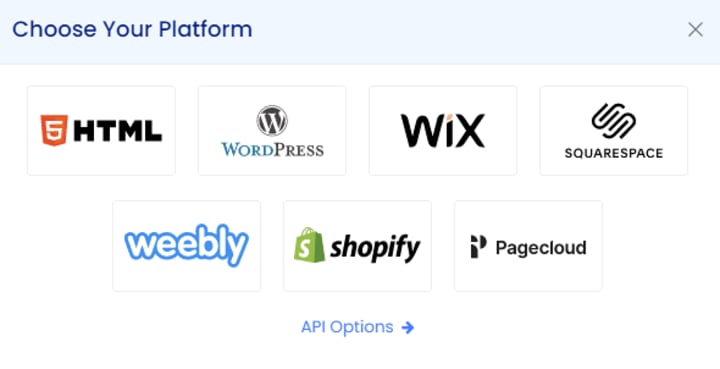
From there, you have to select your preferred CMS website which is WordPress.
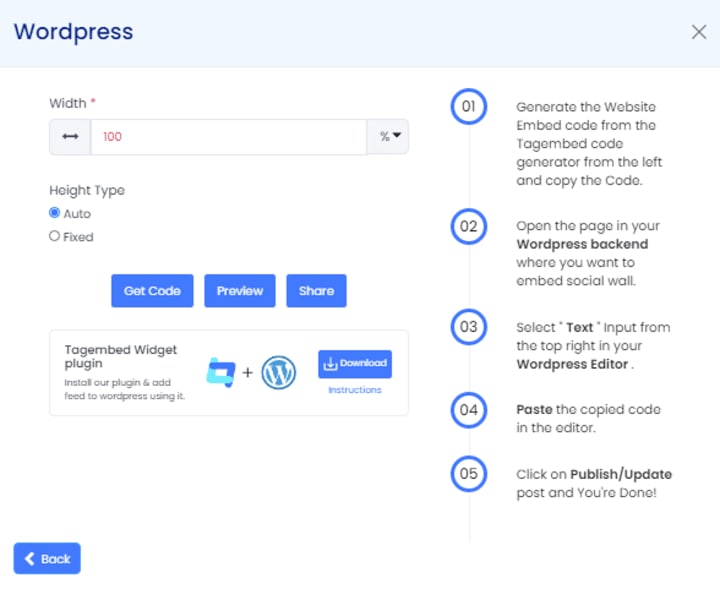
You will get the option of adjusting the height and width then click on the “get code” button for copying the code that requires adding a Facebook widget to WordPress.
Step 4: Embed the Facebook feed on the WordPress website
First log in to your WordPress website. Then click on the “Add block” in the WordPress editor.
Then from formatting go to custom HTML.
The code that you have copied from the WordPress Facebook widget is pasted on the “CODE” editor.
Now all your Facebook feeds are ready to publish, publish it.
Great! All your Facebook feeds are successfully embedded on your WordPress website.
Embedding Facebook feeds on WordPress websites has proven benefits
There is not just one benefit but several. To boost the performance of your website take the leverage of embedding a Facebook feed on a WordPress website.
We have curated a list of some major perks that come with integrating Facebook feeds in the WordPress website that you need to know:
- User-generated content source
UGC is something that holds the power to improve the picture of the brand.
Facebook is the platform where users create a notable amount of user-generated content. Such contents include images, videos, comments, feedback, etc. they are also called Facebook feeds. Thus embedding them on the WordPress website will automatically attract the attention of your potential customers which will change their perception about your brand.
- Brings website traffic and engagement
When you display your Facebook feeds on your website your targeted audience is your visitors. They are able to connect themselves with your brand and hence that will engage them and many other such visitors. Engaging more and more people on your website will bring a considerable amount of traffic as well.
- Trust building and improving brand-customer relationships
You can show your customers that you care about their thoughts by displaying user-generated Facebook content on your website. Thus you are basically building a point of trust with your visitors and also enhancing the brand-customer relationship. Through trust building, you can create a loyal customer base.
Wrapping it up
In the above article, we have shared a detailed guide about how users are able to embed their Facebook feeds on the WordPress website without any hassle and for free with Tagembed. Also, we have talked about the perks that come with it. Following the step-by-step guide anyone can easily embed the Facebook widget on WordPress.
What are you waiting for? Embed it, engage your target audience, and expand your website.
About the Creator
Tony Tyler
I'm a tech writer passionate about writing new technology, social media, digital marketing etc. I always seeking to get new tech updates. Let's explore some new things of the tech world with me.
Keep reading
More stories from Tony Tyler and writers in 01 and other communities.
Best Social Media Aggregator Tools With Benefits & Features
For the advertisement of your products and services, social media is one of the most cost-effective tools. In recent years, the number of social media channels has increased very much. This will lead to the requirement of bringing all the information to one place for easy access. If you have multiple social media accounts for your brand then managing them all at once can be a tiring and time-consuming process. To manage social media channels and schedule posts, fortunately, there are some of the best social media aggregator tools available.
By Tony Tyler3 years ago in 01




Comments
There are no comments for this story
Be the first to respond and start the conversation.