
Don't buy Physics Wallah Pi book!!
Discover why the Pi Book falls short and explore better laptops for the price.

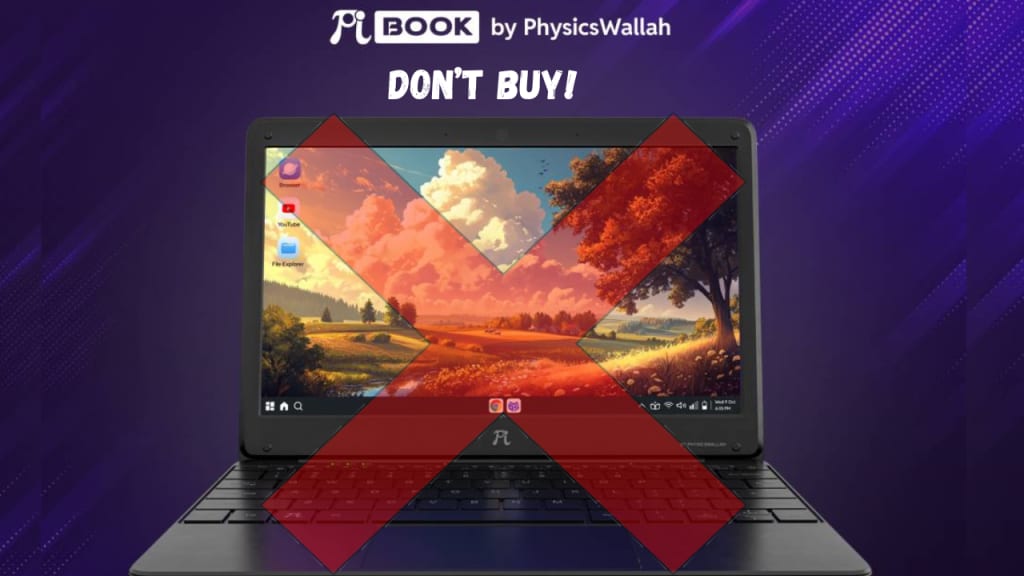
Why You Should Think Twice Before Buying Physics Wallah’s Pi Book Laptop
If you’re a student looking for a budget-friendly laptop, you’ve probably come across Physics Wallah’s Pi Book. It’s marketed as an affordable option for students, but is it really worth your hard-earned money? In this article, we’ll break down everything you need to know about the Pi Book, its limitations, and why there are better options out there. By the end, you’ll have a clear idea of whether this laptop is the right choice for you.
________________________________________
What Is the Physics Wallah Pi Book Laptop?
The Pi Book is a low-cost laptop launched by Physics Wallah, a popular educational brand in India. It’s designed for students who need a basic device for studying, browsing, and light tasks. At first glance, the price tag seems tempting, but when you dig deeper, you’ll find that it comes with some serious compromises.
________________________________________
Key Features of the Pi Book
Here’s what the Pi Book offers on paper:
• Display: 14-inch screen (basic quality, not great for long study sessions).
• Processor: Low-end processor (struggles with multitasking).
• RAM: 4GB (bare minimum for basic tasks).
• Storage: 64GB eMMC (slow and fills up quickly).
• Battery Life: Claims up to 6 hours (but real-world usage is less).
• Operating System: Custom Linux-based OS (limited app support).
While these specs might sound okay for the price, the reality is far from ideal. Let’s explore why.
________________________________________
5 Major Problems with the Pi Book
1. Slow Performance
The Pi Book’s processor is weak, which means it struggles with even basic tasks. For example:
• Opening multiple browser tabs can make it freeze.
• Running Zoom or Google Meet while taking notes can cause lag.
• Even simple apps like PDF readers take longer to load.
If you’re someone who multitasks or uses resource-heavy apps, this laptop will frustrate you.
2. Limited Storage
64GB of storage might sound okay, but it’s not enough for most students. Here’s why:
• Operating system and pre-installed apps take up a chunk of space.
• Downloading study materials, videos, or software fills it up quickly.
• eMMC storage is slower than SSD, so file transfers and app loading times are painfully slow.
You can expand storage using an SD card, but it won’t solve the speed issue.
3. Operating System Issues
The Pi Book runs on a custom Linux-based OS, which is a big drawback for students. Here’s why:
• Many popular apps like Microsoft Office, Zoom, and Adobe Reader aren’t compatible.
• You’ll need to rely on alternative software, which may not be as user-friendly.
• If you’re not tech-savvy, troubleshooting OS issues can be a headache.
4. Poor Build Quality
The Pi Book feels cheap and flimsy. Students who’ve used it report:
• The plastic body feels like it could break easily.
• The hinges are weak and may not last long.
• It’s not designed to handle daily wear and tear, like being carried in a backpack.
5. Mediocre Battery Life
While the Pi Book claims up to 6 hours of battery life, real-world usage tells a different story:
• Streaming videos or attending online classes drains the battery faster.
• You’ll likely need to carry the charger everywhere, which defeats the purpose of a portable laptop.
________________________________________
How Does the Pi Book Compare to Other Budget Laptops?
Let’s compare the Pi Book to other laptops in the same price range to see how it stacks up.
Option 1: Lenovo IdeaPad 1
• Price: Higher than Pi Book but better
• Processor: AMD A6 or Intel Celeron (better performance).
• RAM: 4GB.
• Storage: 128GB SSD (faster and more spacious).
• OS: Windows 11 (supports all popular apps).
Why It’s Better: The IdeaPad 1 offers smoother performance, more storage, and a familiar operating system. It’s a much better choice for students.
Option 2: HP Chromebook 14
• Price: Slightly higher than the Pi Book.
• Processor: Intel Celeron N4020 (optimized for Chrome OS).
• RAM: 4GB.
• Storage: 64GB eMMC + 100GB Google Drive (1 year free).
• OS: Chrome OS (lightweight and fast).
Why It’s Better: Chromebooks are perfect for students who rely on web-based tools like Google Docs, Classroom, and Zoom. They’re faster, more reliable, and easier to use than the Pi Book.
Option 3: Acer Aspire 1
• Price: Comparable to the Pi Book.
• Processor: Intel Celeron.
• RAM: 4GB.
• Storage: 64GB SSD (faster than eMMC).
• OS: Windows 10 S (supports most apps).
Why It’s Better: The Acer Aspire 1 offers better build quality, faster storage, and a more user-friendly OS. It’s a solid choice for students on a budget.
________________________________________
Is the Pi Book Good for Students?
The short answer: No. Here’s why:
• Online Classes: The Pi Book struggles with video calls and screen sharing.
• Research and Projects: Limited storage and slow performance make it hard to work efficiently.
• Software Needs: Many educational apps aren’t compatible with its custom OS.
If you’re serious about your studies, you need a laptop that can keep up with your workload. The Pi Book simply can’t.
________________________________________
Pros and Cons of the Pi Book
Pros
• Affordable price.
• Lightweight and portable.
Cons
• Slow performance.
• Limited storage.
• Poor build quality.
• Incompatible with many apps.
• Mediocre battery life.
________________________________________
Who Should Avoid the Pi Book?
Avoid the Pi Book if you:
• Attend online classes regularly.
• Use apps like Zoom, Microsoft Office, or Adobe.
• Need a laptop for multitasking.
• Want a device that lasts more than a year.
________________________________________
Better Alternatives for Students
If you’re on a tight budget, here are some smarter options:
1. Chromebooks
Chromebooks are fast, reliable, and perfect for students who use Google’s ecosystem. They’re also affordable and easy to use.
2. Refurbished Laptops
Refurbished laptops from brands like Dell, HP, or Lenovo offer better specs at a lower price. Look for models with at least 8GB RAM and an SSD.
3. Tablet + Keyboard Combos
If you don’t need a full laptop, consider a tablet with a detachable keyboard. It’s more versatile and often cheaper.
________________________________________
What to Look for in a Budget Laptop
When shopping for a budget laptop, prioritize these features:
1. Processor: Avoid low-end chipsets. Look for Intel Celeron, AMD A6, or better.
2. Storage: Go for at least 128GB SSD. It’s faster and more reliable than eMMC.
3. RAM: 4GB is the minimum, but 8GB is ideal for multitasking.
4. Operating System: Choose Windows or Chrome OS for better app compatibility.
5. Build Quality: Look for a sturdy design that can handle daily use.
________________________________________
Conclusion
The Physics Wallah Pi Book might seem like a good deal, but it’s not worth the hassle. Its slow performance, limited storage, and poor build quality make it a poor choice for students. Instead, consider alternatives like Chromebooks or refurbished laptops, which offer better value and performance.
Remember, a laptop is an investment in your education. Don’t settle for less—choose a device that will help you succeed!
________________________________________
FAQs
1. Can I upgrade the Pi Book’s storage?
Yes, but only via an SD card. It won’t be as fast as an SSD.
2. Is the Pi Book good for coding?
Only for very basic coding. Heavy IDEs like Visual Studio will lag.
3. Does it support Windows software?
No, it runs a custom Linux OS, which isn’t compatible with most Windows apps.
4. Are Chromebooks better than the Pi Book?
Yes, Chromebooks are faster, more reliable, and easier to use.
5. Should I buy a refurbished laptop instead?
Absolutely! Refurbished laptops offer better specs and durability for the same price.
About the Creator
Valuable Knowledge
See the growing technology of the world, Sub my profile to be connected to the world's Tech
Sub to Youtube Channel
https://www.youtube.com/@whatsnew9825?sub_confirmation=1
Keep reading
More stories from Valuable Knowledge and writers in 01 and other communities.
Reducing AI Integration Failures by 40% With the Right Generative AI Consulting Partner
In the rush to adopt cutting-edge technologies, many organizations have jumped into artificial intelligence projects without a solid strategy, experienced guidance, or realistic expectations. As a result, a growing number of businesses report stalled initiatives, failed integrations, or tools that never deliver meaningful ROI. But when organizations align with the right generative ai consulting services, the narrative changes — often dramatically. With expert support, companies can reduce AI integration failures by up to 40% and unlock the full potential of intelligent systems.
By Steve Waugh2 days ago in 01
Georges Chahwan: The Marketing Director Redefining Performance Strategy in Healthcare Staffing
In the competitive world of healthcare staffing, standing out requires more than a polished brand. It demands a marketing engine built on strategy, data, and relentless execution. Georges Chahwan, Marketing Director at ProMed Staffing Resources, has spent years engineering exactly that kind of engine. His approach combines technical SEO, digital advertising, and personalized email marketing into a cohesive system that doesn't just attract attention it converts.
By Jeffrey D. Gross MDabout 11 hours ago in 01



Comments
There are no comments for this story
Be the first to respond and start the conversation.