
Do Access Points Have Ethernet Ports?
Access Points
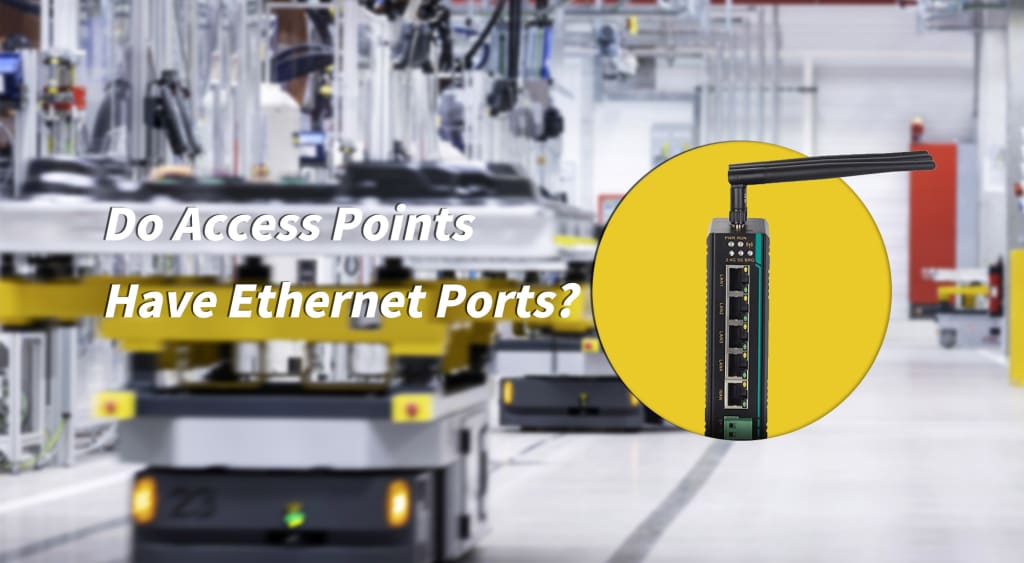
In today’s world—where wireless networking is essential in homes, offices, and industrial environments—the wireless access point (AP) acts as the crucial bridge between the wired and wireless domains. A common question users often ask is:
Do wireless access points have Ethernet ports?
Do APs include WAN or LAN ports?
This article breaks down the port types and operating modes of wireless access points, helping you better understand how APs function and how to deploy them effectively.
What Is a Wireless Access Point?
A wireless access point (AP) is a device that converts a wired network signal (via Ethernet cable) into a wireless Wi-Fi signal, allowing smartphones, laptops, tablets, and other Wi-Fi terminals to access a network.
Multiple APs can be deployed to form an extended wireless network, enabling wider coverage and seamless roaming between access points.
Many users confuse wireless routers with wireless access points, but their roles are different: routers manage networks; APs mainly extend wireless coverage.
Related Article:Wireless AP vs Wireless Router: Understanding the Key Differences for Industrial Communication Networks
Do Wireless Access Points Have Ethernet Ports?
Yes.
Ethernet ports are standard on wireless access points because they are the physical foundation that allows an AP to bridge wired and wireless networks.
Most APs have at least one Ethernet port
Enterprise or industrial APs may have multiple Ethernet ports for additional flexibility
Can an Access Point Connect to Devices via Ethernet?
Absolutely.
This is commonly referred to as wired backhaul or Ethernet backhaul, and it’s one of the most stable and reliable networking methods available. It is widely used in mesh systems, enterprise deployments, and high-performance home networks.
Types of Ethernet Ports on Wireless Access Points
1. By Function: LAN Port vs. WAN Port
Access Point with LAN Port
Function:
The LAN port connects the AP to an existing local area network.
How It Works:
The AP’s LAN port connects to a router or switch LAN port
The AP then broadcasts Wi-Fi to user devices
Use Case:
Found on most Fit APs or APs in bridge mode, where the device does not handle routing but simply extends wireless coverage.
Access Point with WAN Port
Function:
Used for connecting directly to the internet source—such as a modem or optical network terminal (ONT).
How It Works:
Common on “fat APs” that include router capabilities.
The WAN port establishes the external connection (DHCP, static IP, or PPPoE)
The LAN port(s) distribute the internal network
Some advanced industrial APs (such as Come-Star models) include a WAN/LAN combo port that can function as either, depending on configuration.
In short:
LAN port → internal network
WAN port → external internet
APs with WAN ports typically offer router-like functionality
2. By Physical Medium: RJ45 Copper Port vs. SFP Fiber Port
RJ45 Ethernet Port
The most common Ethernet interface
Uses Cat5e/Cat6 twisted-pair copper cables
Maximum recommended distance: ~100 meters per segment
Plug-and-play, widely supported
Suitable for almost all home, office, and enterprise environments
SFP Fiber Port
APs with SFP ports are often referred to as fiber access points.
Advantages:
Supports long-distance transmission (kilometers to hundreds of kilometers using single-mode fiber)
High bandwidth potential
Excellent resistance to electromagnetic interference
Very stable signal
Use Case:
Found on high-end enterprise or industrial APs used for long-distance backhaul, harsh electromagnetic environments, campuses, factories, and outdoor deployments.
FAQ
Q: Does every access point have WAN or LAN ports?
Not necessarily.
It depends on the type of AP:
Fit APs
Usually only have LAN ports
Designed for wireless coverage only
No routing or NAT functionality
Fat APs (standalone APs)
Often include WAN ports
Support routing, firewall, PPPoE login, and more
Q: Are there outdoor access points with Ethernet ports?
Yes.
Many vendors, including Come-Star, offer rugged outdoor APs with weatherproof, dustproof, and temperature-resistant designs for parks, campuses, industrial sites, and public areas.
Conclusion
Ethernet ports on wireless access points are more than just physical connectors—they define the AP’s role, capabilities, and deployment scenarios.
LAN ports: Extend wireless coverage
WAN ports or combo ports: Enable router-like functionality
SFP fiber ports: Support long-distance, high-stability, industrial-grade networking
As wireless technologies evolve, AP Ethernet port designs continue to advance toward higher performance, enhanced reliability, and greater versatility—strengthening the AP’s role as the key convergence point between wired and wireless networks.
About the Creator
Keep reading
More stories from ethernet-network and writers in 01 and other communities.
What is in-vehicle poe switch and how to choose it
An in-vehicle PoE switch is an industrial-grade network switching device specifically designed for automotive environments. Beyond providing standard data transmission capabilities, it supports power delivery to in-vehicle devices via Ethernet cables. This enables devices to receive both data and power through a single cable, significantly simplifying the wiring complexity of in-vehicle systems and enhancing the convenience of device installation.For many in vehicle ethernet systems, choosing a reliable ethernet switch that can run in vehicle is essential, as it ensures stable operation under high-speed driving and complex environmental conditions.
By ethernet-network6 months ago in 01
Wearable Device App Development Driving 80% EHR Interoperability
In today’s fast-evolving digital health ecosystem, the convergence of wearable technology and electronic health record (EHR) systems is transforming how health data is collected, shared, and used. Wearable device app development companies are now at the forefront of enabling seamless interoperability — connecting patient-generated health data with clinical systems and creating a more unified view of health. This isn’t just a trend — it’s reshaping patient care, efficiency, and outcomes.
By Kunal Chouhanabout 17 hours ago in 01
Cost of Development: 2026 Pricing Guide & Projections
Building software right now feels like trying to nail jelly to a wall. I reckon most founders are staring at their spreadsheets with a bit of a headache. The cost of development is moving in weird directions these days.
By Sherry Walkerabout 15 hours ago in 01
Review of 'Man on the Run'
My wife and I saw Man on the Run, a nearly 2-hour documentary on Amazon Prime, about Wings, Paul McCartney's group that flew around the world from shortly after The Beatles broke up in early 1970 to shortly after John Lennon was murdered at the end of 1980, making a Beatles reunion forever impossible.
By Paul Levinson3 days ago in Beat




Comments
There are no comments for this story
Be the first to respond and start the conversation.