
CryptPad: An Encrypted Google Docs Alternative
Go free and Open Source choose CryptPad!

Microsoft word is still one of the best programs to choose from when it comes to writing and editing be it a poem, article or book it does it all. But, thanks to the internet we now have an option of writing and using text editors online. The best part is that most of these alternative programs are free, paid and offer trial versions at most.
Not everyone has a legitimate license for Microsoft Office and I don’t either. Besides, some of these document editing services offer a lot more. When I decided to quit Microsoft Office I searched for alternatives preferably online and free. Tools That I could use on my computer and mobile device. But, of course I wanted something that I didn’t have to pay for that’s when I started using Google Docs.
I’m a big fan of Google docs, Google services in general because they’re free, or so I thought. I was very happy with Docs until I decided to make a few changes for security reasons of course. I gave up Google for most of my personal writing. I prefer doing my small tasks offline with an editor that isn’t Microsoft word either (story for another day).
But hey, for things that I do on my browser CryptPad does the trick. Most of my Medium tasks I usually do on Medium. This Editor is actually great and we can say that I’ve already gotten used to it. For every other thing that has no relation to Medium I go with Crypt, unless it’s Vocalmedia the Vocal Editor (for those of you who can relate) is not that great, not to mention that it doesn’t work well with some browsers other than Chrome.
Unless it is something that takes place while I’m reading other stories I use the Medium Editor and export the final piece to Vocal. I started this piece on CryptPad. Using this suite to write gave me the idea to put this together.
CryptPad 10–0 over Google Documents
— CryptPad is FREE and Open Source
This is the best part, the source code to this program can be found here.
As stated on their website anyone can host the service in a personal or professional way. With this we know what we’re dealing with. We could obviously take their word for it but this is definitely better.
— CryptPad Is encrypted
Everything you do in each session is encrypted and decrypted by your browser. With this your content isn’t read outside your session. A single link to your active document won’t load elsewhere I would need your permission to view or edit a document or file that isn’t mine.
For me to share something with you I need to provide you a link that allows you to read my document and just like Google Docs I choose whether or not you can edit the document as well as what you get to see.
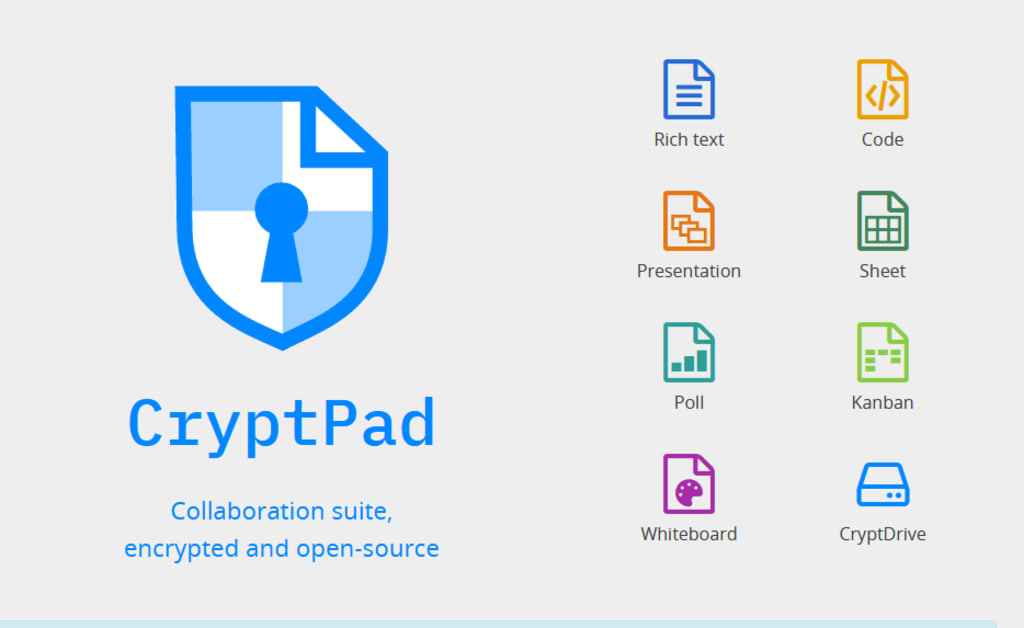
This Office suite provides what you’d usually expect not only Rich Text as it’s called but, also Spreadsheets, Code, Kanban, Slides, Whiteboard and Polls.
The crypt-drive is nothing compared to Google Drive right now due to Covid-19 you get 1GB it usually isn’t this much. For more storage one needs to consider a paid plan. Users usually get only 50Megabytes. Chances are that if you register in a few months to come you' ll get 50 megabytes as well.
Before creating a new word/Rich Text Pad we can password protect the document, include an expiration date and use a template if we find it necessary or simply create a pad with none of those extras.

CryptPad allows collaboration, with this option we can co-author documents in real time and also chat with the collaborators. CryptPad has that feature as well, this is something you wouldn’t miss if you came from Docs like me. It’s no lie that Google Docs is rich in features the limited cloud storage really gets to me. If you’ve read anything by me before then you’re probably aware of the fact that to me privacy and internet security comes first.
This Office Suite lacks quite a few interesting features the auto correct and the suggestions that you usually get from Google Docs are not part of this suite at least not yet, which I know consider very useful especially for people who don’t use different software for editing and people who need to do heavy editing after a piece. I can leave without some of Google’s features if you can too this is something to try. After all it is free and Open Source.
You can find out more about CryptPad here. One thing you should keep in mind is that your security key should be kept safe and secure. Once lost you can never retrieve it again, at least not with the help of CryptPad, call it the power of encryption.
Security for everyone. Make everyday a Cyber Security awareness day.
This piece was previously published by me on Medium. https://medium.com/writers-blokke/cryptpad-an-encrypted-google-docs-alternative-91f480dfb6a9
About the Creator
Keep reading
More stories from Sam Writes Security and writers in 01 and other communities.
Google My Activity: Track Your Doings Like It's Necessary
Google My Activity was introduced in 2015 and launched in 2016 its launch was exiting and terrifying at the same time. This was when we learned more of the activities that Google keeps track of. It's 2021 and this is still scary but, we're already used to this, aren't we?. The same way that everyone who is still using WhatsApp is OK with the fact that Privacy is simply not for them.
By Sam Writes Security5 years ago in 01
The Rise of AI Presentation Tools: Transforming the Way We Create Slides
Artificial intelligence is quietly reshaping how we work, learn, and communicate. One area where this shift is especially noticeable is presentation design. Creating slides used to mean hours of formatting, arranging content, and adjusting visuals. Today, AI-powered tools are simplifying that process, helping users turn ideas into polished presentations in a fraction of the time.
By charliesamuela day ago in 01
Flower Bloom 369
FLOWER Bloom 2/25/26 Wednesday By Mariann Carroll Karen had been with Tony for 7 years. Tony started acting strangely after her surgery. He would mow the lawn in the rain and be on his cellphone. He started pushing Karen away. Tony came clean about seeing someone. Karen moved out two months later. Karen moved in with a friend. She felt betrayed.
By Mariann Carroll6 days ago in Fiction


Comments
There are no comments for this story
Be the first to respond and start the conversation.