
Creating a Binary Search Function in JavaScript
Binary Search Function

Creating a Binary Search Function in JavaScript involves efficiently searching for a target value within a sorted array by repeatedly dividing the search space in half.
This method drastically reduces the number of comparisons needed, making it faster than linear search, especially for large datasets. By implementing a simple binary search algorithm, developers can improve the performance of search operations.
To deepen your understanding of binary search and other JavaScript concepts, JAVATPOINT offers valuable resources and tutorials that cover essential programming techniques and best practices for developers at all levels.
How Binary Search Works
Binary search relies on the fact that the array is sorted. By continuously dividing the array in half and comparing the target value to the middle element, binary search eliminates half of the possible search space with each comparison.
This gives the algorithm a time complexity of O(log n), making it far more efficient than a linear search, which has a time complexity of O(n).
Binary Search Function in JavaScript
To implement a binary search in JavaScript, we can create a function that takes a sorted array and a target value as input, and returns the index of the target value if it exists in the array. Otherwise, it returns -1 to indicate that the value is not present.
Let’s break down the steps:
Initialize pointers: Set two pointers, left and right, representing the start and end of the array.
Calculate middle: Calculate the middle index of the current array segment.
Compare middle with target: If the middle element matches the target, return the index. If the target is smaller, narrow the search to the left half of the array. If the target is larger, narrow the search to the right half.
Repeat: Continue narrowing down the search until the target is found or the search space is exhausted.
Here is the implementation:
function binarySearch(arr, target) {
let left = 0;
let right = arr.length - 1;
while (left <= right) {
const mid = Math.floor((left + right) / 2);
if (arr[mid] === target) {
return mid; // Target found
} else if (arr[mid] < target) {
left = mid + 1; // Search the right half
} else {
right = mid - 1; // Search the left half
}
}
return -1; // Target not found
}
Example Usage
Let’s test the function with a sorted array and a target value:
const numbers = [1, 3, 5, 7, 9, 11, 13, 15];
const target = 7;
const result = binarySearch(numbers, target);
if (result !== -1) {
console.log(`Target found at index: ${result}`);
} else {
console.log("Target not found in the array.");
}
In this example, the target value 7 is present at index 3 in the array. The binarySearch() function successfully finds the target and returns the correct index.
Handling Edge Cases
Empty Array: If the input array is empty, the function will immediately return -1 because the left pointer (initialized to 0) will be greater than the right pointer (initialized to -1).
Target Not in Array: If the target value is not in the array, the function will eventually narrow down the search space until left exceeds right, and it will return -1.
Duplicate Values: If the array contains duplicate values, binary search may return the index of any one occurrence of the target. It doesn’t guarantee finding the first or last occurrence unless specifically modified to do so.
Conclusion
Creating a Binary Search Function in JavaScript is an essential skill for optimizing search operations in sorted arrays. By implementing this efficient algorithm, developers can reduce search time from linear to logarithmic complexity, making it ideal for large datasets.
Mastering binary search allows for more efficient code and better performance in web applications.
For those looking to expand their knowledge of JavaScript and other programming concepts, JAVATPOINT offers comprehensive tutorials and resources to help developers enhance their skills and tackle complex challenges in coding.
About the Creator
How to Choose a Web Design Agency for Long-Term Product Growth
If you are looking at a site like a catalog of past work and thinking about hiring a web design agency for B2B and product teams, you are probably already past the phase where “making it look good” is the main problem.
By Valeriia Shulga7 days ago in 01
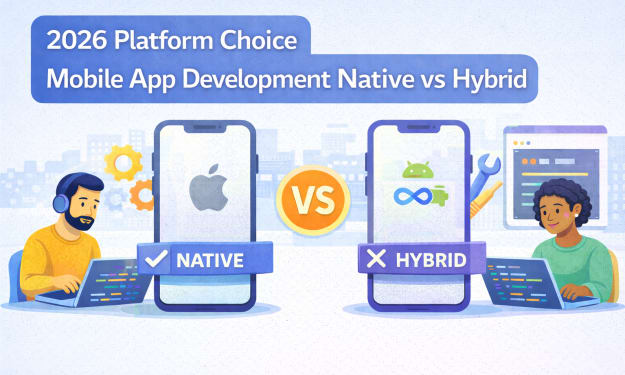
2026 Platform Choice Mobile App Development Native vs Hybrid
In 2026, mobile app development native vs hybrid is no longer a framework debate. It reflects a tectonic shift inside the Google ecosystem where AI Retrieval, Zero Click discovery, and entity-level evaluation now shape risk exposure, authority loss, and strategic realignment for every mobile product.
By Samantha Blake7 days ago in 01
Smart phones, Humans and Aliens.
WARNING. I will be tapping into one of your favorite creative tensions: The absurdity of humans worshipping their glowing rectangles as if they were tiny oracles. There’s something deliciously poetic about that contradiction, and it lends itself beautifully to an instructive proviso.
By Novel Allen4 days ago in Poets



Comments
There are no comments for this story
Be the first to respond and start the conversation.