
Comprehensive Guide to Integrating Reporters in WebDriverIO
Enhancing Test Reporting in WebDriverIO: A Step-by-Step Integration Guide


In test automation, effective reporting is as vital as the tests themselves. Without clear and actionable reports, analyzing test results and debugging issues becomes a time-consuming challenge. WebDriverIO, one of the most versatile testing frameworks, offers powerful integration options with various reporters, allowing teams to monitor, analyze, and share test execution outcomes efficiently. These reporters not only summarize test results but also provide detailed insights into failures, logs, and performance metrics, making them indispensable for modern test automation strategies.
WebDriverIO supports a wide range of built-in reporters, such as Spec, Dot, JUnit, and Allure, catering to different reporting needs. Whether it’s a developer needing quick feedback in the terminal or a QA lead analyzing detailed HTML reports, WebDriverIO’s reporter ecosystem is built to deliver. Additionally, it enables the use of multiple reporters simultaneously, ensuring compatibility with CI/CD pipelines, real-time monitoring, and long-term test result archival. These features empower teams to streamline their testing workflows and improve collaboration across development and QA teams.
Configuring and integrating reporters with WebDriverIO is straightforward yet flexible enough to accommodate custom requirements. By defining reporters in the configuration file, teams can adapt reporting behavior to specific environments, frameworks, or audience needs. For instance, a Spec Reporter may be ideal during local test runs, while JUnit or JSON reporters align better with CI pipelines for generating machine-readable results. This adaptability ensures that teams can fine-tune their reporting mechanisms to suit both immediate feedback and comprehensive analysis.
Beyond built-in options, WebDriverIO allows users to create custom reporters to fulfill unique project requirements. This is particularly useful for organizations with proprietary dashboards or advanced monitoring needs. By implementing custom logic for data collection and report generation, teams can unlock new levels of insight and integration. Combined with best practices for performance optimization and storage, WebDriverIO’s robust reporter framework ensures that test results are not just reports but tools for continuous improvement.
What Are Reporters in WebDriverIO?
Reporters in WebDriverIO are tools or mechanisms used to generate reports that give insight into the execution of automated tests. The reports may include test results, pass/fail, execution times, logs, and error messages. WebDriverIO offers both built-in and custom reporters, allowing you to tailor your test outputs according to your needs.
A reporter can capture test results and store them in a structured way, and then deliver output to the user in one of these: plain text, JSON, HTML, or JUnit. The reporter selected often depends on the team or preferences of the development and testing team and also by which tools and platforms the pipeline utilizes.
Reporter is very important while using WebDriverIO because reporters ensure that tests are running well, and in case any issue arises, they give a trail of information to debug and understand the state of an application.
Why Use Reporters in WebDriverIO?
The primary purpose of using reporters in WebDriverIO is to gain a structured, clear, and actionable view of your test results. Here’s why they are important:
- Visibility into Test Results: Reporters can provide detailed logs and even visual outputs, so one can easily understand which tests pass and which fail. That helps in making data-driven decisions about the stability and health of your application.
- Traceability: Detailed reports allow traceability, tracing the outcome of each test into detailed histories of test executions and their results. This comes very handy for regression tests, especially when trying to detect trends in your application’s performance and quality over time.
- Integration with CI/CD: Reporters are integral to the CI/CD pipeline. With reports generated in a variety of formats such as JUnit, JSON, or HTML, WebDriverIO ensures smooth integration with the CI tools like Jenkins, CircleCI, and GitLab CI. It ensures automatic feedback loops, and it keeps all stakeholders up to date on test results.
- Efficient Debugging: In case tests fail, the reports provided detail, including error logs, screenshots, and stack traces, which make it easier to quickly point out the cause of the failure. Otherwise, the process of debugging would be slow and tedious without the detail in the reports.
- Improved Communication: Test reports usually are distributed to developers, product managers, and the QA team. Clear reports provide simple-to-understand information about the quality of software, so these reports play an important role in effective communication throughout the team and also in departments.
- Customizable Outputs: Depending on the needs of your project, you can set up WebDriverIO reporters to produce test results in a variety of formats, from simple console logs to detailed HTML reports. These formats can be customized to match the preferences of different teams or reporting standards.
Read The Full Blog:-https://jignect.tech/comprehensive-guide-to-integrating-reporters-in-webdriverio/
About the Creator
Jignect Technologies
At JigNect Technologies, we believe that software testing is an art, a science, and a passion. Our team of experts combines years of experience, cutting-edge technology.
Keep reading
More stories from Jignect Technologies and writers in 01 and other communities.
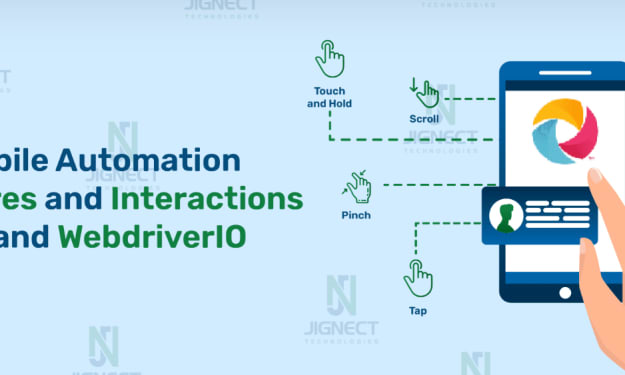
Elevating Mobile Automation: Advanced Gestures and Interactions with Appium and WebdriverIO
In today’s mobile-first world, gestures and touch interactions are at the heart of delivering seamless user experiences. From simple swipes and taps to advanced gestures like pinch-to-zoom and long-press, these interactions define how users navigate, engage, and perform tasks on their devices. Testing these gestures efficiently is crucial to ensure a flawless experience across the vast array of mobile devices and operating systems.
By Jignect Technologies12 months ago in 01



Comments
There are no comments for this story
Be the first to respond and start the conversation.