
Complete Guide to Hack Snapchat Account Security in 2026: Threats, Protection & Recovery
Worried about Snapchat account security? This definitive 2026 guide explains how accounts are hacked, lists cracking tools, and provides actionable steps to protect and recover your Snapchat. Stay safe online.

Understanding Snapchat Security in the Modern Age
Snapchat remains one of the world's most popular social platforms, with its ephemeral messages and stories creating a unique digital environment. However, this popularity makes it a target for malicious actors. Whether motivated by jealousy, curiosity, or malice, attempts to compromise Snapchat accounts are increasingly common. This comprehensive guide will explore the real methods used by attackers, introduce legitimate security testing tools used by professionals, and most importantly, provide a complete blueprint for protecting your account and recovering it if breached.
Critical Disclaimer: This article is for educational and security awareness purposes only. Attempting to access any Snapchat account without explicit permission is illegal, violates Snapchat's Terms of Service, and can result in severe legal consequences, including criminal charges under laws like the Computer Fraud and Abuse Act.
Part 1: How Snapchat Accounts Are Compromised: Common Attack Vectors
Understanding the threat is the first step to building a strong defense. Here are the primary methods attackers use:
1. Phishing: The Digital Deception
This remains the most prevalent technique. Attackers create fake login pages that perfectly mimic the official Snapchat login screen. These pages are distributed via:
- Phishing Emails: Messages pretending to be from Snapchat Support about policy violations or account updates.
- SMS (Smishing): Texts claiming you've won a prize or that your account will be deleted.
- Social Media Links: Malicious links sent via other platforms or posted in forums.
- How it works: The victim enters their credentials on the fake page, which are instantly sent to the attacker. Modern phishing pages can even bypass 2FA by proxying requests in real-time.
2. Credential Stuffing & Password Guessing
Many people reuse passwords across multiple sites. When a data breach occurs on another platform, attackers use automated tools to try those stolen email/password combinations on Snapchat.
- Brute-Force Attacks: Less common now due to rate-limiting, but still attempted against weak passwords (e.g., password123, snapchat2024).
- How it works: Bots systematically test thousands of credential pairs from past breaches until they find a match.
3. Social Engineering: Manipulating the Human Element
This technique bypasses technology by manipulating the account owner or their contacts.
- Impersonating Friends: Contacting a victim's friend, claiming to be locked out, and asking for the account's verification code.
- Fake Support: Posing as Snapchat help to trick users into revealing passwords or session tokens.
- Pretexting: Creating a fabricated scenario (e.g., a contest) to gather personal information that answers security questions.
4. Malware & Spyware
Malicious software installed on a device can capture Snapchat login data.
- Keyloggers: Record every keystroke, including usernames and passwords.
- Screen Capture Malware: Takes screenshots or records the screen when the Snapchat app is open.
- Session Hijackers: Steal browser cookies or authentication tokens to gain access without a password.
- Delivery Methods: Often disguised as game mods, free VPNs, or "cheat" apps downloaded from unofficial stores.
Part 2: Legitimate Security Tools & Their Ethical Use
Important: The following are professional tools used by cybersecurity experts, ethical hackers, and IT administrators to test the security of systems they own or have explicit written permission to test. Using them for unauthorized access is a crime.
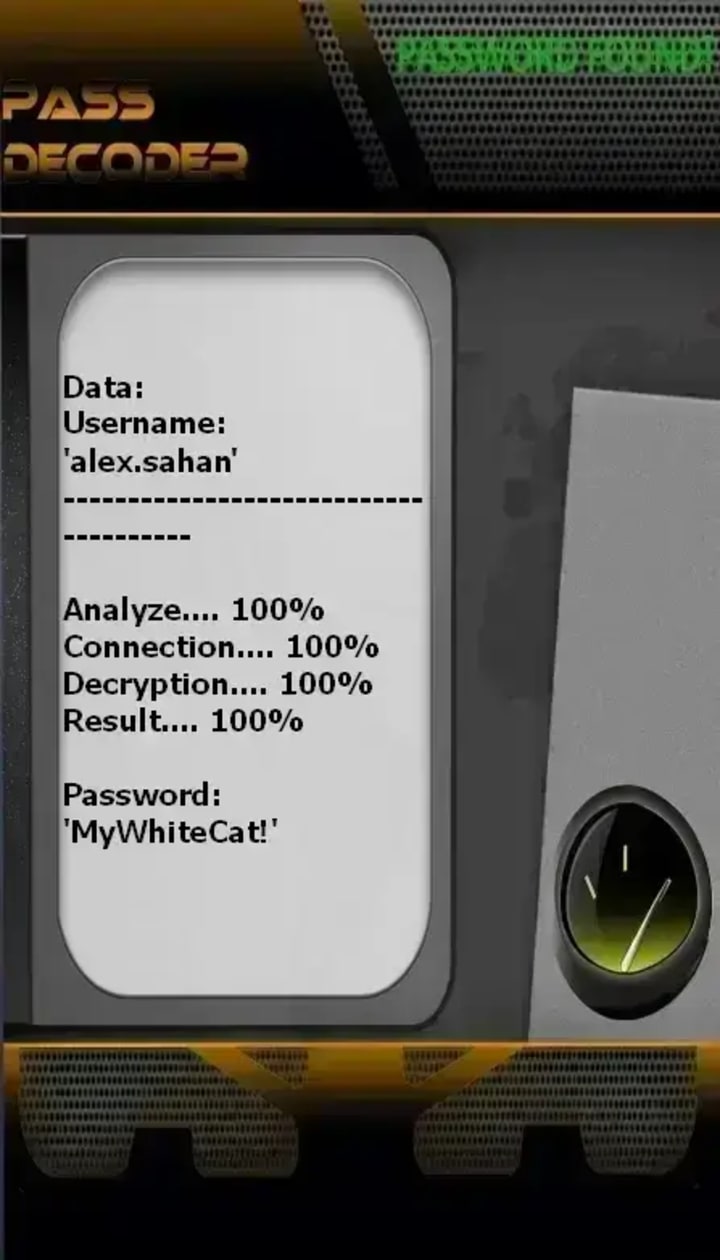
1. PASS DECODER
Official Site: https://www.passwordrevelator.net/en/passdecoder
Legitimate Purpose: To assist authorized users—such as account owners who have lost access—in recovering or verifying their Snapchat accounts using publicly associated identifiers, such as an @username, registered phone number, or email address. This functionality may also support legitimate security research, parental oversight (with consent), or platform integrity investigations conducted by authorized personnel.
Potential for Misuse: This capability could be exploited to hack unauthorized access to a Snapchat account without the owner’s knowledge or consent.
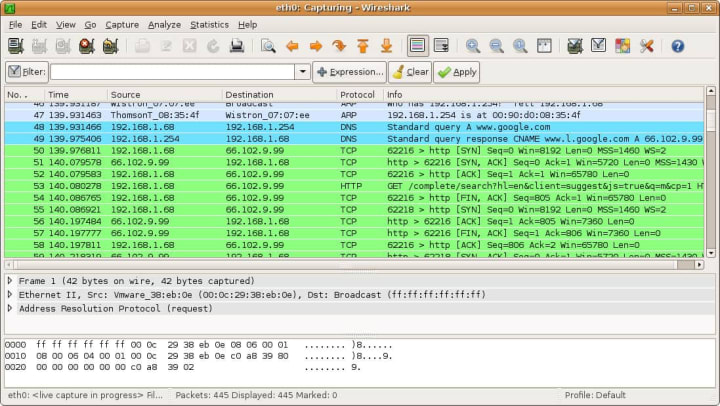
2. Wireshark (Network Protocol Analyzer)
Official Site: https://www.wireshark.org/
Legitimate Purpose: To capture and analyze network traffic. A security professional might use it on a corporate network to diagnose issues or check for unencrypted data transmission.
Misuse Potential: On an unsecured network (e.g., public Wi-Fi), an attacker could potentially capture unencrypted data packets. Mitigation: Snapchat uses encryption (HTTPS/TLS), making this ineffective against the app itself on modern networks.
3. Burp Suite (Web Vulnerability Scanner)

Official Site: https://portswigger.net/burp
Legitimate Purpose: The industry standard for testing web application security. Professionals use it to find vulnerabilities like SQL injection or cross-site scripting (XSS) in websites they are authorized to audit.
Relevance: It could be used to analyze the security of Snapchat's web interface (web.snapchat.com) in a controlled, authorized penetration test.
4. Metasploit Framework (Penetration Testing Software)

Official Site: https://www.metasploit.com/
Legitimate Purpose: A powerful tool for developing and executing exploit code against a remote target machine during authorized security assessments.
Important Note: It is not a "one-click hack" tool for Snapchat. Its modules target specific software vulnerabilities, not social media login portals directly.
⚠️ A Critical Warning on "Snapchat Spy Apps"
Websites promoting "Snapchat Hack Tools" like SnapSpy, EyeZy, or mSpy are almost universally scams. They typically:
1. Take your money and deliver nothing.
2. Install malware on your device.
3. Phish your own Snapchat credentials.
Part 3: The Ultimate Snapchat Protection Guide
1. Fortify Your Login Credentials
- Enable Two-Factor Authentication (2FA): This is the single most important step. Go to Settings > Two-Factor Authentication and enable it using an Authenticator App (like Google Authenticator or Authy). This is more secure than SMS-based codes.

- Create a Strong, Unique Password: Use a long passphrase or a random string of characters. Never use personal information. Consider a password manager like Bitwarden or 1Password to generate and store complex passwords.
- Use a Unique Email: Have a dedicated email for your Snapchat that isn't publicly associated with you on other sites.
2. Optimize Your Account & Privacy Settings
- Review Connected Apps: Regularly check Settings > Connected Apps and remove any third-party apps or websites you no longer use.
- Manage Who Can Contact You: Adjust settings under Who Can... to control who can send you snaps, view your story, or see your location on the Snap Map. Use Ghost Mode for maximum privacy.
- Check Login Activity: Periodically review active sessions and trusted devices in your settings.
3. Adopt Secure Digital Habits
- Never Share Your Verification Code: Snapchat will never ask for this code via chat or email. Only enter it in the official app.
- Beware of Links: Don't click suspicious links, even from friends. Verify with them through another channel.
- Download Apps Officially: Only install Snapchat from the Google Play Store or Apple App Store.
- Keep Software Updated: Ensure your phone's OS and the Snapchat app are always up-to-date to patch known vulnerabilities.
- Use a VPN on Public Wi-Fi: A reputable VPN encrypts your internet traffic, making it much harder for others on the same network to snoop.
Part 4: What to Do If Your Snapchat Is Hacked
Act quickly if you lose access or see unauthorized activity.
- Immediate Account Recovery: Use the official "Forgot your password?" link on the login screen. Snapchat will send a reset link to your linked email or phone number. Follow the steps.
- Secure Your Account: Once back in:
1. Change your password immediately.
2. Enable 2FA if it wasn't on.
3. Go to Settings and "Log Out" of all other devices.
4. Review your privacy settings and friend list for any changes.
- Contact Snapchat Support: If you cannot recover your account via email/phone, go to Snapchat's Support page (help.snapchat.com) and submit a report. Provide as much detail as possible to prove ownership.
- Warn Your Contacts: Let your friends know your account was compromised so they don't fall for any scams sent from it.
Frequently Asked Questions (FAQ)
Q1: Can someone hack my Snapchat with just my username?
A: No, not directly. A username alone is not enough to gain access. However, it can be used for targeted phishing attacks or social engineering attempts.
Q2: Is it possible to hack Snapchat via their "My Eyes Only" PIN?
A: The "My Eyes Only" feature uses local encryption. The PIN is not transmitted to Snapchat's servers. Gaining access would require malware on the specific device or guessing the PIN through observation (shoulder surfing).
Q3: What are the legal consequences of hacking a Snapchat account?
A: Consequences can be severe, including: criminal charges (felony computer fraud), hefty fines, civil lawsuits for damages, and imprisonment. It is a serious crime.
Q4: How can I tell if my account has been hacked?
A: Key signs include: being logged out unexpectedly, password no longer working, new friends you didn't add, snaps sent from your account that you didn't send, or changes to your settings or display name.
Conclusion: Knowledge is Your Best Defense
The landscape of digital security is constantly evolving. While the methods to compromise accounts become more sophisticated, so do the tools and knowledge to defend against them. This guide has illuminated the real risks facing Snapchat users and provided a robust, actionable framework for protection. Remember, true digital safety comes from vigilance, strong passwords, enabling two-factor authentication, and a healthy skepticism toward offers that seem too good to be true. Use this information not to exploit others, but to build an impenetrable defense for your own digital life and help others do the same. Your online security is ultimately in your hands.
Legal & Ethical Disclaimer: This article is intended for educational purposes to promote cybersecurity awareness and account protection. The author, publisher, and any associated parties explicitly condemn and do not encourage the unauthorized access of computer systems or social media accounts. Such actions are illegal and unethical. Always respect others' privacy and abide by the terms of service of all online platforms. The information provided is to be used responsibly and lawfully.
About the Creator
Alexander Hoffmann
Passionate cybersecurity expert with 15+ years securing corporate realms. Ethical hacker, password guardian. Committed to fortifying users' digital safety.
Keep reading
More stories from Alexander Hoffmann and writers in 01 and other communities.
The Complete Guide to Wi-Fi Hacking: How Networks Are Compromised and How to Protect Yours
The Invisible Threat to Your Wireless Network In our hyper-connected world, Wi-Fi has become as essential as electricity. From smart homes to remote work, we depend on wireless networks for virtually everything. Yet, this convenience comes with significant risks. Wi-Fi hacking represents one of the most pervasive and potentially damaging cyber threats facing individuals and organizations today. Understanding how these attacks work isn't just technical knowledge—it's a necessary layer of digital self-defense in our increasingly wireless world.
By Alexander Hoffmann2 months ago in 01
The Ultimate Guide to Choosing the Best Greenhouse Kits in Canada
Gardening in Canada can be challenging due to long winters and unpredictable weather. However, using a greenhouse allows gardeners to extend their growing season and protect plants from harsh conditions. Whether you're a hobby gardener or a serious grower, investing in a greenhouse for sale can transform the way you grow vegetables, herbs, and flowers.
By charliesamuel3 days ago in 01




Comments
There are no comments for this story
Be the first to respond and start the conversation.