
Can You Send a Fax from Your Phone, and How?
A Practical Guide to Modern Mobile Faxing Without Traditional Equipment
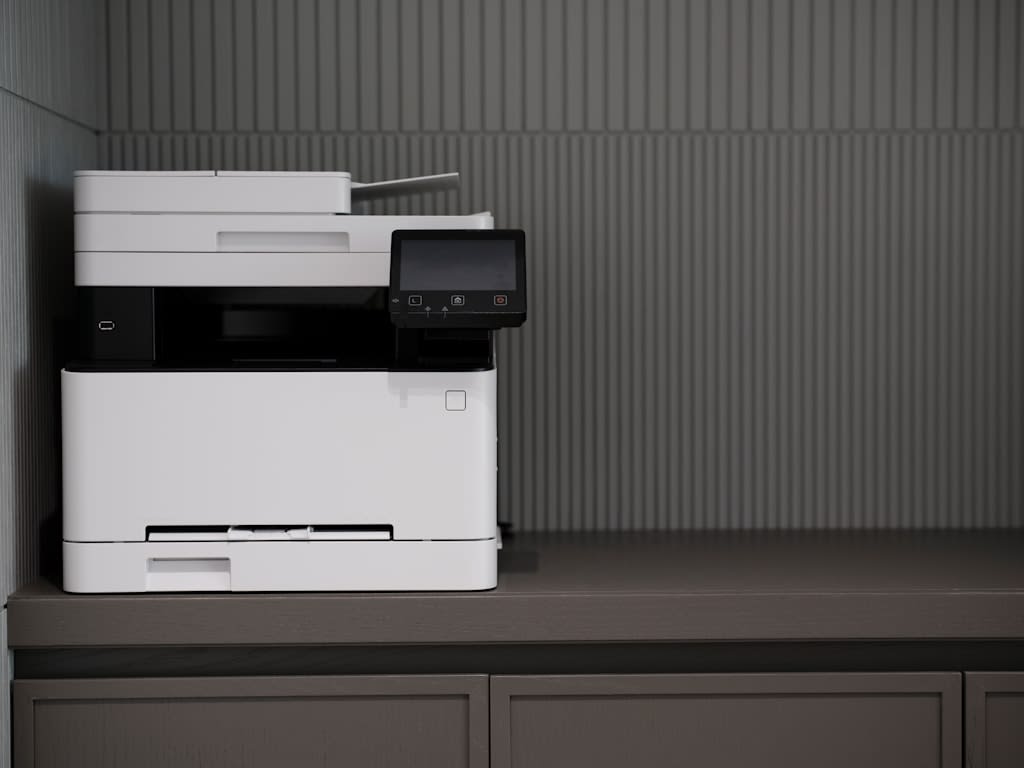
We primarily associate faxing with sending necessary documents using a special device connected to a telephone line. Indeed, until recently, this was the standard practice, and businesses relied heavily on bulky fax machines that dominated office spaces. But the world of document transmission has evolved significantly. What does faxing look like in today's mobile-first environment? Is the process truly simpler? Most importantly, can you accomplish this task directly from your smartphone?
The Evolution of Fax Technology
The transformation of faxing technology represents one of the most practical applications of smartphone capabilities. If you need to send a fax today, you no longer require specialized hardware or a dedicated phone line. The process has been simplified to the point where your existing smartphone becomes your complete faxing solution.
Traditional faxing required several components: a fax machine, a telephone line, physical paper documents, and often a dedicated space in an office. Each of these requirements created barriers for individuals working remotely, small business owners, or anyone who needed to send occasional faxes without maintaining expensive equipment. The modern approach eliminates all of these obstacles.
Today's mobile faxing works with digital files in common formats like PDF, JPG, or DOC. You don't need to maintain paper copies of documents waiting to be faxed. If you have a physical document that needs to be transmitted, your smartphone camera serves as an instant scanner. Simply photograph the document with adequate lighting, and the image becomes your digital file ready for transmission.
The only requirement for mobile faxing is internet connectivity. Unlike traditional faxing, which required a telephone line, modern solutions use your existing data connection—whether WiFi or cellular data. This shift from phone lines to internet connectivity has democratized fax access, making it available to anyone with a smartphone and network connection.
Understanding the Mobile Faxing Process
How does sending a fax from your phone actually work behind the scenes? The technology bridges the gap between digital convenience and traditional fax protocols. When you transmit a document through a mobile faxing service, your digital file undergoes conversion into a standard fax signal. This conversion ensures compatibility with traditional fax machines, meaning your recipient doesn't need to use the same technology you're using.
The flexibility of modern faxing extends to how documents are received. Recipients using traditional fax machines receive physical printouts, just as they would from a conventional fax transmission. Those with digital faxing capabilities can receive documents electronically. As the sender, you receive confirmation when your transmission succeeds, providing the documentation and peace of mind that business communications require.
This approach offers environmental and practical benefits. You eliminate paper waste from failed transmissions, test pages, and unnecessary printing. There's no need to maintain supplies like printer toner, fax paper, or filing systems for physical documents. The cost savings extend beyond materials to include the electricity, maintenance, and physical space that traditional fax machines demand.
Step-by-Step: Sending Your First Mobile Fax
The actual process of sending a fax from your phone is remarkably straightforward. You have two primary options: downloading a dedicated mobile application or using a web-based service through your phone's browser. Both approaches work effectively, and your choice may depend on how frequently you need to send faxes.
Once you've selected your platform, prepare your document. If you're working with an existing digital file, you simply need to locate it on your device. For physical documents, use your phone's camera to capture a clear image. Most faxing applications include built-mind scanning features that automatically detect document edges, adjust contrast, and optimize the image for transmission.
Enter the recipient's fax number, taking care to include any necessary country or area codes. Many services allow you to save frequently used numbers, streamlining the process for regular contacts. Review your document to ensure clarity and completeness, then initiate the transmission. The entire process typically takes less than two minutes from start to finish.
Considering Your Service Options
You might wonder about free versus paid faxing services. Free options exist, but they come with significant limitations. These may include restrictions on page counts, delivery delays, lack of transmission confirmations, or watermarks on your documents. For occasional personal use, free services might suffice, but they rarely meet professional standards.
Paid services offer reliability, customer support, transmission confirmations, and guaranteed delivery. The costs are generally modest—many services charge on a per-fax basis, with prices starting around one dollar per transmission. For frequent users, subscription models may offer better value. The investment ensures your important documents reach their destinations without technical failures or embarrassing watermarks.
Who Benefits Most from Mobile Faxing?
Mobile faxing serves multiple audiences particularly well. Remote workers who occasionally need to send signed contracts or official documents find it invaluable. Small business owners avoid the capital expense and maintenance of traditional equipment. Professionals who travel frequently can handle document transmission from airports, hotels, or client sites. Even occasional users appreciate having faxing capability available when unexpected needs arise.
The technology also appeals to those who value efficiency and environmental responsibility. By eliminating paper waste and reducing equipment energy consumption, mobile faxing aligns with sustainable business practices. The convenience factor cannot be overstated—handling document transmission during your commute or while waiting for a meeting demonstrates the flexibility modern work demands.
Consider mobile faxing if you find yourself needing to send documents securely and quickly without access to traditional office equipment. It's particularly valuable for handling time-sensitive documents like medical forms, legal contracts, or business agreements that require fax transmission rather than email. The technology bridges traditional business requirements with contemporary mobile capabilities, making it an essential tool for modern professionals.
About the Creator
Arooj Manoor
Arooj Manoor an SEO specialist over 6 years of experience in content writing, & advertising. Boosted 150+ companies across the world generated $5m+ revenue.
Keep reading
More stories from Arooj Manoor and writers in 01 and other communities.
How to Use Authentic Storytelling on LinkedIn to Build Real Connections in 2025
LinkedIn went from a digital resume service to something much more human. That’s right — the 2025 professionals who stand out aren’t the ones that have mastered corporate speak — they’re sharing real stories that stop people from scrolling and make them feel something.
By Arooj Manoor2 months ago in 01
What Breaks in Hospitality Apps Built for San Diego Visitors?
Emily Rodriguez first noticed the problem on a Saturday afternoon. The lobby was busy. Guests were checking in early, others were returning from the beach, and the concierge desk was fielding the same questions it had answered all morning. Directions. Check-out times. Restaurant recommendations. Service requests.
By Nick William3 days ago in 01
What You Need to Know About Cloudflare Error Code 1010
While browsing a website, you might suddenly run into Cloudflare Error 1010, which blocks your access and disrupts your activity. For businesses, this can become a serious obstacle to traffic. If you rely on automated tools—like scrapers, bots, or API clients—this error can bring your entire workflow to a standstill.
By Swiftproxy4 days ago in 01




Comments
There are no comments for this story
Be the first to respond and start the conversation.