
Best 10 Websites to Enhance Photos Online
Websites to Enhance Photos
Introduction
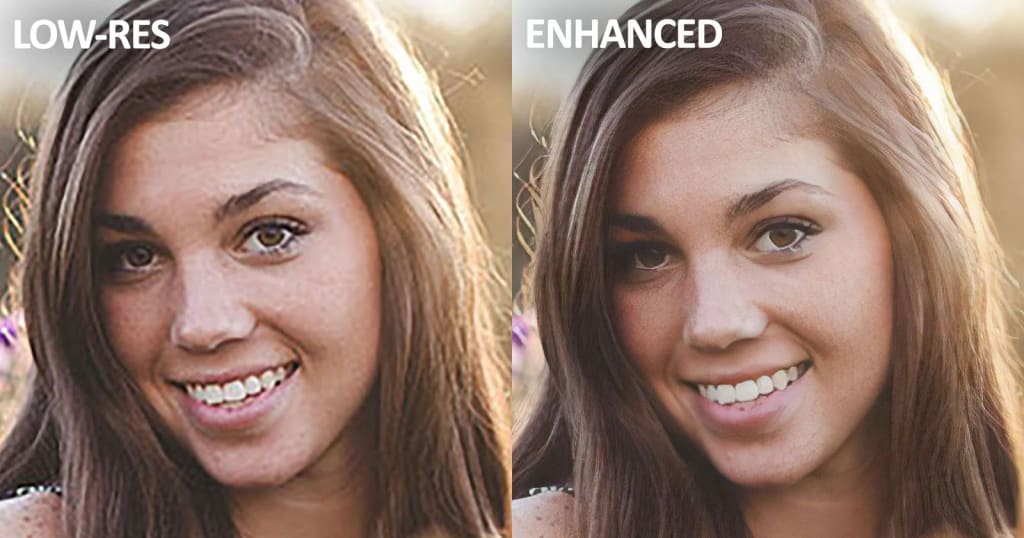
Photography has become a popular hobby for many people around the world. Whether you're a professional photographer or just someone who enjoys taking pictures, you want your photos to look the best they can be. Fortunately, there are many online websites that can help you enhance your photos and make them look even better. In this article, we will be discussing the top 10 websites to enhance photos online.
Table of Contents
Fotor
Pixlr
BeFunky
Canva
Adobe Photoshop Express
PicMonkey
Ribbet
GIMP
iPiccy
LunaPic
1. Fotor
Fotor is one of the best websites for photo editing and enhancing. It has a wide range of features that allow you to adjust brightness, contrast, saturation, and other aspects of your photos. It also has a variety of filters and effects that can give your photos a unique look.
2. Pixlr
Pixlr is another great website for enhancing photos online. It has a user-friendly interface and a variety of tools that allow you to crop, resize, and adjust the colors of your photos. It also has a range of filters and effects that can enhance the overall look of your photos.
3. BeFunky
BeFunky is a popular website that offers a range of tools for photo editing and enhancement. It has a variety of filters, effects, and frames that can help you create unique and beautiful photos. It also has a user-friendly interface and is easy to navigate.
4. Canva
Canva is a website that is primarily used for graphic design, but it also has a range of tools for photo editing and enhancement. It has a variety of templates and layouts that can help you create stunning graphics and photos. It also has a range of filters and effects that can give your photos a professional touch.
5. Adobe Photoshop Express
Adobe Photoshop Express is a free online version of the popular photo editing software, Adobe Photoshop. It has a range of features for enhancing your photos, including exposure, contrast, and saturation adjustments. It also has a range of filters and effects that can give your photos a unique look.
6. PicMonkey
PicMonkey is a website that offers a range of tools for photo editing and enhancement. It has a variety of features that allow you to adjust the colors, brightness, and contrast of your photos. It also has a range of filters and effects that can give your photos a creative touch.
7. Ribbet
Ribbet is a website that offers a range of tools for photo editing and enhancement. It has a user-friendly interface and a variety of features that allow you to adjust the colors, brightness, and contrast of your photos. It also has a range of filters and effects that can give your photos a unique look.
8. GIMP
GIMP is a free and open-source photo editing software that is available online. It has a range of features for enhancing your photos, including exposure, contrast, and saturation adjustments. It also has a range of filters and effects that can give your photos a professional touch.
9. iPiccy
iPiccy is a website that offers a range of tools for photo editing and enhancement. It has a variety of features that allow you to adjust the colors, brightness, and contrast of your photos. It also has a range of filters and effects that can give your photos a unique look.
10. LunaPic
LunaPic is a website that offers a range of tools for photo editing and enhancement. It has a user-friendly interface and a variety of features that allow you to adjust the colors, brightness, and contrast of your photos. It also has a range of filters and effects that can give your photos a creative touch.
Conclusion
In conclusion, there are many websites available that can help you enhance your photos and make them look even better. Each of the websites mentioned in this article has its own unique features and benefits. Whether you're a professional photographer or just someone who enjoys taking pictures, these websites can help you create stunning photos that you can be proud of.
FAQs
Are these websites free to use?
Yes, all of the websites mentioned in this article have free versions available.
Do I need to download any software to use these websites?
No, all of these websites are available online and can be used without downloading any software.
Can I use these websites on my mobile device?
Yes, most of these websites have mobile versions available.
Can I save my edited photos on these websites?
Yes, you can save your edited photos on these websites or download them to your device.
Do these websites have tutorials or guides to help me use their features?
Yes, most of these websites have tutorials or guides available to help you use their featureseffectively.
Source: توضيح الصور
About the Creator
Keep reading
More stories from Fatima Ali and writers in 01 and other communities.
Best 10 Friendship Apps To Make Friends
Are you looking to make new friends? In today's connected world, it's easier than ever before to meet new people and build meaningful friendships. With the help of friendship apps, you can connect with like-minded individuals who share similar interests and hobbies. In this article, we will be discussing the top 10 friendship apps that you can use to make new friends.
By Fatima Ali3 years ago in 01
Asia Pacific Prebiotics Market Size and Forecast 2025
Asia Pacific Prebiotics Market: A Region Poised for Gut-Health Revolution The Asia Pacific prebiotics market is entering a transformative decade. With rising health awareness, aging populations, expanding functional food industries, and rapid advancements in biotechnology, prebiotics have become a central ingredient in modern nutrition strategies across the region. According to Renub Research, the Asia Pacific Prebiotics Market is expected to reach US$ 5.83 billion by 2033, growing from US$ 2.14 billion in 2024, at a robust CAGR of 11.77% from 2025 to 2033.
By Janine Root 3 days ago in 01
How to Choose a Web Design Agency for Long-Term Product Growth
If you are looking at a site like a catalog of past work and thinking about hiring a web design agency for B2B and product teams, you are probably already past the phase where “making it look good” is the main problem.
By Valeriia Shulga5 days ago in 01



Comments
There are no comments for this story
Be the first to respond and start the conversation.