
Android Lock Screen
Upgrade your Android lock screen with Android 15's widgets & Glance, blending utility & style for a smarter, dynamic display.


Android’s Lock Screen Upgrade: The Return of Lock Screen Widgets
Remember the good old days when your android lock screen was more than just a pretty wallpaper? Well, those days are making a comeback, and they're bringing some serious upgrades! Android 15 is breathing new life into lock screen widgets, and with other features like Glance joining the party, your lock screen is about to become your new best friend.
The Return of the Lock Screen Widgets: A Blast from the Past
Your android lock screen is getting a major makeover with Android 15, and it's all about bringing back those beloved widgets we lost back in 2014. If you're wondering why this is such a big deal, let me paint you a picture: imagine checking your calendar, weather, and notifications without even unlocking your phone. That's the magic of widgets, and it's finally coming back to your android lock screen!
The new widgets in Android 15 are designed with modern users in mind. While your lock screen has always been functional, these new widgets take things to the next level. Google's been cooking up some seriously cool features, starting with basics like battery status, Google Calendar, and Pixel Weather. But here's the kicker – this is just the beginning of what your android lock screen can do!
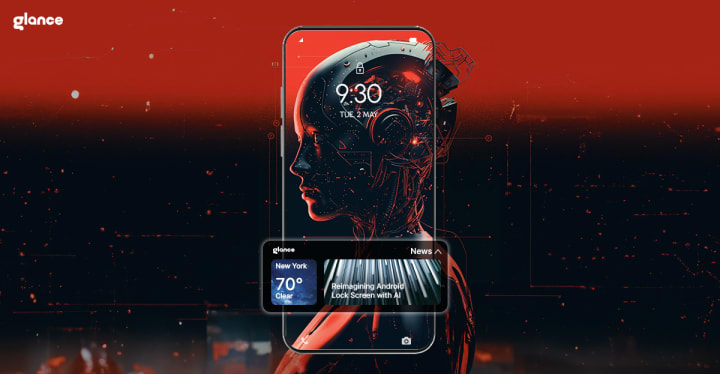
What's New with Android 15's Lock Screen Widgets?
Your android lock screen is getting smarter by the minute. The new lock screen widgets can be accessed with a simple swipe from the right side of your lock screen. While the initial rollout might focus on larger devices (Pixel Tablet), the potential for these widgets is huge.
Think about it: your android lock screen could soon become your command center. Need to check your schedule? Your lock screen widgets have got you covered. Want to know if you should grab an umbrella? Just glance at your lock screen. The possibilities with these widgets are endless!
Enter Glance: Your Android Lock Screen's New Best Friend
Speaking of making your lock screen more useful, let's talk about Glance. This nifty feature takes your lock screen widgets game to a whole new level. While Android 15's widgets are still finding their feet, Glance is already changing how we use our android lock screen on a daily basis.
Glance transforms your android lock screen into a personalized content hub. While traditional lock screen widgets focus on utility, Glance brings entertainment, news, and personalized content right to your lock screen. It's like having a mini-magazine on your lock screen, constantly updated with content you actually care about!
Why Your Lock Screen Needs These Features
Let's break down why these widgets and Glance are game-changers for your lock screen:
1. Instant Information: Whether through Android 15’s widgets or Glance, your lock screen becomes your instant information center. No more unlocking your phone just to check basic updates!
2. Customization: Your lock screen, your rules! With Glance’s lock screen widget feature, you can customize your experience to show exactly what you need.
3. Battery Efficiency: Since these widgets are designed to work right from your android lock screen, they're optimized for battery life. No more draining your battery just to stay informed!
4. Real-Time Updates: Glance keeps your android lock screen updated in real-time with what matters most to you.
Making the Most of Your Lock Screen Experience
To really maximise your android lock screen experience, consider taking up Glance with its widget-like feature. Glance can keep you entertained and informed about the wider world right on your lock screen. Your android lock screen becomes not just a barrier to your phone, but a useful tool in its own right.
For example:
Morning Routine: Check your calendar, weather updates, and news headlines right from your lock screen.
On-the-Go: Use widgets for quick navigation, calls, or music playback.
Evening Relaxation: Glance delivers personalised entertainment suggestions and summaries of your day.
Looking Ahead: The Future of Android Lock Screens
The return of widgets to your lock screen is just the beginning. As developers start creating more lock screen widgets for Android 15, and as Glance continues to evolve, your lock screen will become increasingly powerful. We might soon see lock screen widgets that can:
- Control smart home devices.
- Display fitness stats in real-time.
- Help with shopping lists and meal planning.
The potential for innovation is endless, and your android lock screen will only get smarter with time.
Conclusion: Your Android Lock Screen, Reimagined
Glance widget-like feature and Android 15’s widgets are revolutionizing how we use our android lock screen on a daily basis. Whether you're a productivity enthusiast excited about widgets or someone who loves staying updated with Glance, your lock screen is becoming more useful than ever.
Remember, your lock screen is often the first thing you see when you pick up your phone. With these new features, every glance at your lock screen can be both informative and enjoyable. The future of lock screen widgets is bright, and your lock screen is ready for the upgrade!
So, are you ready to transform your lock screen into something more? With Glance’s widget like feature, your lock screen is no longer just a security feature – it's your window to a more connected, efficient digital life!
About the Creator
Glance Widget
Glance your one stop community for all the latest updates insights, and articles about everything Glance! Whether you're a tech enthusiast.
Join us at Glance to explore, learn, and grow together.
Reader insights
Outstanding
Excellent work. Looking forward to reading more!
Top insights
Expert insights and opinions
Arguments were carefully researched and presented
Heartfelt and relatable
The story invoked strong personal emotions
On-point and relevant
Writing reflected the title & theme
Keep reading
More stories from Glance Widget and writers in 01 and other communities.
AI Technology in Mobile Phones Takes Center Stage: The Digital Awakening
Imagine a world where your smartphone isn't merely a device but an evolving partner—one that observes, learns, and tailors itself to your lifestyle. It’s not just reacting to your needs; it’s anticipating them, bridging the gap between convenience and intuition like never before
By Glance Widgetabout a year ago in 01
The Role of AI and Automation in Legacy Modernization
In today’s rapidly evolving digital landscape, enterprises cannot afford to operate on outdated technologies. Legacy systems, once the backbone of enterprise IT—are now a major obstacle to growth, innovation, and scalability. The rise of Digital Transformation Service offerings has shifted attention toward more agile, efficient, and intelligent software ecosystems.
By keith laurance2 days ago in 01
Steps for Application Integration on AWS
It is neither new nor a secret that modern businesses have come to rely on a massive ecosystem of microservices and third-party SaaS platforms. But to do what exactly, you ask. For starters, to provide seamless digital experiences. Adopting distributed architecture decidedly improves agility and scalability. But there's also a significant challenge, i.e. ensuring independent components can communicate and share data without forming brittle dependencies. Thankfully, an effective solution is found in application integration on AWS. It addresses this issue by providing a managed framework for connecting disparate systems. Organizations can automate business processes while reducing the need for custom "glue" code by using purpose-built services for messaging, workflow orchestration, etc.
By Ryan Williamsona day ago in 01
Bomb Scare
It was 2027, and the world never thought it would happen. A missle hit the United States, but it wasn't where they had anticipated. A little town in the northeast was hit by a missile strike, they didn't know why, and they didn't know exactly where it hit, but they did know it was a coastal community, somewhere between Maine and Delaware.
By Gregory Payton6 days ago in Fiction



Comments
There are no comments for this story
Be the first to respond and start the conversation.