
All Things You Need to Know about Amazon Prime Video
—SameMovie Amazon Video Downloader


Amazon Prime Video, an American over-the-top streaming service, is a part of the Amazon Prime membership as well as a separate service. This article will focus on answering the following questions: how much it costs, how to download Amazon Prime videos, some download restrictions and the way of getting rid of them.
This article is a must-read one for both Amazon Prime subscribers and people who have not yet subscribed to Amazon Prime. It will help you figure out the details before becoming its member.
Click https://bit.ly/3Isa6oP to read the whole article.
Part 1: About the Amazon Prime Video
In this part, you are going to learn some detailed information about Amazon Prime Video subscription.
1. Where is Prime Video Available?
Amazon Prime Video is available in more than 200 countries and territories. Prime Video launched worldwide in 2016 (except for Mainland China, Cuba, Iran, North Korea and Syria). People in different areas can access Amazon Prime Video at the following links, PrimeVideo.com, Amazon.com, Amazon.co.uk, Amazon.de or Amazon.co.jp.
2. What’s on Prime Video?
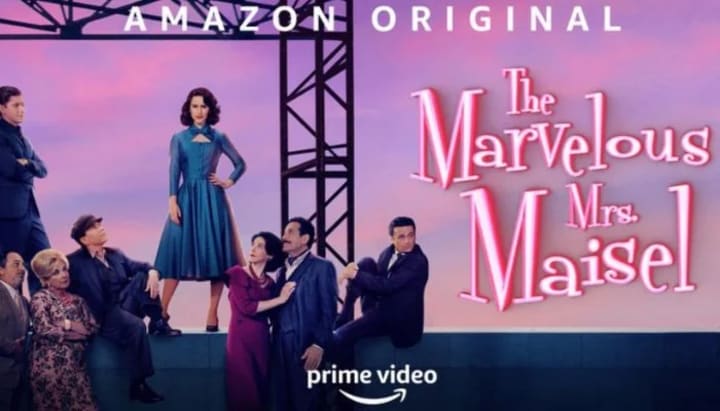
You’ll be able to watch movies, series, and sports including Heathers, Silence of the Lambs, Scrubs, Thursday Night Football, and The Lord of The Rings: The Rings of Power. Besides, some impressive originals are offered by Prime Video like The Boys, The Marvelous Mrs. Maisel, and The Wheel of Time.
In addition, you can watch more than 100 channels on Amazon Prime with extra fees. For example, you can watch HBO Max and Paramount Plus content on Amazon Prime without extra apps. You'll be able to access and manage these channels straight from your Prime Video account once you've added them.
3. How much does Prime Video cost?
Is Prime Video included with Amazon Prime? Yes, Prime Video is offered as part of an Amazon Prime membership, which costs $14.99 per month or $139 per year. To get Amazon Prime Video alone, you will just have to pay $8.99 (plus applicable tax) per month.
To grab more information, click here.
Part 2: How to Download Amazon Prime Video?
In this part, you will learn the way to download videos with the Amazon Prime app, and the restrictions of using it.
1. What do I need to download TV shows and movies on Prime Video?
You need to download videos Prime Video app on Fire tablets (other than Kindle Fire 1st Generation), or the Prime Video app for iOS, Android, macOS, or Windows 10. Supported devices may vary depending different areas. The downloaded videos can only be played on the Prime Video app.
2. How to download Prime Video?
You can download movies or series with the Prime Video app on your device. Find the video you want to download, and select the download option from the detail page.
There is a choice to download a whole season of TV series. You can also select the download icon from the list of episodes to download a specific episode.
For downloading movies, go to the detail page and click the download option.
3. Download restrictions for the Prime Video app
Only 2 devices can simultaneously download the available titles. You must delete the downloaded video from one of them before downloading it on another device. Besides, there is a limit on the number of titles that can be downloaded at once from the Prime Video app. If you download a video, you have 48 hours to finish watching it after you start watching them. Once you download them, you need to watch them within 30 days, otherwise, they will expire. Moreover, if you cancel the subscription or the free trial is over, you cannot watch your downloads offline. You have to resubscribe to the subscription to stream or download the videos.

How to download Prime Video without restrictions?
Is there any way to save Prime Video without restrictions? The answer is yes. To download videos that won’t expire, you need to save them on your device forever. However, downloads saved on the Prime Video app will disappear after 48 hours start watching them, so you need a tool to help you keep them permanently.
Tool Required: SameMovie Amazon Video Downloader
SameMovie Amazon Video Downloader is a professional video downloader that is helpful to download HD-quality Prime videos locally. Downloaded videos will be saved as MP4/MKV, thus making offline playback an easy thing. It is available to save multilingual subtitles and audio tracks as well. Besides, the smart search engine and ad-free interface allow you to download Prime videos effortlessly. The program also offers free updates and free customer service to make sure you have a great user experience.
Click https://bit.ly/3Isa6oP to know all things about Amazon Prime Video.
About the Creator
Louise Walker
Trying to find useful video downloaders.
Keep reading
More stories from Louise Walker and writers in 01 and other communities.
How to Keep Disney Plus Video after Canceling Subscription
Disney has provided us with many classic and memorable productions, and it is also the preferred choice of many people who subscribe to streaming services. Many fans will also subscribe to Disney Plus for their beloved Disney characters, such as Disney princesses and Marvel characters. You can enjoy watching your favorite series or movies by downloading all of them through the Disney Plus app.
By Louise Walker3 years ago in 01
The Technology Driving Interactive Education Apps
Education has evolved significantly in recent years, largely due to rapid advancements in digital technology. Traditional classroom learning is no longer the only method for gaining knowledge. With the rise of smartphones, tablets, and high-speed internet, learning has become more accessible, flexible, and engaging. Interactive education apps are at the center of this transformation, offering students and educators innovative ways to connect, learn, and share knowledge anytime and anywhere.
By Nayel Basim Al Shehhi5 days ago in 01



Comments
There are no comments for this story
Be the first to respond and start the conversation.