
AI Art Fails: Hilarious and Surreal Mistakes from Text-to-Image Tools (and How to Avoid Them)
Have you ever imagined a chair with a giant foot casually resting on it, surrounded by a dreamlike garden?
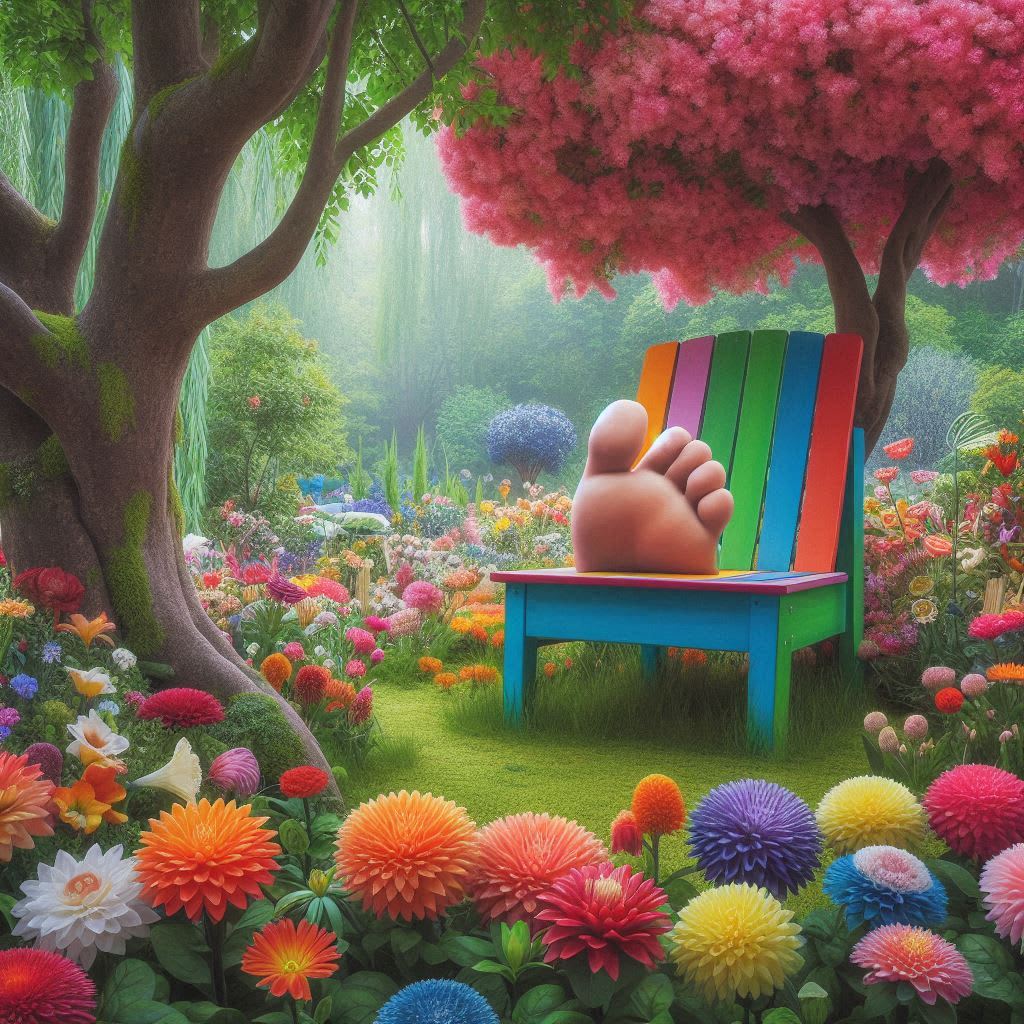
In a world where AI can turn your wildest ideas into stunning visuals, you'd expect perfection—until you see a "chair with toes" or a "toothbrush riding a bicycle"! 😄
Text-to-image tools like Midjourney, DALL·E, and Stable Diffusion have revolutionized creativity by translating words into art. But every now and then, these powerful tools generate images that are not just bizarre—they're downright hilarious or disturbingly off. Why? Because while AI is smart, it doesn’t always understand us the way a human would.
In this article, we dive into the weirdest and funniest mistakes made by AI image generators. You'll discover:
- Why do these strange errors happen
- What prompts lead to AI confusion
- How to avoid awkward (or hilarious) image results in your own creations
Whether you're a digital artist, an AI enthusiast, or just someone who loves tech gone wrong, get ready for a laugh-filled journey through the unintended side of machine creativity. Let’s explore what happens when AI gets a little too… imaginative.
1. The Mystery of Extra Limbs
One of the most common and eerie fails in AI-generated art is the appearance of extra limbs. Have you ever seen a person with three arms clapping, or a dog proudly sporting six legs? These anomalies are usually the result of vague or conflicting prompts.
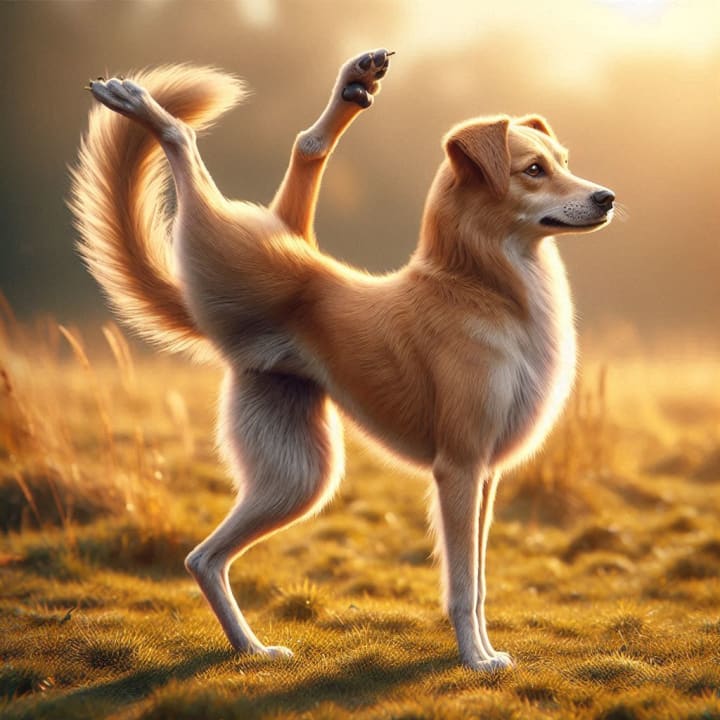
Why It Happens: AI models are trained on millions of images from the internet. Sometimes, those images contain people in unusual poses, overlapping hands, or distorted limbs—and the AI learns to replicate those "patterns," even when it doesn't make sense.
Avoid This Fail: Always be specific in your prompts. Instead of saying "a happy person clapping", try: "a smiling man with two visible hands clapping in a studio".
✅ Tip: Use negative prompts (like "no extra limbs") in tools that support them.
2. The Toothbrush That Rides a Bike
Yes, this actually happened. AI doesn’t always grasp context. Ask it for something imaginative, and it might just hand you something illogically literal.

Why It Happens: AI doesn't have common sense. It sees patterns and associations in data, so if it’s seen toothbrushes next to bikes or in children's cartoons, it might assume that’s normal.
Avoid This Fail: If you’re going surreal, give the AI more narrative. Instead of saying "a toothbrush riding a bike", try: "a cartoon-style anthropomorphic toothbrush with arms and legs, happily riding a tricycle in a children's book illustration style".
🤣 Bonus Laugh: Try prompting AI with "a spoon dancing ballet" just for
3. Text? What Text?
Want to generate a sign that says “Open for Business”? Good luck! You might get something like “Opon fur Buzzenoz”.
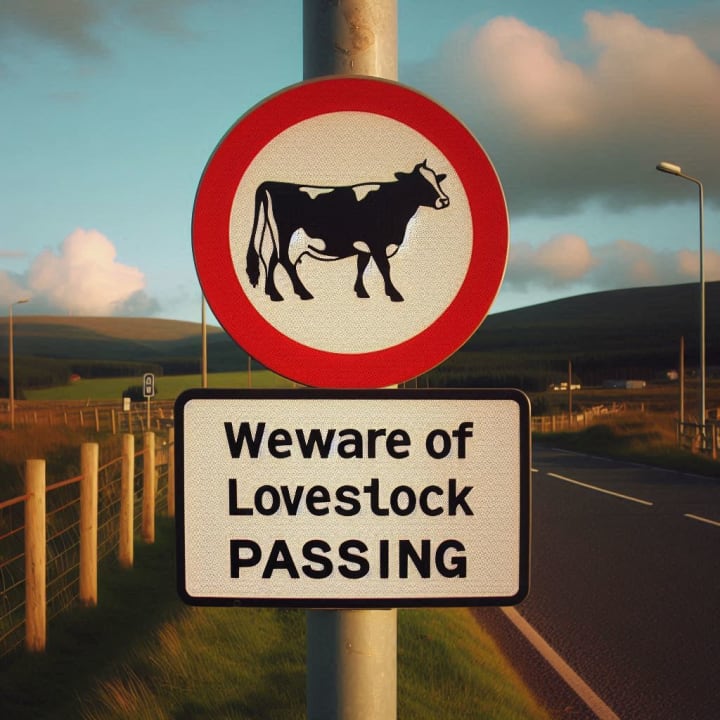
Why It Happens: AI art models aren't optimized for text rendering. Text is a highly structured visual element, and unless it’s trained on text-specific data (like DeepFloyd IF), you’ll often get nonsense.
Avoid This Fail: Add text manually using design tools like Canva, Photoshop, or Figma after generating your image.
🛠️ Pro Hack: For logos or typography, use AI tools specialized in vector or font generation instead.
5. Objects That Defy Physics
Imagine a chair with toes. Or a car made entirely of baguettes. This is where things go from funny to downright surreal.
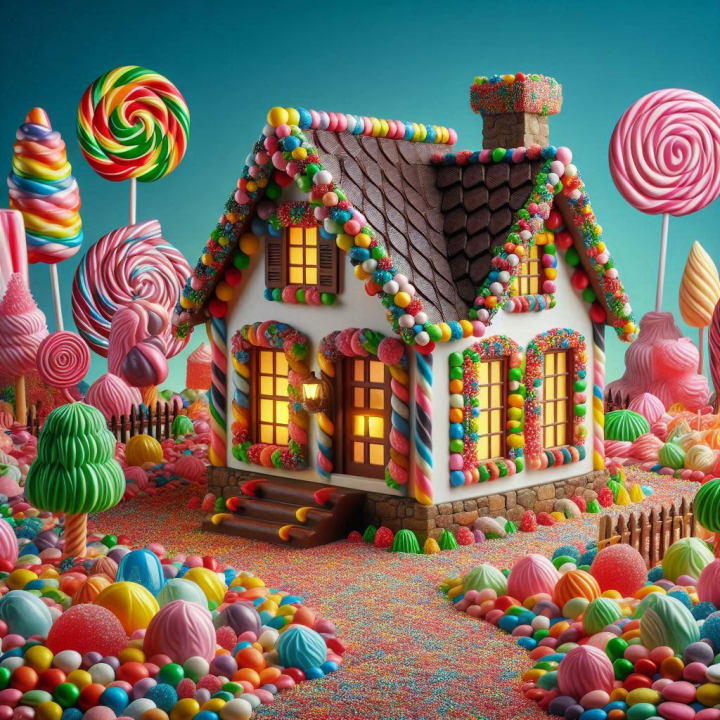
Why It Happens: AI can’t comprehend physical laws. It blends concepts based on visual data without knowing what’s structurally possible.
Avoid This Fail: Be clear about the function of an object in your prompt, not just its appearance. Also, reviewing your results with a human eye is key.
🌟 Pro Insight: These "fails" can be repurposed into creative concept art or meme content!
3. Floating Objects Without Shadows
Another odd yet frequent issue: objects that float mid-air without casting any shadows. From hovering coffee cups to flying lamps, these physics-defying anomalies often sneak into your generation.

Why It Happens: AI isn't inherently aware of physical properties like gravity or light direction. It mimics patterns from training data, but unless trained with consistent lighting logic, it might place objects in space unrealistically.
Avoid This Fail: Add contextual lighting instructions in your prompt. Try something like: "a ceramic teacup resting on a wooden table with a soft shadow underneath, lit from the left".
💡 Extra Tip: Tools like Photoshop or Canva can help you manually add realistic shadows post-generation.
Conclusion:
AI-generated art is a powerful and entertaining tool—but it's not without its quirks. From too many fingers to literal-minded absurdities, these fails show us that while AI can mimic creativity, it still lacks a human sense of logic and nuance.
With clearer prompts, smart post-editing, and a good sense of humor, you can turn these strange mishaps into masterpieces—or at least, meme-worthy magic.
🎨 Got your own hilarious AI fail? Share it with us and keep the laughs (and learning) going!
About the Creator
AI Lens
Exploring AI’s evolving universe—from tool reviews and comparisons to text-to-image, text-to-video, and the latest breakthroughs. Curated insights to keep you ahead in the age of artificial intelligence.
5 Best Mobile App Development Companies in Pittsburgh (2026)
Pittsburgh has quietly become one of the most compelling technology cities in the United States. What was once known for steel mills and bridges is now home to a thriving ecosystem of software engineers, AI researchers, and product builders. Carnegie Mellon University alone pumps world-class computer science and machine learning graduates into the local workforce every single year, and a growing number of them are choosing to stay and build here rather than relocating to the coasts.
By Samantha Blake6 days ago in 01
The Rise of Labubu and Contemporary Collectible Toys
In recent years, the global toy landscape has shifted in noticeable ways. Toys are no longer designed only for children’s play; many are now created with adult collectors in mind. This evolution has brought renewed attention to designer characters, limited releases, and packaging styles that emphasize experience as much as the object itself. Within this context, the Labubu Doll has emerged as part of a broader conversation about modern collecting and the changing meaning of toys.
By charliesamuel4 days ago in 01


Comments
There are no comments for this story
Be the first to respond and start the conversation.