
7 Tips to Convert Flash to HTML5 eLearning
Flash to HTML5
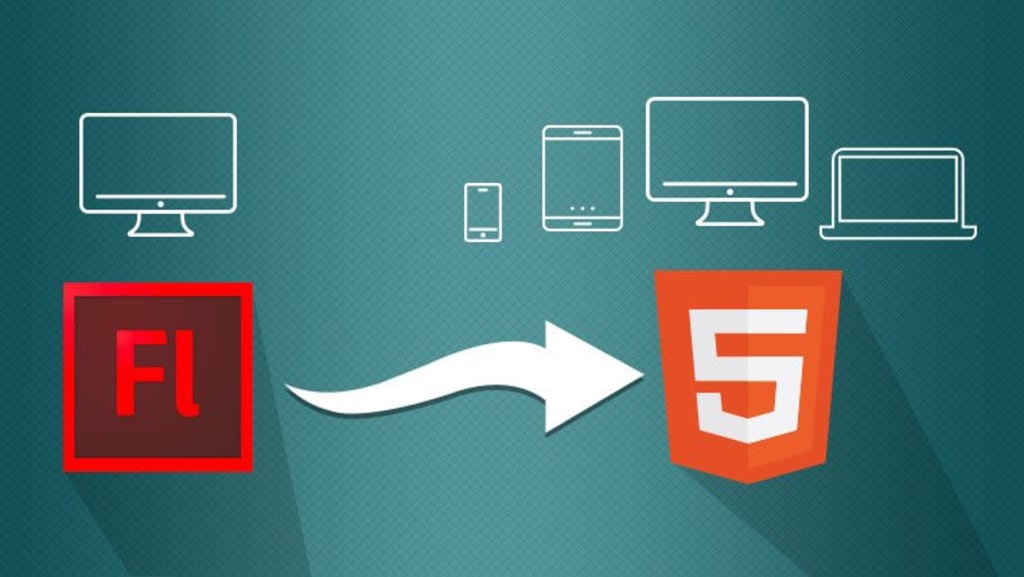
Why you need to convert Flash to HTML5 eLearning?
- In today’s digital learning world, experts embrace HTML5 as it is far better than flash technology. This modern mark-up language has made it possible to run eLearning courses on mobile devices such as smartphones, tablets, iPhones, and iPads. Before HTML, e-learning professionals were using ever-popular Flash for creating courses.
- Flash ruled the e-learning world for more than two decades and was used worldwide as a standard for creating content. Today, instead of using Flash-based eLearning technologies, we are switching to HTML5 and converting Flash content to HTML5 eLearning courses, wondering how to convert Flash to HTML eLearning content? Here are some important tips that can smoothen the whole conversion process.
7 Tips to migrate your courses from Flash to HTML5
1. Prepare a list of the task
Do a thorough audit of all your eLearning courses and identify the course that should be moved from Flash or legacy formats to HTML5 eLearning courses. Proper planning and listing of work can make the transition process smooth and hassle-free. Make sure you have all the source files, including all the media files.
2. Extract obsolete information and add relevant information
Update your content or courses by extracting outdated information and add related media files and content. Add a modern approach by making courses interactive and incorporating microlearning.
3. Know about the nature of the task
Decide the nature of the task involved for a particular course. For instance, some files or courses need only a technology uplift, some need only visual design, some require complete re-design, and some require rebuilding. Do this assessment carefully to save your time and decide how to proceed further with your limited budget.
4. Use Rapid Authoring Tools
The right authoring tools allow you to convert Flash to HTML5 eLearning courses rapidly and save time and money. Select the right one which supports mobile compatibility, content and instructional design updates, and multilingual translations. Several popular eLearning authoring tools are available for easy migration, including Articulate Storyline, Adobe Captivate, Lectora Inspire, Paradiso Composer and iSpring Suite.
5. Choose Effective Conversion Strategies: The Four Rs
Select the right Flash to HTML5 conversion strategy. There are four Flash to HTML5 conversion strategies that you can use for the transition process, which can be described as four R’s: Record, Republish, Rebuild, Redesign.
Read this blog for more information on conversion strategies: Imperative strategies to convert Flash to HTML5 eLearning.
6. Be Aware of Development Timelines
A conversion strategy affects the development time and cost. Some courses require to rebuild some need total redesigning from scratch. Suppose you want to convert 60 minutes course with the following strategy; it will take the approximate time mentioned below:
Record: 7 to 8 hours
Republish: 25 to 30 hours
Rebuild: 45 to 50 hours
Redesign: 250 to 280 hours
On this basis, you can calculate the time that will be required to convert your course into HTML5 eLearning content
7. Conduct a pilot test
Finally, conduct a pilot test to check whether converted courses can run successfully on all platforms. If your pilot test runs successfully, you can convert the rest of your Flash files into HTML5 eLearning courses. Just in case it doesn’t run successfully on your LMS platforms, you may have to redesign the courses.
Winding-up
Flash is going to become obsolete this year, and due to speed and security concerns, it has been already subject to restrictions by major. With HTML, you can create dynamic eLearning courses and build perfect solutions that allow the learners to interact with the content. The right authoring tools allow you to convert Flash to HTML5 rapidly and save time and money.
About the Creator
Keep reading
More stories from Daniel Par and writers in 01 and other communities.
Flash to HTML5
Why selecting HTML5 over flash technology? Converting Flash to HTML5 is a tedious task, but you must convert your content, files, videos, websites, games into the latest HTML version (Hyper Text Markup Language). As you know, Flash is going to become obsolete this year, and due to speed and security concerns, it has already been subject to restrictions by major browsers. In the tech world, experts are embracing HTML5 as it is far better than flash technology. This modern mark-up language has made it possible to run websites, eLearning courses, games on mobile devices such as smartphones, tablets, iPhones, and iPads.
By Daniel Par5 years ago in 01
Top 20 OnlyFans Ideas for Content, Niche, Username, and Bio
Are you looking for the best ideas for creating engaging OnlyFans content, or do you want to know the platform's top content categories? Maybe you are struggling with your OnlyFans bio and username and need some tips? No matter what the case, we are here to rescue you.
By Intelligent Creator8 days ago in 01
Sustainable Engineering: How Indi IT Solutions Reduces the Carbon Footprint of Mobile Apps
The global push for net-zero emissions has changed things. It has fundamentally transformed the requirements for digital infrastructure. As of early 2026, energy consumption is a top priority. Mobile ecosystems are no longer a secondary concern for stakeholders.
By Del Rosarioa day ago in 01
Cabin Fever Because of Snow, Sleet, and Freezing Rain That Turned to Icy Roads
What Is Cabin Fever? The short answer is that cabin fever is restlessness from being in a confined area. Cabin fever is the distressing irritability or restlessness experienced when a person or group is stuck at an isolated location or in confined quarters for an extended time. Research shows that prolonged cold, gray skies, and being stuck indoors can trigger mood shifts similar to “winter blues.”
By Margaret Minnicks5 days ago in Humans



Comments
There are no comments for this story
Be the first to respond and start the conversation.